
Most people use the built-in File Explorer app on their Windows 11 laptops because it's user-friendly and gets the job done. However, it has many limitations, and some third-party alternatives have more features and make navigating and organizing your files easier.
Q-Dir is an excellent free file explorer app that's worth trying if you want to work faster and more efficiently. It has a simple interface that anyone can learn to use, and its multi-window interface lets you copy and organize your files in different locations simultaneously. If you aren't using Q-Dir to manage your files, here are six reasons why you should.

8 advanced filters I use to search efficiently on File Explorer
Master advanced File Explorer filters to search smarter on Windows
6 Multi-Window Interface
Browse four Windows at the same time
You could try to stack four file explorer windows together, but using Q-Dir's multi-window interface is easier. Its standard configuration has four windows in a grid layout displaying your PC's drive locations. If you want something different, you can easily change the layout to vertical or horizontal stacks or adjust the number of windows with the one-click shortcut buttons at the top of the display.
All open windows have shortcut buttons to the Desktop and My PC, so you won't waste time returning to them. You can also open multiple folders in each window and switch between them like browser tabs. This system speeds up navigation and copying and pasting because you can view numerous directories simultaneously. You can also copy from one directory and paste into multiple locations faster because the windows are already open on your screen.

The Windows File Explorer isn't good enough — 5 file managers for power users
Microsoft could learn a thing or two... or more
5 Color-coded file types
Find your files at a glance
Another way Q-Dir speeds up navigation is by color-coding each file type. For example, all folder names are green, Word and Excel files are Blue, and PDFs are yellow. This makes it easy to find what you're looking for when you open a folder containing multiple file types. You can also filter searches by color to include the file types you're looking for and exclude everything else you don't require.
The best thing about Q-Dir's color-coding is that you can configure it to match your preferences. You can set various file types or folders under a specific color so they're easier to find later. Your files and folders become more visible at a glance, and navigation and searching is faster after color-coding your files.
5 features the Windows File Explorer needs if it's ever going to be good
It's time to step up the game
4 Favorites
Have your folders ready to go
Favorites is a simple Q-Dir feature that lets you set your favorite locations so they're stored in the system and ready to go without searching for them. After storing a folder as a favorite, Q-Dir will list all the folders contained within and their subdirectories when you click on it. The list format is easy on the eye, and you can view all the files without needing to open and close each folder to view them.
Adding and removing files and folders to shortcuts is easy, and you can also use it to open apps. You can also use the Manage in this view feature to open the Favorites folder in one or all four of the display windows if you want to copy and paste files.
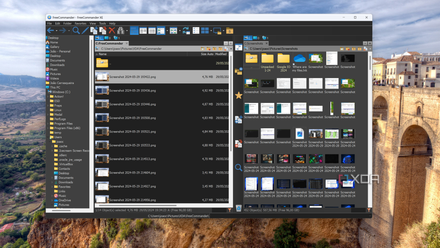
FreeCommander hands-on: A File Explorer replacement with potential (and a few problems)
This File Explorer replacement isn't it for me
3 Shortcuts to Windows functions
Easy access to your favorite tools
Q-Dir includes quick-access shortcuts to many Windows features so you can access them within the app without closing the interface and looking for them in menus. Each Q-Dir window has separate shortcut buttons to access system features like the Task Manager, Calculator, Command Prompt, and Notepad. There are also separate shortcuts for sending emails, and access the Event Viewer, Services, and other useful tools.
The shortcut function lets you create paths to other apps and folders you might want to access with a single click. All you need to do is input the path to the desired app or folder and save it in the system. You can create unique shortcuts to each of the four browser windows to access different files or folders.

5 ways to make your files transfer faster on Windows 11
Whether your PC is old or brand new, these tips will help speed up file transfers
2 Save Profiles
Fast access to your projects
Most of us work on multiple projects for different clients. Q-Dir lets you save the configuration to quickly return to your current state without wasting time navigating to the folders you want to view. This means you can use a profile that displays your documents, spreadsheets, and other work information in the four windows, then instantly switch to a profile that shows your photos and media files for personal use.
Another benefit of this feature is that you can simultaneously open multiple profiles to display eight or more windows on your desktop at any time. To avoid confusion, you can set each profile to have a different color theme to differentiate them. This level of versatility makes Q-Dir perfect for people who like multitasking and have full control of their files at their fingertips.

Files review: A more modern alternative to the Windows 11 File Explorer
The Files app is what I want the Windows 11 File Explorer to look like, but it's not quite perfect. It's also limited by Windows in some ways.
1 Free and lightweight
No payment or installation required
Q-Dir is a free app that doesn't require subscription or one-off fees. It also doesn't require registration, so you don't need to input your email address or other personal information.
This app is lightweight and requires minimal memory, so it won't slow down your computer when you have many open windows. If you don't want to install it on your PC, you can even run Q-Dir directly off your desktop or from a memory stick. You'll need to download the correct files because the portable version differs from the Windows installer.
Should you use Q-Dir to manage your files?
Q-Dir offers impressive file management features that surpass Windows Explorer. It allows you to instantly access multiple windows and copy files and folders between them. It also includes a color-coding feature to help you find files faster and lets you save numerous browser profiles for quick access to your earlier work. It's worth trying Q-Dir because it's free and doesn't require registration.