
Thin clients are an age-old concept in office hardware. You've probably come across a locked-down desktop in a corporate setup connected to a server. It's something I've dabbled with in the past with Chromebooks and netbooks. Just remote desktop to home and let all the computationally heavy tasks run on your main computer or home server. In 2026, though, you've got more options than carrying a low-powered PC around.
Recently, I decided to give desktop-mode on Android phones a shot. I was trying to solve a fairly simple and practical problem. I wanted a secondary setup for writing, research, browser work and remote access without having to buy yet another computer, or carry too much hardware around. I definitely didn't need another full-fledged computer, just something simple and dependable that could stay connected, handle basic work and not take up too much desk space. As it turns out, a smartphone meets all of those specs and more. And all I needed was an HDMI cable, and a wireless keyboard and mouse to build a far more capable thin client than I could've expected.
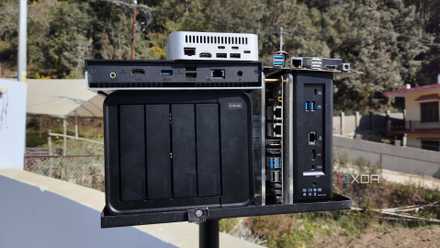
Thin clients are the most underrated home lab hardware nobody considers
Thin clients are only disappointing if you give them the wrong job
Modern Android desktop mode is much than screen mirroring
An Android phone solves more thin client problems than a mini PC does
Using my smartphone as a thin client, what surprised me most was how complete the experience felt. Desktop mode isn't new, but Google has been working on improving the overall experience for the last few years. If you haven't used it before, you might assume that connecting a phone to a monitor just means stretching the phone screen across a larger display, but that's not the case at all. Samsung devices with DeX and modern Android phones with desktop mode support give you a bona fide desktop-style experience complete with file and folder management and a task bar.
You'll also find basics like a per-app resizable windows, proper multitasking and a layout that actually makes sense with a keyboard and mouse. Google has been trying to make this an experience where the connected monitor becomes its own working environment rather than just a bigger phone screen. With proper support for USB docks, effectively you can plug in a keyboard, mouse, even external storage and Ethernet to your phone. All that means that if you're looking for a secondary setup, the entire value proposition changes.
A mini PC might sound like the obvious answer to the problem we're trying to solve but it needs power, networking, accessories, even backup internet via a hotspot if you expect intermittent connectivity. A phone has pretty much all of that built in. It can switch to 5G or LTE. If Wi-Fi fails, it can even act as its own hotspot. Plus, with Bluetooth, security and quick sign-ins built in, it can add a lot of ease and flexibility to your thin client setup.
Why a phone works out better when you stop treating it like a laptop
Browser-first workflows make the setup practical
Let's talk a bit about the experience of using a phone as a thin client. Turns out, it needs a bit of a change in thinking and the setup becomes much better once you stop thinking of it like a laptop.
The phone as a desktop setup is not built to do heavy photo or video editing workflows, or to run IDEs, or even multitasking where you are juggling half a dozen browser tabs. Instead, most of my day involves writing in a markdown editor, or editing in a CMS, checking dashboards, research, some SSH sessions, and interacting with Docker containers on my home server. None of these necessarily need a powerful desktop machine.
Remote desktop, or just being able to access web-based front ends for all my self-hosted services is what made the setup useful. In fact, that's where this setup makes most sense. Instead of forcing the phone to do everything locally, I use it as an access point to other systems. My main server handles most of the heavy work and runs all the services in the background. And for other tasks, I rely on cloud-based services. The phone is basically just a window to interface with all of these services and connects them all together. And that is, honestly, a much smarter way to approach things than trying to turn Android into a desktop-class operating system.
It's worth talking about the actual user experience too, while we're at it which, as it turns out, is perfectly functional. If, like me, most of your work happens in a browser window, you won't have much of a learning curve. Chrome and Firefox behave similar to how they work on a desktop, and I didn't run into any issues at all with rendering a complex CMS or editing a thousand-word document in Google Docs. The same can be said for my self-hosted services. In fact, in some ways, the experience was even better. Since services like Home Assistant and Immich have their own apps on Android, they can offer deeper integration and a smoother experience than using them via the web browser. And for your SSH needs, you can simply log in via Termix. Need full-fledged remote desktop? That's covered, too, with dedicated apps.
Like I mentioned earlier, there are certain benefits to this setup. The biggest for me is portability. Sure, you have to lug a keyboard and mouse around, but that's really all it takes. You could be anywhere, just plug into a TV and your thin client on-the-go is ready. You don't even need Wi-Fi since the phone can supply that via its built-in 5G connectivity.
Why my phone turned out to be the best thin client I've used
I had high hopes from the desktop-on-phone experience to work as a thin client. As it turns out, it worked out much better than I expected. Between how browser-bound our general use has become, and the ability to remotely connect to my home server, the performance limitations of using a phone as a desktop client haven't mattered at all. In fact, the long battery life and built-in connectivity have positioned it as one of the best thin clients I've ever used. And Google's push towards a stronger native desktop mode is what it took to make this niche trick feel like a very intentional direction.
Google Pixel 10 Pro
- Brand
- Display
- 1280 x 2856 pixel resolution LTPO OLED at (495 PPI)
- RAM
- 16GB
- Storage
- 128GB
- Battery
- 4,870 mAh
- Ports
- USB-C
The Pixel 10 Pro offers an upgrade over the base model with the powerful Google Tensor G5 chip, more RAM, and more storage (if you need it).