
When choosing an M.2 PCIe NVMe SSD, you have a few choices available. There are a couple of generations, with most listings ranging between Gen 3 and Gen 5. PCIe Gen 5 is the latest and most capable standard, offering speeds up to 15,000 MB/s, but these high transfer rates come at a cost. I don't use PCIe Gen 5 for my storage in any device, yet we're seeing more drives hit the market. Here's why I won't be upgrading anytime soon.
4 I don't need 15,000 MB/s
PCIe Gen 4 is more than enough
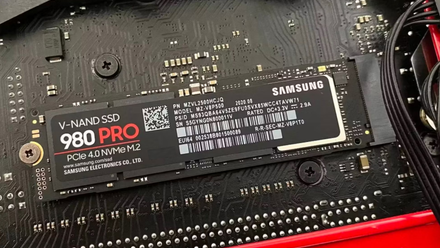
PCIe Gen 4 solid state drives (SSDs) can run up into the mid-7,000 MB/s for transfer speeds. PCIe Gen 5 is impressive, doubling the bandwidth, but do we really need such high speeds? I don't, and my PCIE Gen 4 drive is usually running next to idle once everything is loaded into RAM. Even while gaming, it doesn't get hit hard, which makes the upgrade almost pointless since I won't get anything from the expensive drive swap.
These transfer rates don't translate well to real-world usage either. You'll see these impressive numbers in benchmarks, but this doesn't mean much if you're not able to take advantage of them in daily tasks. Think of it like your GPU running at 4K 60FPS in a benchmark but only managing 4K 30FPS in your favorite game. You wouldn't purchase the GPU on the fact it does well in testing alone, and the same goes for PCIe Gen 5 SSDs.

3 things I've learned about Gen 5 SSD's with Crucial's new P510
I've spent the last month using Crucial's latest Gen 5 SSD, and this is what I've learned about this cutting edge storage.
3 I mainly use my PC for work and play
Writing and gaming don't require PCIe Gen 5
Load up your favorite games and see if you're struggling with long load times. Check your SSD to determine if the drive is causing a bottleneck somewhere. There's a good chance it's not, which would mean a PCIe Gen 5 SSD would provide almost no benefit to your gaming PC. I carried out the same test with my Gen 4 SSDs and found them to be more than adequate for my needs and no errors were detected with the most recent scans, so I'm still good for at least a few more years.
Although PCIe Gen 4 has been around for a few years now, developers still haven't fully maxed out the bandwidth of PCIe 4.0 SSDs yet for apps and games. So, what's the point of upgrading to an even faster SSD when software is still playing catch-up? Microsoft DirectStorage has been one of the driving forces behind the adoption of PCIe 4.0 SSDs in recent years. It improves game loading times and asset streaming by bypassing the CPU and moving data between the NVMe drive and the GPU directly.
The issue with DirectStorage is that only a few games support it. Ratchet and Clank: Rift Apart, Horizon Forbidden West, Marvel's Spider-Man 2, and EA Sports FC 25. I don't play any of them and thus won't see a substantial improvement to performance with my PCIe Gen 4 drives, let alone Gen 5 (or even Gen 6).

5 reasons PCIe 6.0 SSDs are utterly pointless in 2025
You don't need a PCIe 6.0 SSD for many years to come.
2 It's yet more heat to deal with
Have you experienced a UK summer?
It's no secret that summers are getting warmer here in the UK. The home office already hits mid-30s when we're experiencing peak temperatures, and the primary culprit of this is my desktop PC. Installing a PCIe Gen 5 drive inside would only worsen the situation, and since we don't have easy access to air conditioning, as it's not economical, this is something I don't wish to deal with. My primary system already has an AMD Ryzen 9 9950X and AMD Radeon RX 9070 XT, and so I don't need to throw more waste heat into the mix.
These speed improvements that come with PCIe Gen 5 don't come without a cost. Even idling, a PCIe Gen 4 drive can be noticeably higher than older-gen SSDs. It's not uncommon to see a modern SSD hit temperatures surpassing 50 degrees Celsius without pushing it hard. This is why you'd often see PCIe Gen 5 drives being sold with beefy heatsinks to help handle the heat output. You may even come across a few with active cooling, taking it to the next stage.
Should you upgrade to a faster SSD?
If you're not sure whether you need a new SSD or not, we have all the answers.
1 PCIe Gen 5 is bloody expensive
Yeah ... no thanks
Have you looked at the price of a capable PCIe Gen 5 SSD? It's anything but cheap. A solid 1TB PCIe Gen 4 SSD will set you back around $60, but the same capacity Gen 5 storage drive will cost you more than $100. This takes me back to an earlier point: why would I want to pay more for something with diminishing returns for what I use my system for? The same could be said for most desktop systems, where you wouldn't see the benefit, but you'd most certainly feel the cost.
Interestingly, a PCIe 3.0 SSD wouldn't likely be the bottleneck inside a gaming PC, so there's no need to splurge your money on these faster SSDs just yet unless you still have a SATA SSD.

4 differences between PCIe 4.0 and PCIe 5.0 SSDs
Gotta go fast, but what's the difference?
I will eventually upgrade to PCIe Gen 5
But not anytime soon. PCIe 5.0 SSDs are ridiculously fast, but their practical advantage in everyday computing tasks remains questionable, even as the technology continues to mature. They run hotter, draw more power, and barely improve loading times compared to PCIe Gen 4 drives at a higher cost. It's simply a deal-breaker for me and my PC. Until these faster SSDs drop in price and offer noticeable improvements in real-world scenarios, improved thermals, and better software support, PCIe 4.0 SSDs will continue to be my primary storage.