
If your motherboard is less than 10 years old, it probably has more than one M.2 slot. While you may have one or two of them populated with NVMe storage, the rest of them don't need to remain vacant. You can still add useful expansion cards to them to augment your PC's connectivity, I/O, or even AI capabilities. The average user may never need more M.2 devices besides a single SSD, but many users feel a burning desire for extra USB ports, SATA ports, Wi-Fi connectivity, or a microSD slot. Your motherboard's extra M.2 slots are versatile in that they can accept a variety of expansion cards, so stop wasting their potential and use this list to figure out which ones can fill the gap in your digital life.
7 non-SSD devices you may be able to use in your M.2 slot
You might know it as your SSD connector, but the flexible M.2 slot is capable of so much more
Enhance your old PC's connectivity chops
Ethernet and Wi-Fi cards
Almost all modern motherboards have onboard Bluetooth and Wi-Fi, but that wasn't the case 10 years ago. My B350 motherboard from 2017 didn't have any wireless connectivity, but it did have an extra M.2 slot. While I used Ethernet for the first few years and didn't miss Wi-Fi at all, moving houses removed the possibility of a wired connection for a few months. That's when I added an M.2 Wi-Fi card to my motherboard to avoid any disruption to my WFH schedule. I didn't want to struggle with USB Wi-Fi adapters, so an M.2 card was an easy choice. I would have picked a PCIe Wi-Fi card had it not been more expensive at that time on Amazon India.
Another way to enhance your PC's networking chops is to upgrade to a multi-gig Ethernet card. Your old motherboard likely has a 1GbE adapter, which can be a bottleneck if you're hoping to turn your PC into a home server. Large file transfers, automated backups, and other heavy workloads can truly benefit from 5GbE or 10GbE NICs. Your internet plan may still be sub-Gigabit, but your internal home lab workloads don't have to be limited by it. Before you buy a Wi-Fi or Ethernet card, ensure it matches your motherboard's M.2 slot (M key or A+E key).
Add more storage
SATA cards
Data hoarders may not be satisfied with the number of SATA ports on their motherboards. While this option is technically the same as adding more SSDs or hard drives to your motherboard, it still counts as an expansion. If you've run out of the default SATA ports on your board, you can simply add more of them with an M.2 to SATA adapter. If your system demands more capacity and endurance than raw speed, then expanding a vacant M.2 slot into multiple SATA ports on the same card can be a godsend. You can finally add more hard drives or SATA SSDs to your PC to handle all your archival data, backups, media files, and creative files. Running multiple additional drives simultaneously will split the available bandwidth among them, so choose between cards with 2, 4, or 6 SATA ports after considering your board's constraints.
M.2 to SATA 3.0 Adapter Card

SATA SSDs are the smartest budget upgrade nobody talks about anymore
They are fast enough for most workloads, and more affordable at high capacities
No more running out of USB ports
USB expansion cards
If you're running out of SATA ports, then you probably ran out of USB ports long ago. Budget or older motherboards usually have a limited number of USB ports, which can get exhausted with just the basics — keyboard, mouse, headset, external hard drive, and speakers. If you need to connect anything else, you have to resort to your PC's front I/O, which suffers from more interference and slower speeds. Instead, you can install a USB expansion card in a vacant M.2 slot to add a bunch of extra USB ports to your system. The days of swapping between USB devices can finally be over. M.2 to USB-C or USB-E ports can also add a USB-C header to older motherboards, provided your case has one to make use of.

4 peripherals you're probably plugging into the wrong USB port
Don't let the wrong port hold your peripherals back
Add an extra GPU or AI accelerator card
For more than just gaming
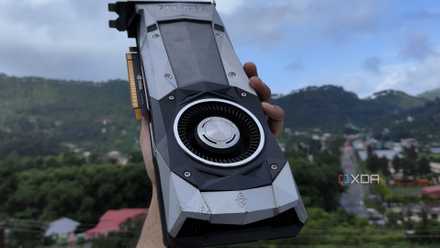
Secondary GPUs are still popular with PC users who want to use one as a dedicated card for Lossless Scaling, driving extra monitors, virtual machine passthrough, or AI workloads. All your PCIe slots may already be occupied with your main GPU and some expansion cards. You may not want any extra load on your primary graphics card, so installing an M.2 to PCIe adapter will give you the missing PCIe slot you need for your secondary GPU. Any reduction in the PCIe bandwidth available to your primary GPU will have a negligible impact on gaming performance.
And if we're considering AI workloads, you can alternatively use an AI accelerator card in a vacant M.2 slot. These cards are available in M, B+M, and A+E key variants, and offer around 26–40 TOPS of AI compute. If you're a local LLM enthusiast, an AI accelerator card could infuse your PC with sufficient local AI horsepower.

Local AI didn't replace my subscriptions, but it did take over these 6 tasks
Local AI is extremely useful, but you need to taper expectations
Don't pigeonhole your M.2 slots
Your motherboard's M.2 slots are typically used for installing SSDs, but they're much more universal. For users who prefer to populate every motherboard slot they paid for, M.2 adapters can add a world of possibilities to your system. Extra USB ports, SATA ports, Wi-Fi cards, and AI accelerator cards can enhance your PC's capabilities beyond what you imagined when you built it. Some of these use cases are better served with PCIe expansion cards, but M.2 cards are useful in their own right.