
Being a power VS Code user, I have tweaked my extensions, curated themes, and treat my file trees like architecture. So, when I finally jumped into Google Antigravity, I was prepared to do what I always do: benchmark it against VS Code and find the cracks.
I quickly realized that Antigravity isn’t trying to out-feature Microsoft; it’s trying to change the entire development environment. I expected a VS Code killer, but instead, I found a tool that exposed my outdated habits and forced me to face a future I wasn’t ready for yet.
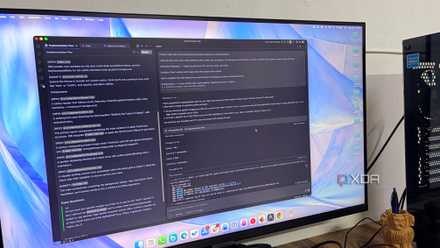
I tried VS Code, Google Antigravity, and Claude Code for a month and one clearly dominated
The AI coding war has intensified.
From text editor to agent manager
A major mental shift
When I first opened Google Antigravity, I went straight for the file list, ready to start typing. But I quickly saw that the ‘Text Editor’ we all know is barely the point here. In my old way of working, I was the engine — I wrote every line and checked every error myself.
Now, I feel like I’m sitting at Mission Control. It’s where I spend most of my energy now, running different agents to handle specific parts of the stack simultaneously.
It’s a surreal experience to watch one agent refactor a database schema while another builds out the corresponding frontend components in real-time.
My workday has changed from long typing sessions to a strategy session where I’m just giving orders. This is the mental shift I wasn’t ready for.
I always felt like a good developer, because I could solve tricky coding puzzles or fix broken scripts. I took pride in being a builder who knew every single line of the code.
Moving to Antigravity changed that fast. It handles the boring work, like setting up servers or writing basic code. It was a shock to realize that being fast with a keyboard doesn’t matter as much anymore. I had to swallow my pride and admit that the AI could often write the code faster (and sometimes, better than I could).
I’m still tired at the end of the day, but for a different reason. I’m not tired from typing; I’m tired from the heavy lifting of checking logic and making sure the ‘big picture’ is right.
The specification-first approach
The planning tax
I used to think I was an expert at vibe coding. However, Antigravity doesn’t care about my vague ideas; it demands autonomy. In my old workflow, I would just say, ‘Make a login page,’ and fix the mistakes as they happened.
But Antigravity forced me into a specification-first mindset that felt slow at first. Before it writes a single line of code, it generates a full implementation plan and a task list that I have to audit.
It was frustrating to sit there and review a document instead of seeing code appear, but then I saw the results: the agent wasn’t just guessing; it was executing a strategy.
The real wake-up call was the Artifacts. In the past, if an AI said, ‘I fixed the bug,’ I just had to take its word for it. Now, Antigravity provides proof. It shows me browser recordings of the fix in action and logs of the tests it ran.
I’m no longer hoping the code works based on a feeling; I’m verifying that it works based on data.
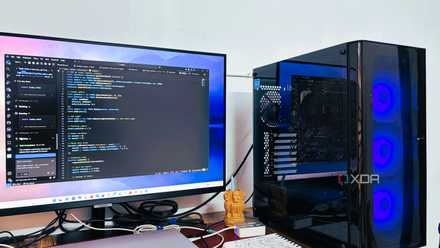
Google Antigravity supports VS Code extensions, but I found myself needing fewer of them
The extension era is over.
Why VS Code isn’t the enemy yet
Still the king in many ways
There are still moments when I just want to jump in and change a simple word or fix a quick mistake. In those moments, starting up a full Antigravity agent feels like overkill.
VS Code is still the king of that quick and simple speed. It’s my go-to for small, fast changes where I don’t need a Mission Control or a 10-step plan. I just need a simple place to type that stays out of my way.
As of now, I haven’t completely replaced VS Code with Antigravity. These two tools live together on my Windows taskbar. Antigravity is where I go to build the big stuff and manage the future, but VS Code is where I go when I want to touch the code directly.
The Antigravity method
Overall, the ‘VS Code killer’ debate is the wrong conversation to be having. If you approach Google Antigravity looking for a one-to-one replacement for your favorite extensions and key bindings, you will likely walk away frustrated and come back to the comfort of the familiar.
I wasn’t ready for this. It’s uncomfortable to step back and let an agent handle the terminal and the file structure while I focus on the big picture. But I can’t deny how exciting this is.
Google Antigravity doesn’t just host my ideas but actively helps me bring them to life. I can’t wait to see how VS Code, Cursor, Windsurf and other IDEs counter it.
Google Antigravity
Google Antigravity is an AI-powered IDE that rivals the VS Code and Cursor.