
When I first upgraded to my RX 9070 XT last year, I wasn't necessarily underwhelmed by the performance uplift, but I did want just a little bit more from my card. Coming from an RTX 3080, I saw a pretty significant increase, but once I applied an undervolt to my new card, it finally felt like a true generational leap. Temperatures were lower, frametimes were more consistent, and everything was pretty much just as stable as it was before.
What undervolting actually does
It's not a performance decrease
Undervolting is the process of running a GPU at a lower voltage than its default settings while keeping performance the same or as close as possible. Modern graphics cards are designed to be stable under worst-case conditions, which means manufacturers often ship them with extra voltage “headroom.” The downside is that extra voltage turns into extra heat and power draw, and in turn, that can cause the card to run louder, hotter, and sometimes even throttle under heavy loads.
It sounds counterintuitive, but undervolting a GPU can actually increase performance, Not because you’re magically creating more compute power, but because you’re removing the bottlenecks that stop the card from sustaining its best clocks.
With GPU undervolting, you’re essentially tuning the voltage/frequency curve so that the card can hit a target clock speed at less voltage. Power consumption rises dramatically with voltage, and even small reductions can lead to big real-world gains: lower temperatures, quieter fan noise, reduced coil whine in some cases, and more consistent sustained boost clocks.

4 mistakes people make while undervolting their CPU or GPU
You can't just lower the voltage and expect your desired results
The RX 9070 XT responds very well to an undervolt
Over 10% gains in performance in some cases
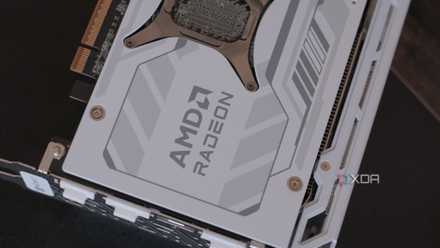
My specific card, the Sapphire NITRO+ RX 9070 XT, is a pretty built-up card. It has strong power delivery, a bulky, robust cooler, and has likely been binned to hit higher clocks out of the box. I don't really have much to complain about at stock, but an undervolt brings it to the next level, with performance that (in some situations) can rival an RTX 5080.
With a pretty aggressive undervolt, I saw performance increases of up to 10%, but even when I'm not pushing the limits, I saw at least the same performance just with lower temperatures and fan speed. In Cyberpunk 2077 on high settings with RT set to medium with a -100mv offset, I saw my average FPS jump from 58 to 64. 1% and 0.1% lows followed suit, though those gains were less noticeable.
In a synthetic test with FurMark, I saw a much more modest increase in performance, only jumping from 42 FPS to 45. Interestingly, this synthetic load didn't show any meaningful difference in temperature, though I only ran it long enough to give me a score. If you own an RX 9000 card, chances are you'll be able to undervolt it in a similar way, but not all cards within the same SKU are created equally.
4 tweaks that dropped my PC temps by 20 degrees Fahrenheit
Small changes add up quickly.
Not all cards are created equal
Even within the same model
One important caveat with undervolting is that there’s no universal “best” setting. Just like overclocking, undervolting depends heavily on silicon quality; even two GPUs with the exact same SKU can behave slightly differently. Manufacturers produce chips in massive batches, and while they’re all designed to meet the same baseline specs, each individual die comes out slightly different due to tiny variations in the manufacturing process. Some chips can maintain high clock speeds at surprisingly low voltage, while others need extra voltage to stay stable, and that’s where concepts like silicon lottery and binning come in: higher-quality chips are often “binned” into premium models with better boost behavior, while others land in more average configurations.
In practice, this means your friend’s GPU might undervolt effortlessly, while yours crashes at the same setting. To be clear, neither card is “bad", it just has different voltage requirements to hit the same frequency reliably. That’s also why undervolting is always an iterative process: you test, adjust, stress the card, and find the lowest stable voltage for your specific GPU.

Here’s how to tell if you’ve won (or lost) the CPU silicon lottery
You can't win if you don't buy a ticket
Undervolting is something everyone should try once
Undervolting is one of those rare PC tweaks that feels like it should have a downside, yet in practice it often doesn’t. You’re not voiding warranties, flashing any sketchy firmware or taking a soldering iron to your hardware. If you’re cautious, you can apply a mild offset and enjoy a cooler, quieter card with basically zero risk. If you’re willing to experiment, you can tune the curve and squeeze out efficiency gains that make the whole GPU feel “upgraded.” Even if your card doesn’t undervolt as aggressively as someone else’s, it’s still worth at least trying.