
Lossless Scaling has built up a reputation in some corners of the PC gaming community as the secret weapon that makes DLSS and FSR irrelevant. To put it bluntly: it's not. If I'm playing a game with a proper DLSS 4 transformer-model implementation, that's what I'm reaching for, and FSR 4 on supported AMD hardware is close enough that I won't pretend otherwise. Lossless Scaling's LS1 upscaler isn't winning that fight, and LSFG, while remarkable for what it is, doesn't beat native DLSS Frame Generation paired with Reflex on latency or motion clarity.
With that said, Lossless Scaling is a piece of software that's absolutely worth your time if your hardware and games don't support the latest upscalers and frame generation technology. After using it for the better part of two years across three different machines, I've come to think of it less as a competitor and more as a tool that picks up where DLSS and FSR don't go. Here are five places where it genuinely runs circles around the big two.
I tested AMD's RX 9070 XT against the Nvidia RTX 5070, and it isn't pretty
Two $600 GPUs. Two different performance classes.
LSFG runs on hardware that DLSS ignores
Virtually GPUs are included
Nvidia's frame gen is locked behind RTX 40-series and 50-series GPUs, and DLSS 4's Multi Frame Generation is exclusive to the RTX 50-series. If you're sitting on a GTX 1080, an RTX 2070 Super, or an RTX 3080 that still plays everything you throw at it, you're permanently outside that party. FSR Frame Generation has wider hardware support, but it still requires per-game implementation, which means most of your library doesn't have it.
Lossless Scaling's frame generation, LSFG, doesn't care about any of that. It runs on Pascal, Turing, Ampere(!), and every RDNA generation. It runs on Intel Arc and even runs on integrated graphics, which is the entire reason it's become a fixture in the Steam Deck and Legion Go community. The frame quality won't always match a native implementation, and you'll need to manage the GPU overhead, but the option exists, and that's the entire point.
4 reasons why Nvidia's DLSS is ruining PC gaming
DLSS works like magic, but it's actually making your games worse
It works on any game
No developer integration required
DLSS and FSR are renderer-level technologies, and that means that the game developers themselves must integrate them. That means older titles where the developer is no longer putting out updates never get them. The list of games without modern upscaling support is genuinely enormous, and it includes some of the most-played titles on the planet.
Lossless Scaling sidesteps the whole problem by hooking the rendered window after the fact. It doesn't care about the engine, rendering API, or if the developer is even alive. The same approach is used on emulators: Dolphin, PCSX2, RPCS3, Cemu, and more can all be used with Lossless Scaling. Practically everything can be used with it, even video.
3 reasons gamers prefer upscaling over frame generation
Gamers don't consider frame generation all that hot, but happily use upscaling to boost frames
Dual-GPU frame gen has no equivalent in DLSS or FSR
Only LS has this
Now it's time for something that Nvidia nor AMD have any answer for. You can dedicate a second GPU entirely to running LSFG, while your primary GPU handles the actual rendering. The base frames come off your main card, the generated frames come off the secondary one, and the result lands on your display through the second GPU's output. Done right, it offloads the frame-gen overhead almost completely and frees up VRAM and compute headroom on the primary card. This is usually done with a cheaper used card, like an RX 6600 or RTX 3050. Nvidia and AMD have nothing remotely like this. DLSS FG runs on the same GPU doing the rendering, and so does FSR FG. If you have enough PCIe lanes and a PSU with enough headroom, the option is there for you. It definitely requires some tuning and the right application, but it's genuinely good in some scenarios.
4 ways FSR 4 could help paint a terrible future for PC gaming
FSR and DLSS are amazing technologies, but they could also be bad for the industry.
You can stack it onto native DLSS or FSR
20-series and 30-series cards have a ton to gain
A popular workflow on an RTX 20 or 30 series card is to enable DLSS Quality for the actual upscaling, then layer LSFG on top for frame generation. On AMD hardware that doesn't get a native FSR FG implementation in a given title, you can do the same with FSR upscaling plus LSFG. This is often something that's forgotten about when comparing the two, but it's noteworthy.
AMD's FSR 4 beats DLSS 4 in one surprising way
For the first time ever, AMD's FSR 4 can properly compete with DLSS 4.
It's cheap
$7 one-time purchase versus hundreds on a new GPU
Lossless Scaling is $6.99 on Steam and frequently goes on sale below five dollars. Compared to getting access to DLSS Frame Generation, the difference can mean hundreds of dollars in savings. Being able to use DLSS FG means buying into the RTX 40-series or 50-series. That's not a small ask for someone whose existing GPU is otherwise fine.
The comparison is definitely not apples-to-apples. A new GPU grants you way more than just frame generation, but if it's the specific thing you're after, it's possible to experience it without shelling out tons of cash. Lossless Scaling buys you a meaningful chunk of what a new GPU's marketing strategy is selling, on the hardware you already paid for, for less than the cost of a Steam sale indie game.
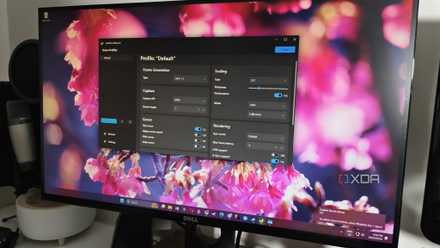
Call me crazy, but I still use Lossless Scaling with the RTX 5090
A little extra frame generation never hurt anyone.
DLSS and FSR are still better upscalers, but Lossless Scaling is worth owning for everyone
Lossless Scaling is by no means a DLSS killer, and I don't think it's trying to be one. It's a complement, not a replacement, and most of the people getting the most out of it are running it alongside native upscalers rather than instead of them. The gaps it fills in older titles and emulators is something genuinely worth paying for if those are the kinds of titles you frequent.
Lossless Scaling
- OS
- Windows
- CPU
- 64-bit processor required