
One of the most shocking parts about reviewing the RX 9060 XT was just how good FSR 4 is. I've never considered FSR a feature on AMD graphics cards — after all, it's been available to all GPUs for years. But FSR 4 changes that. It's exclusive to RDNA 4 GPUs, but for the first time, AMD is properly taking the fight to DLSS 4.
Nvidia has its new transformer model for DLSS 4, which is seriously impressive. Comparing FSR 4 to DLSS 4 directly, however, shows much less of a difference than I expected, and even one surprising edge for AMD's tech.

4 ways FSR 4 gives DLSS 4 a run for its money
FSR is no longer an afterthought for gamers
FSR 4 is faster than DLSS 4
I'm just as surprised as you are
For the past few years, I would tell you that DLSS and FSR have been evenly matched. FSR usually provides a slight edge in games with its brand-agnostic approach, while DLSS sacrifices a touch of performance for far superior image quality. With FSR 4, that's not the case. Matched up against Nvidia's new DLSS 4 and its transformer AI model, FSR 4 is clearly faster. And sometimes, it's faster by a fairly significant margin.
Let me explain what you're looking at in the chart above. I tested the same scene in the same games using the RX 9060 XT for FSR 4 and the RTX 5060 Ti for DLSS 4, both equipped with 16GB. I tested with a 1440p output and used either the Balanced or Performance preset depending on the game — FSR 4 and DLSS 4 use the same internal resolution for these presets. I also enabled frame generation, matching FSR with FSR and DLSS with DLSS. The numbers you see in the chart above are the percentage increase from native resolution. For instance, in Spider-Man 2 with the RX 9060 XT, the card achieved 31.3 fps at native 1440p, and it reached 105.2 fps with FSR 4 in Performance mode and frame gen enabled. So, FSR 4 was 236% faster than native resolution.
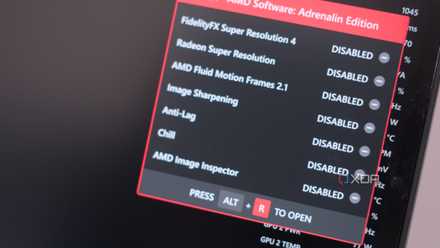
What's surprising is that DLSS 4 and FSR 4 are more alike than they are different, so I'd expect to see very similar performance out of them. Both are leveraging dedicated AI hardware on their respective GPUs, and both require support through the driver. Although some games natively support DLSS 4, you'll mostly need to force the transformer model on through the Nvidia app. AMD doesn't natively support FSR 4 at all — all supported games have FSR 3.1 integrated, and you need to force FSR 4 on through Radeon Software.
The difference between the two is obvious — DLSS uses a transformer model while FSR 4, presumably, uses a CNN like earlier versions of DLSS. The new transformer model in DLSS 4 can pull off some amazing things, and more often than not, it looks better than just playing a game at native resolution. My performance testing suggests that there might be some overhead with this model, though, at least compared to what AMD is able to achieve with FSR 4.
4 ways FSR 4 could help paint a terrible future for PC gaming
FSR and DLSS are amazing technologies, but they could also be bad for the industry.
DLSS 4 has an edge in image quality
An edge that completely disappears during gameplay, mind you
Nvidia has always maintained a lead in image quality with DLSS, but the margins between FSR 4 and DLSS 4 are tighter than ever. Unlike previous versions of FSR, you don't get a massive drop in image quality with FSR 4. In the vast majority of cases, and without delving too far into pixel peeping, it looks as good as native resolution. It's like earlier versions of DLSS, where everything short of the Ultra Performance mode might as well be native resolution. DLSS 4 has an edge in that it can actually look sharper than native resolution, and it can maintain stability of details where Temporal Anti-Aliasing (TAA) fails.
You can see those differences in action in Warhammer 40K: Space Marine 2 above. All three images here look very similar, and during real gameplay, you wouldn't ever notice a difference between them. DLSS 4 has a slight edge if you look at the details, though. In the rotted tree directly in front of the character, there's little detail from FSR 4. With DLSS 4, there's a ton of detail. Even more clearly, you can see how DLSS 4 enhances the sharpness of the flowering growth toward the back of the scene. The individual circles making up the inside of the object get fuzzy with FSR 4, but they're cleanly preserved with DLSS 4.
Still, FSR 4 and DLSS 4 are very close. Marvel's Spider-Man 2 reveals just how close they are. In this scene, it's difficult to spot any difference between DLSS 4 and FSR 4 unless you again focus in on tiny details. The birds hanging off the edge of the roof are sharper with DLSS 4; the lightbox on the same roof is a bit less fuzzy. The clearest difference is in the red brick toward the back of the scene, offset to the left. There's a much deeper contrast with DLSS 4, exaggerating the individual bricks more than FSR 4.
This scene showcases what DLSS 4 does well. If you just compare FSR 4 to native resolution, it's hard to tell a difference. DLSS 4, however, is able to offer a better image with details like the brick compared to native resolution. DLSS 4 may be better, but it's winning out compared not only to FSR 4, but also native resolution.
Even with that edge, it doesn't show up in every game, and certainly not in every scene. The Elder Scrolls IV: Oblivion Remastered shows off that idea. The screenshot with DLSS 4 is darker, but I can't see any advantage of it compared to FSR 4 or native resolution. DLSS 4 looks better than FSR 4, and even native resolution, in a lot of cases. But in a blind shoot-out between FSR 4 and DLSS 4, without this kind of side-by-side comparison, you'd never be able to tell the difference between them.
I have an RTX 50-series GPU, and I've barely touched DLSS 4
I've intentionally ignored quadrupling my frame rate, and for a good reason.
Game support is what makes the difference
More support, more useful
Although DLSS 4 and FSR 4 are close when it comes to image quality, and FSR 4 shoots ahead when it comes to performance, game support is what really sells DLSS. Nvidia has shot ahead with DLSS support overall. Some 750 games and apps have some RTX tech, and the majority of them support DLSS. Nvidia has leveraged that broad support to roll out DLSS 4 to games extremely fast. Despite only being available for a few months, DLSS 4 is already available in more than 125 games, the vast majority of which use the Nvidia app workaround.
AMD took a similar approach with FSR 4. With the release of FSR 3.1, AMD switched the upgrade model of FSR. Just like DLSS, new versions of FSR are a drop-in replacement if they're built with FSR 3.1 or newer. That allowed AMD to rapidly bring support for FSR 4 to games that support FSR 3.1. It's only been a couple of months since FSR 4 was introduced, but it's already available in 65 games. And, moving forward, any game that uses at least FSR 3.1 should be able to turn on FSR 4 through Radeon Software.
AMD and Nvidia are evenly matched for the most part, both offering drop-in replacements for engine upgrades and a driver-based solution for enabling the latest models. Feature parity gives Nvidia an edge, though. Team Green has demonstrated a ruthless approach to support for DLSS, grabbing as many new game releases as possible for the last several years. AMD has done a good job pushing FSR out to game developers, too, but its reach hasn't been as wide as Nvidia's, and I doubt it ever will be.

7 ways Nvidia's DLSS 4 is making the future of gaming happen today
DLSS 4 shows upscaling is the future of gaming.
FSR and DLSS are closer than ever before
FSR has always been a decent alternative to DLSS, but it has remained relevant because of its broad GPU support and proliferation on consoles. FSR 4 completely changes that narrative. It's no longer available on any GPU, but AMD is delivering enough quality to properly rival DLSS, even in the face of Nvidia's new Transformer model. The real battleground moving forward is support. Although I hope that every game comes out with both DLSS and FSR support, we've already seen some strong-arming from both AMD and Nvidia for games to exclusively use one or the other.