
The NAS is a box of drives designed to store your data on a tiny server that sits right on your desk. Sure, the actual storage units — i.e., the hard drives that store your data — matter a lot, but certainly not the most. Other NAS specifications can make or break the experience more than the storage itself. One wrong piece in the puzzle, and you’d be stuck with a NAS that frustrates you every single day for the next few years.
Here are all the NAS specs you should never skimp on.
CPU
Of course it matters; it’s the heart
People think a CPU only matters if you’re transcoding 4K movies or running VMs on your NAS. But that’s far from true. Even simple tasks that you don’t usually think about also lean heavily on the processor, like file indexing, RAID builds, integrity checks, encryption, and much more. A lower-end chip turns daily tasks into overnight jobs and chokes when multiple devices connect at once. The ideal way to go about this is to get a CPU that has enough headroom for your growing needs going forward.

10 things to know before reusing old PC parts to build a NAS
Building a NAS is an awesome use of old PC parts but there are a few things to keep in mind
RAM
Multitasking is key
If you have a team accessing files simultaneously or if you repurpose your home NAS for freelance work, there is a good chance you’ve experienced RAM bottlenecks, especially with the stock RAM capacity that companies offer. Many budget and home NAS models come with a measly 2GB of RAM, which is barely enough for the basics. Ideally, you should get at least 4GB of RAM for any kind of multitasking, with the ideal being 8GB or more. Either the NAS should have enough RAM from the get-go, or at least let you upgrade it later on.
Network interface
It’s ‘network’ storage after all
Typically, when facing speed issues, people blame the slow drives, because that’s what’s storing the data, right? More often than not, it’s the network that proves to be a bottleneck, bringing transfers to a crawl for everyone. A simple fix is that you don’t settle for a gigabit Ethernet port on your NAS anymore and look for at least a 2.5GbE port in addition to link aggregation to allow better bandwidth for everyone. You will thank yourself when multiple devices stream or back up at the same time without choking the NAS.
Drive bays and expansion
For the sake of future-proofing
Have you ever heard anyone say, “I have too much storage”? But you must’ve heard a lot of people say they wished they had more. So, why not plan ahead? The difference between a two-bay and a four-bay NAS is night and day. You may think that it simply means more storage, but it also enables more efficient RAID configuration for redundancy. While more drive bays are always good, you can also look for support for expansion units for even more flexibility and better future-proofing.

This is the one NAS spec you should care about for future-proofing storage
Why i've started caring less about specs and more about expansion.
File system support
You have a bunch of options
Storage isn’t just about where you put files; it’s also about whether those files survive unchanged. Advanced file systems like ZFS and Btrfs give you snapshots, checksums, scrubbing, and more. In simple words, they catch file corruptions that otherwise go unnoticed before they spread — something older EXT4 won’t do. Without them, you wouldn’t even realize your data has degraded until it’s too late. But do note that these advanced file systems are heavier on the CPU and RAM, so make sure you check those boxes first.
Cooling system
You gotta keep everything running cool
Hard drives have moving parts, so they generate heat — a lot of it. And heat is a silent killer for the NAS. It reduces the drives’ lifespan, which ultimately means your data is at a higher risk. Good cooling isn’t always about loud fans but the quality of airflow and the fans’ efficiency. It wouldn’t be worth it if fans spinning to cool the NAS left the NAS rattling. If the stock fans aren’t efficient enough, you can upgrade them with third-party ones for improved airflow.

How to reduce noise and create a silent NAS or home server
Electrical devices produce heat and noise, but here's how you can help keep your NAS or home server quiet.
Power supply and UPS
It affects your data too
Most pre-built NAS models come with a PSU that is rated for the NAS’s needs, so you don’t have to worry about it. But if you’re building your own NAS, make sure to get a power unit that slightly exceeds the power requirement to leave extra headroom. Secondly, make sure to get a solid UPS to pair with your NAS. It will save the NAS and your data in case of a power failure, which often corrupts data that is mid-transfer.
Software and hardware ecosystem
The UI is what you’ll see every day
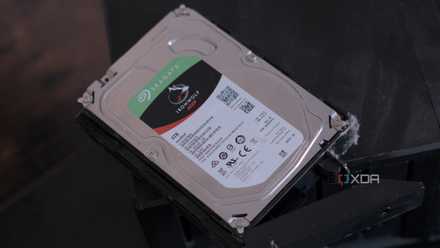
Your NAS experience lives and dies with its operating system. You will have to put up with the OS that your OEM ships the units with. And many times, they may set arbitrary limitations, like Synology’s push for its own hard drives. A more open system, like TrueNAS, would be better suited if you prefer control over a ready-made ecosystem. Just ensure that you know what you’re getting into from the get-go. Also, factor in the future — if the software updates aren’t regular, you’ll be left stuck with an old, insecure version of the OS, which you’d want to avoid.
I got around Synology's dumb drive restrictions — here's how
Synology wants you to buy their expensive drives but there is a better way.
For first-time NAS users
These are just a handful of things I wish I knew before setting up my first NAS. Network storage is such a rabbit hole that you discover new things throughout its lifetime — I am learning new things every single day. However, it’s important to have a solid base from the beginning so that you know what to expect from it and not get overwhelmed when you set it up.
QNAP TS-464
- Brand
- QNAP
- CPU
- Intel Celeron N5095
- Memory
- 8GB DDR4 (max. 8GB)
- Drive Bays
- 4
- Expansion
- 2x M.2 PCIe 3.0, 1x PCIe Gen 3 x2
- Ports
- 2x 2.5 GbE, 2x USB-A 3.2 Gen 2, 2x USB-A 2.0, 1x HDMI
QNAP's TS-464 is an impressive four-bay NAS with a striking design, powerful internal specs, and IR support for a remote control. If you're looking for the best-equipped NAS for running Plex (or other media solutions) without spending a small fortune, this is the NAS for you.