
NotebookLM is one of those rare tools that actually lives up to the hype. For the past few months, it quietly changed how I work, turning scattered documents into a sharp, AI-powered brain. But as I started relying on it for my full research hub, I hit a hidden catch. My data piled up much faster than the system could handle. I went from loving the simplicity to fighting the limits very fast.
NotebookLM is the backbone of my research workflow
I didn’t plan to depend on it this much
NotebookLM has slowly become the backbone of my entire research workflow. Before using it, my research process was scattered and hard to manage. I usually had too many browser tabs open, information saved across different apps, random notes in different places, and documents I forgot existed until I needed them again. A surprising amount of my time went into trying to relocate information I knew I had already read before.
With NotebookLM, the research process is natural. Instead of manually searching through files, I could upload sources, ask questions normally, and get answers directly connected to my own material. The source links made a huge difference because I could instantly jump back to the exact section where the information came from. That alone removed a lot of friction from my workflow.
The summaries and overview features also helped a lot. Instead of rereading everything from the beginning, I could quickly understand the important parts and focus more on connecting ideas. Research became less tiring and much easier to manage, especially when dealing with larger topics.
At first, I only used NotebookLM for small experiments. But the better it worked, the more I started depending on it. I even moved a large part of my Obsidian vault into NotebookLM because finding and revisiting information felt much faster there. Over time, it stopped feeling like a simple AI tool and became the place where most of my research work started and continued every day.
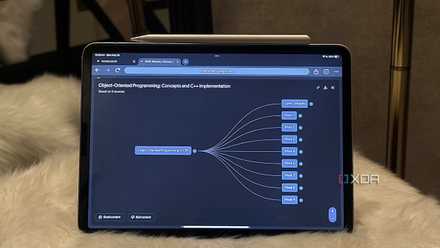
5 ways NotebookLM completely changed my workflow (for the better)
Hey Siri, how did I ever survive before NotebookLM?
I thought source limit won’t matter much, but I was wrong
My source library grew faster than I thought
When I first started using NotebookLM, the source limit didn't seem like a big deal. Being able to upload 50 sources per notebook felt like a lot of space. I figured I would only use it for small projects; maybe a few PDFs and some interview transcripts. I wasn't worried about hitting a cap because I didn't plan on moving my entire research system into it.
But once the tool became my main workspace, I hit that wall fast. My sources aren't just a few big files; they are dozens of newsletters, saved web articles, and my old notes. Even when looking at the different tiers, the limits still feel tight. I even tried pushing things further with the "Plus" version, which allows for up to 100 sources per notebook. I thought that would finally be enough to hold everything.
I was wrong. I soon found myself often "cleaning house" again. I had to delete older references just to make room for a new press release or a fresh set of notes. The library grew way faster than I expected. What felt like a huge digital warehouse at first started feeling like a tiny, cramped closet in no time. Even with 100 slots, the limit wasn't just a number; it was a resistance to my flow.
That’s when the experience started changing
The tool started struggling even before I hit the cap
The real problem wasn’t just reaching a limit; it was how the quality started to slip. Even with the paid plans, more space doesn't always mean better answers. I tried to stay within my limits by merging multiple documents into one long file, but while I could trick the source count, I couldn't trick the AI.
This happens because of how the technology, called RAG (Retrieval-Augmented Generation), actually works. When you ask a question, the system converts your query into a mathematical representation and compares it against your documents to find similar chunks of text. It doesn't read your whole library at once; it just grabs the pieces it thinks are a match.
As my notebook got more crowded, I was essentially creating a massive digital haystack. The AI started missing obvious facts because there was just too much data to sift through. This became really clear with complex files like spreadsheets; a single sheet with too many tabs would confuse the retrieval process, leading to half-baked or wrong answers.
It’s not that the tool suddenly becomes useless or always gives the wrong result. It still gets things right most of the time. But the real issue is the loss of trust. You end up in a constant state of double-mindedness, never quite sure if the answer is 100% accurate or if the AI just missed a crucial detail buried in the pile. That doubt is what eventually breaks the workflow.
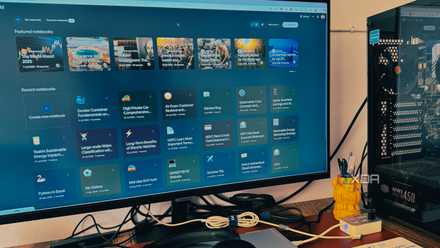
I made these NotebookLM mistakes so that you don’t have to
Saving you from NotebookLM headaches
You can’t just ignore source management
I still think NotebookLM is one of the most useful AI research tools I’ve used. But after depending on it heavily for months, I realized that source management becomes a real problem much faster than expected. The easier the tool makes research, the faster your notebooks grow. At some point, simply adding more sources stops helping and starts creating confusion instead. NotebookLM still works incredibly well, but I’ve learned that if you want reliable results at scale, you can’t just keep dumping information into it without some structure and cleanup along the way.
NotebookLM is Google’s AI-powered research assistant that turns your uploaded documents, notes, and sources into an intelligent, conversational workspace that helps you connect ideas, summarize insights, and generate new ones.