
Claude Code was already useful when I treated it as a smarter terminal assistant. I could ask it to explain a script, clean up a config file, or help me understand why some home lab service had decided to sulk in the corner. That alone made it worth keeping around, especially for the tedious jobs that sit between “I should automate this” and “I don’t want to spend my evening writing glue code.” But plugins changed the way I thought about the whole setup.
Claude Code became more of a working layer across my computer, my projects, and my home lab.
Once Claude Code could reach into more parts of my workflow, it stopped feeling like one helpful tool among many. It became more of a working layer across my computer, my projects, and my home lab. Not a replacement for an operating system, obviously, but something that began to behave like the connective tissue I always wanted. The win wasn’t that it suddenly became magical; it was that it became present in more of the places where I was already doing work.
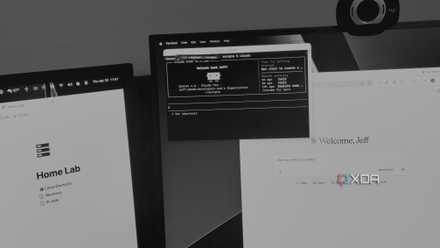
Claude Code works best when you stop asking it to code
Claude Code became far more useful once I stopped treating it like a code generator and started using it to understand projects and terminal chaos.
Plugins made Claude Code feel connected to my whole workflow
It stopped waiting for me to bring every problem
The biggest change was that plugins reduced how much context I had to carry around in my head. Before that, using Claude Code often meant copying errors, explaining directory structures, and carefully feeding it the breadcrumbs it needed. It was still helpful, but I was doing a lot of the setup before the useful part could begin. With plugins,connectors, and skills, more of that context could come from the environment itself, which made the interaction feel much less manual.
That matters because a lot of technical work is really context management pretending to be problem-solving. When I’m working on my home lab, I’m rarely dealing with one isolated thing. A Docker Compose file points to a mounted NAS path, which depends on a service account, which depends on a firewall rule, which depends on a decision I made two months ago and barely remember. Plugins help Claude Code inspect more of that chain without me turning the entire situation into a dramatic monologue.
That shift made Claude Code feel less like a chat window and more like a command center. I could still ask direct questions, but the answers had more weight because they were tied to actual files, services, and project state. It also made the tool feel less passive. Instead of waiting for me to summarize the mess, it could help me walk through the mess with fewer missing pieces.
The best plugins turn boring maintenance into something manageable
They make routine work easier without hiding the details
The most useful plugin-driven workflows weren’t flashy. They were the boring ones, which is exactly why they mattered. Checking backup logs, reviewing service health, comparing config changes, and looking for small failures are all jobs I know I should do more often. They are also the jobs most likely to get ignored until something breaks and starts waving a tiny flaming flag.
Claude Code plugins made those jobs easier to tackle by turning maintenance into conversation without removing the technical substance. I could ask what changed, what failed, what looked suspicious, or what needed a closer look. That did not mean I stopped checking the work myself. It meant I had a better first pass, which is often the difference between fixing something early and leaving it to ferment into a weekend problem.
This is where the operating-system feeling started to creep in. Operating systems are not just launchers for apps; they coordinate resources, expose status, and give you ways to understand what the machine is doing. Claude Code with plugins began doing a small version of that across the tools I actually care about. It gave me a more coherent view of my setup without forcing me to open five dashboards and pretend I was enjoying myself.
There is a risk in making automation feel too comfortable
Convenience can quietly turn into misplaced trust
The obvious concern is that plugins make Claude Code feel more capable than it actually is. That can be dangerous if you start treating its suggestions as commands from the mountaintop. A tool that can inspect more context can still misunderstand that context, especially if your setup has weird naming conventions, old assumptions, or one-off decisions buried in a config file. More access does not automatically mean better judgment.
Claude Code plugins are most useful when they help you inspect, explain, and prepare changes, not when they quietly make decisions for you. The more access you give an AI coding tool, the more important it becomes to review what it reads, what it changes, and whether those changes belong anywhere near a live setup.
There is also a real difference between making maintenance easier and letting automation make decisions you should still own. If Claude Code tells me a backup looks fine, I still need to know what “fine” means. Was it checking that the job was completed, or verifying that the data could actually be restored? Those are not the same thing, and pretending they are is how confidence becomes decorative.
Plugins can also encourage you to wire too much into one assistant. That is convenient, but it raises the stakes when something behaves unexpectedly. A tool that can read logs is one thing; a tool that can touch services, edit files, and make changes across a live setup needs boundaries. The more Claude Code feels like a system layer, the more carefully that layer needs to be fenced.
The answer is not less automation, but clearer boundaries
The safest setup keeps humans firmly in charge
That does not make plugins a bad idea. It just means they need to be treated as an interface, not an authority. I am much more comfortable when Claude Code gathers context, explains options, drafts changes, and shows me what it wants to do before anything is applied. That keeps the useful parts while avoiding the trap of turning convenience into blind trust.
The sweet spot is using plugins to make the invisible parts of a setup visible. I want them to surface stale containers, questionable mount points, failed jobs, confusing config drift, and scripts that have quietly stopped matching reality. I do not want them quietly rewriting half my setup while I nod along because the output sounded confident. There is a big difference between a helpful operator and a tiny unattended sysadmin living in your terminal.
That distinction is what makes the whole thing feel so promising. Claude Code plugins are at their best when they reduce the friction around good habits. They make it easier to check things, document things, and fix small problems before they become large ones. Used that way, they do not replace the work; they make the work less annoying to start.
Claude Code feels bigger when it understands the system around it
Claude Code plugins did not make my setup perfect, nor did they turn my home lab into a self-healing marvel. What they did was make the whole environment feel more connected. Instead of jumping between terminal panes, dashboards, folders, scripts, and half-remembered notes, I could work through more of it from one place. That alone changed how often I actually wanted to do the boring maintenance I know matters.
That is why the operating-system comparison keeps sticking in my head. Claude Code is still a tool, but plugins let it behave more like a layer that understands the tools around it. The real value is not that it replaces careful work, because it absolutely does not. The value is that it makes careful work easier to begin, easier to repeat, and harder to ignore.
To enhance the capabilities of Claude Code even further, there is a wealth of skills, connectors, and plugins to integrate it with your favorite tools.