
OLED monitors are taking over the high-end of the market, with faster, more colorful panels coming out every year. One such panel is this third-gen QD-OLED, used by Acer in the Predator X34 X5. Not to be confused with the previous X34 models, this one has a 3440x1440 resolution, 240Hz refresh rate, a built-in KVM to control two computers from one keyboard and mouse, and AMD FreeSync Premium Pro for buttery smooth frames when gaming. That sounds great, but can it hang with the best gaming monitors once we've put it through its paces?
This is a niche monitor for a subset of gamers. Ultrawides aren't for everyone, with 16:9 aspect ratios being more mainstream, and the 1800R curve isn't to everyone's taste. I got used to the additional curve very quickly, and it also helps with glare reduction as ambient light is often reflected away from your sitting position. This is a strong contender for my favorite OLED monitor so far, but I wish it had DisplayPort 2.1, so it didn't need DSC to use 10-bit color at 240Hz.
About this review: Acer loaned XDA this monitor for the purposes of this review. The company had no input into its content or saw it before publication.

Acer Predator X34 X5
Third-gen QD-OLED is something special
- Screen Size
- 34" Ultrawide
- Display Technology
- QD-OLED
- HDR
- HDR10, DisplayHDR 400 True Black
- Resolution
- 3440x1440
The Acer Predator X34 X5 uses a third-gen QD-OLED panel with a 3440x1440 resolution and 240Hz refresh rate for incredibly bold colors and stunning motion clarity. If you're an ultrawide monitor fan, this is the gaming monitor for you, and it's got enough clarity for productivity tasks as well.
- Amazingly vibrant color gamut
- 240Hz makes for fantastic motion clarity
- USB-C with 90W Power Delivery
- Built in KVM to control two computers from same kb/m
- Stand is big
- DisplayPort used is 1.4, not 2.1
Price, availability, and specs
The Acer Predator X34 X5 was announced at Computex in May 2024 but didn't arrive in stores until the end of November. It has a $1,000 MSRP, but you can find it at up to $250 off currently at Best Buy. Amazon also has it in stock for $800, and Acer's own website has it at $1,000. It uses a third-generation Samsung QD-OLED panel with a 3440x1440 resolution and 240Hz refresh rate and is significantly brighter than previous QD-OLED generations, with our measurements having it at 287 nits in SDR.
Acer Predator X34 X5
- Resolution
- 3440x1440
- Refresh Rate
- 240Hz
- Screen Size
- 34" Ultrawide
- Ports
- 2x HDMI 2.1, 1x DP 1.4, 1 x USB-C (upstream, 90W, DP Alt mode), 2x USB-A 3.2, 1x USB-B (upstream), 3.5mm audio
- Display Technology
- QD-OLED
- Aspect Ratio
- 21:9
- Display coating
- Anti-glare/Matte
- Screen Brightness
- 250 nits (average); 1,000 nits (peak)
- Dimensions
- 37.83 x 22.95 x 14.76 inches
- Weight
- 19.84 lbs (9kg)
- Mounting Options
- VESA 100 x 100
- Sound
- Stereo speakers 5W
- HDR
- HDR10, DisplayHDR 400 True Black
- Variable Refresh
- G-Sync Compatible, FreeSync Premium, 48-240Hz
- Response Time
- 0.01ms (PRT) / 0.03ms (GTG)
- Tilt
- -5° to 20°
- Swivel
- Yes
- KVM
- Yes
- Price
- $1,000
- Speakers
- 2x 5W
- Curve
- 1800R
What I liked
This gorgeous QD-OLED panel has superb motion clarity
The Acer Predator X35 X5 impressed right out of the box. Its super-slim metal screen is in front of a larger plastic box that holds the display electronics. You might want a second person to help take it out of the box and clip it onto the stand or onto a VESA 100 mount because the 1800R curve and thin display mean it's likely to break if you try to put it down on a flat surface. You also get a handy remote control for navigating the settings menus in case you don't want to use the joystick that's on the back of the panel.
You get two HDMI 2.1 ports, a DisplayPort 1.4, and a USB-C that supports DP alt mode and Power Delivery 90W, so you can use it to add a second screen to a laptop while charging it. I'd have liked to see DisplayPort 2.1 here, especially since it was released just before Nvidia's RTX 50 series, but the DP 1.4 port seems to be fine running at 240Hz at native resolution at 10-bit color with DSC active. You also get an upstream USB-B port and two USB-A ports, which are used to power half of the KVM feature.
The Acer Predator X35 X5 impressed right out of the box.
I've been using this monitor for about a month, and it's gorgeous. It's crisp enough to get work done with minimal fringing around the text and a joy to look at when playing games, with a combination of deep blacks, clear motion, and bright, poppy colors. The 1800R curve could be divisive and might put off some people, which is a shame because it handles reflections better for the curve, and is more immersive in games.

10 PC games you shouldn't miss on your OLED monitor
OLED monitors offer the current pinnacle of PC gaming, and these games are the ones that make it all worth it
The inbuilt KVM and 90W PD USB-C are fantastic
👁 acer predator x34 x5 showing borderlands 3 menu
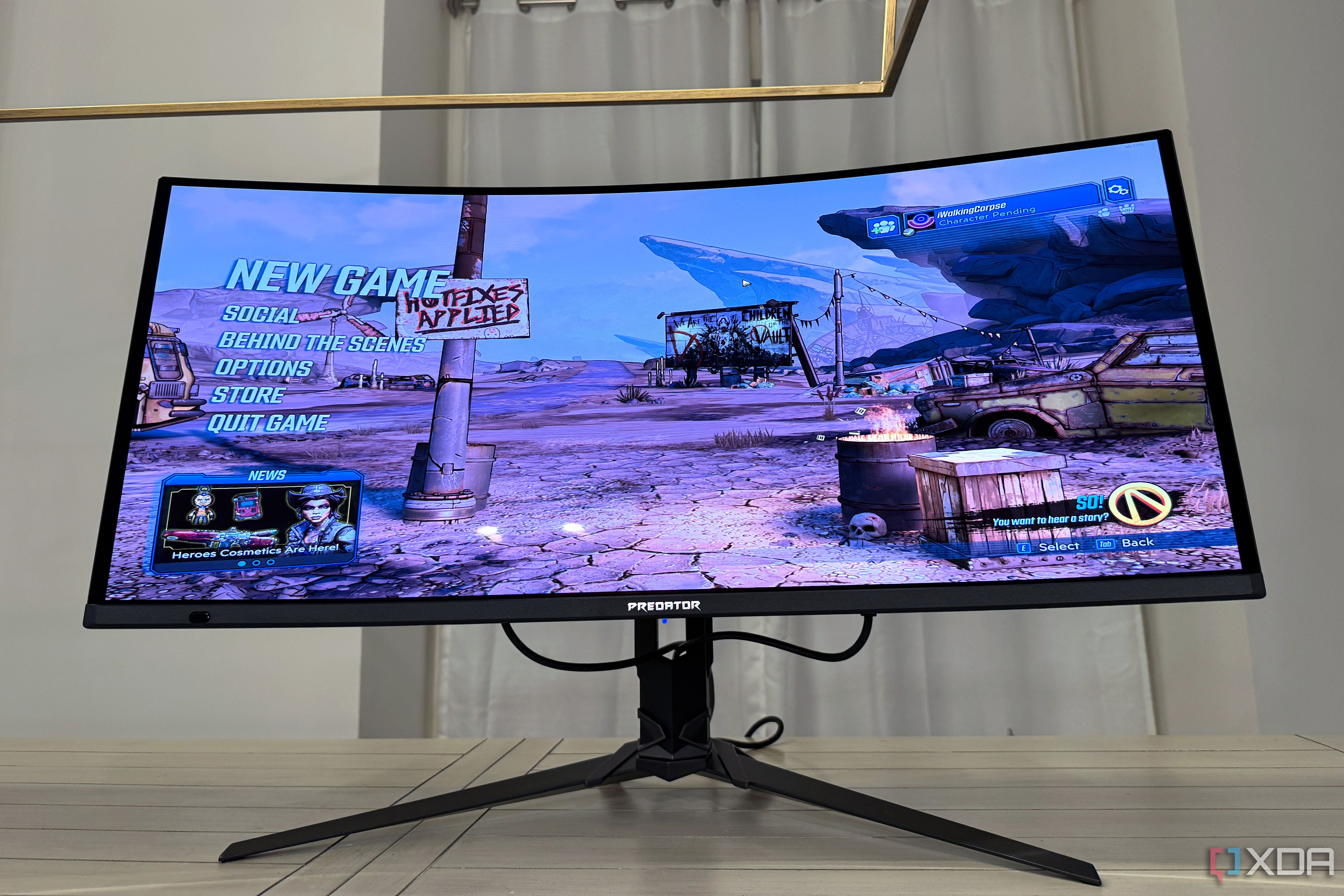
The inbuilt KVM means you can use this monitor with two computers at once, assuming one of them supports DP alt mode over USB-C. In practice, that means it'll most often be a pairing of a gaming desktop and a laptop, and that's how I tested it. It works perfectly over USB-C as a second screen and 90W charger for your laptop, with your input devices in the two USB-A ports and a second computer connected to the USB-B port. With more people having multiple devices, whether that's desktops, laptops, or gaming handhelds, I'd love to see more monitor manufacturers include KVMs going forward.
Not the most accurate panel, but QD-OLED makes it pop
👁 acer predator x34 x5 showing borderlands 3 game
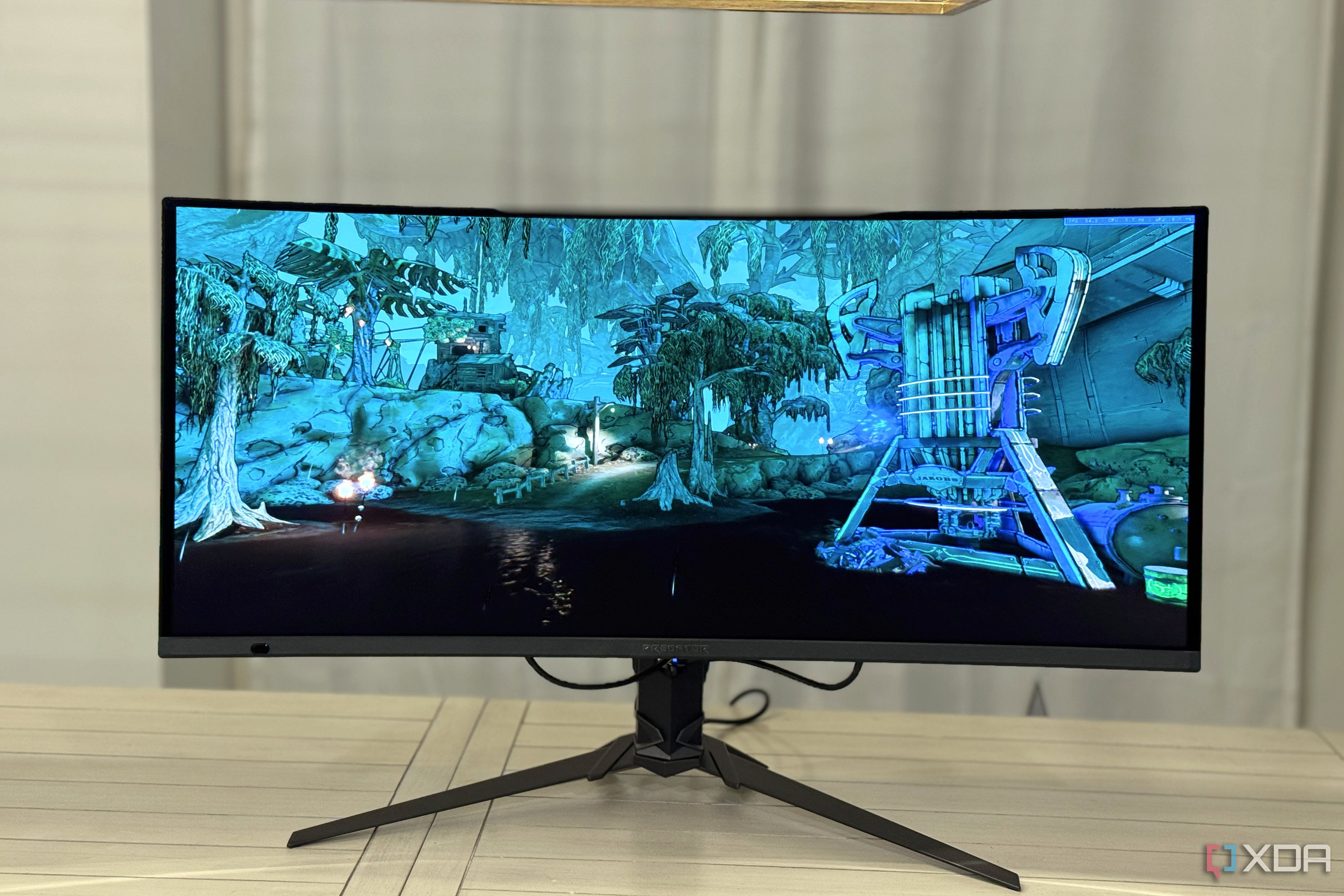
Testing the panel with a Datacolor SpyderPro calibration tool shows that the QD-OLED has impressive coverage of many color gamuts. The most important thing for daily use is the 100% coverage of sRGB, but this is also a very good monitor for productivity and creative use as the AdobeRGB and P3 coverage levels are high. Once calibrated, it's pretty close to color accuracy.
- 100% sRGB
- 93% AdobeRGB
- 98% P3
This is a third-generation panel, and it's much improved in brightness from the first-gen QD-OLED I use daily. Testing at different settings shows that it goes up to a peak of 287 nits with a fully white panel, which is very good indeed. It also has 1,000 nits peak brightness in HDR and DisplayHDR 400 certification.
|
Setting |
Brightness |
Black |
Contrast |
White Point |
|---|---|---|---|---|
|
0% |
15.7 |
0.45 |
30:1 |
6100 (0.321,0.323) |
|
25% |
83.5 |
2.44 |
30:1 |
6100 (0.321,0.321) |
|
50% |
151.6 |
4.49 |
30:1 |
6100 (0.321,0.321) |
|
75% |
219.3 |
6.50 |
30:1 |
6100 (0.321,0.321) |
|
100% |
287.2 |
8.53 |
30:1 |
6100 (0.321,0.321) |
As measured, it has a 1.74 dE average deviation across all colors and a measured gamma of 2.3, which is slightly darker than I'd like to see from a 2.2 gamma target. Switching it to gamma 2.0 in the menus makes it closer to 2.2, and an overall better picture.
The 1800R curve could be divisive and might put off some people, which is a shame because it handles reflections better for the curve, and is more immersive in games.
Panel uniformity
As expected from a QD-OLED panel, the uniformity across the panel is very good. With all the readings under dE 1.0, many of them are close to no deviation at all. That's one of the most accurate panels I've personally used, and because it's QD-OLED, there's no dirty screen effect like W-OLED tends to have. The purple color cast of previous generations of QD-OLED is almost gone as well, with dark areas looking black even in bright light at most viewing angles.

Review: The LG 27GX790A-B might be a mouthful but it's worth the tongue twisting
This is one super speedy slick esports display.
What I didn't like
Some wobble from the stand, and the thin screen is unwieldy to move around
There's not much to dislike about this fantastic gaming monitor. Still, there are some areas that could be improved upon, namely the stand. There is a pronounced wobble on the monitor from left to right when typing, even when my keyboard is as far away as I can get it. It's nice that there's an inset screw for mounting a camera on the top of the stand, but with that wobble I'm not sure it's the best place for an expensive piece of glass.
Also, because of the panel's thinness, it's tricky to move around without worrying about breaking the QD-OLED. Maybe get someone else to help put it together because it was a little dicey for one person. The dimming routine in the firmware is a little aggressive, but maybe that's okay, as you want this premium QD-OLED panel to last a long time.

Dell UltraSharp 34 Curved Thunderbolt Hub Monitor review: It's an ultrawide, dock, and KVM switch all-in-one
Dell puts all the pieces together with the UltraSharp 34 Thunderbolt, making a "super monitor" for productivity.
Should you buy the Acer Predator X34 X5 gaming monitor?
You should buy the Acer Predator X34 X5 if:
- You want a KVM to switch between two computers
- You value motion clarity in games
- You want the wide color gamut of QD-OLED
You should NOT buy the Acer Predator X34 X5 if:
- You don't want a curved monitor
- You don't like the ultrawide form factor
- You want a more affordable monitor
Overall, the Acer Predator X34 X5 is a gorgeous gaming monitor with marvelous motion clarity and a wide gamut. It's one of the nicest QD-OLED or OLED panels I've used, and it is just as proficient at office tasks as it is gaming greatness. It's also bright enough to handle areas with high ambient light levels, something earlier QD-OLED panels struggled with.
As expected from an OLED panel, the uniformity across the panel is very good.
If you love ultrawide gaming, this monitor should be on your shortlist for your next upgrade. If you're planning on using a monitor arm instead of the included stand, know it uses the VESA 100 standard, but it's also fairly heavy, so you'll want one of the heavy-duty arms that companies like Ergotron produce.
Acer Predator X34 X5
- Screen Size
- 34" Ultrawide
- Display Technology
- QD-OLED
- HDR
- HDR10, DisplayHDR 400 True Black
- Resolution
- 3440x1440
The Acer Predator X34 X5 uses a third-gen QD-OLED panel with a 3440x1440 resolution and 240Hz refresh rate for incredibly bold colors and stunning motion clarity. If you're an ultrawide monitor fan, this is the gaming monitor for you, and it's got enough clarity for productivity tasks as well.