
For the longest time, Synology NAS has been the go-to NAS. One would suggest it to everyone, from entry-level beginners to experts and enterprise users. It has always lived up to its promise of offering a friendly interface that is powerful too, and meets the needs of everyone. That is how a NAS should be: one that you can trust without having to tinker with it all that often.
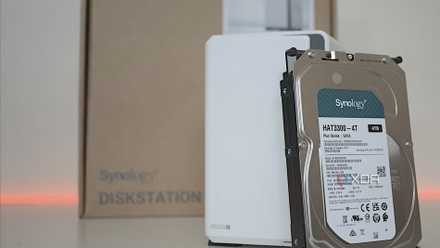
But that reliability has gradually faded in the last few years, and Synology itself is to blame. The most recent example is the hard drive restriction that the company was forced to take back after public outrage. Besides this, Synology's hardware has also severely lagged behind the competition, dollar for dollar.
It's not like Synology's hardware is bad per se, but it is deliberately constrained, which may be fine for beginners and home users. As you grow out of that stage, however, you want better control. And you can get that kind of control only by going the DIY route.
Hardware limits that affect everyday use
They make you settle for less
Synology's hardware limitations won’t become apparent all at once, but on closer inspection, they become clear as day. One of the most prominent examples is networking. For years, Synology made a single 1GbE port acceptable across its lineup. That’s even when a lot of its competition had already moved on to 2.5GbE and 10GbE ports. Synology caved in not too long ago, but not without its own conservative approach.
Its mid-range models started letting users upgrade the provided 1GbE port to a 2.5GbE one, but to achieve that, you need a proprietary upgrade accessory. These are not only expensive but also lock you into specifications and prices dictated by the brand. Had Synology opted for a market-standard upgrade solution, you would not only get more flexibility but also save a lot of cash.
The same is true for other components on Synology NAS devices as well. Synology NAS models have, for ages, been the least powerful enclosures CPU-wise compared to their direct competition in the same price bracket. A weaker CPU leaves you with little headroom to accommodate demanding apps and future expansions.

I've stopped recommending Synology to friends, and here's what I tell them to use instead
There are plenty of other options for NAS enthusiasts besides Synology
It started to affect everything
Software polish can only go so far
There is no doubt that Synology's DSM is by far the most polished and approachable NAS operating system out there. It is designed to look simple while making the most of the hardware. The problem is that the inferior hardware limits DSM's potential in a big way.
Like everyone else, I started with my Synology NAS for basic tasks like backups, syncs, and media streaming. That was it. But as my needs grew, I started experimenting with more features and advanced tools like virtual machines and containers. My mid-tier Synology was finally being pushed, and over time, it started to show signs of overload. It didn’t feel as comfortable as it once did. I could see memory and CPU spikes more often, and the hard drives and fans spinning so fast that I could hear them from across the room.
It started to restrict what I could do with the NAS and created an artificial ceiling to my curiosity simply because the hardware wasn’t able to keep up. I know for a fact that I could have gotten away with much more had I chosen the hardware myself. This is the point where you pick advancement over convenience.
4 reasons I regret buying a Synology NAS instead of building one myself
Regret buying a branded NAS? You're not alone. Here's why a prebuilt NAS may have made more sense.
The reluctant switch to DIY
Less about power, more about control
Honestly, I resisted the idea of building my own NAS from scratch for a long time. Putting together the hardware piece by piece, then handling all the software intricacies, BIOS screens, and whatnot, didn’t feel worth my time until Synology forced me to reconsider. Especially for home NAS users, plug-and-play is the way to go. But if you want to go the extra mile and remove all the friction, setting up your own NAS is the only option.
My first real win came when I could upgrade the hardware without asking for permission. I didn’t have to cross-check compatibility lists just to add more RAM or upgrade networking. I decided what went where instead of checking with the company every step of the way. This was my secondary NAS, which I use for experimenting with containers and virtual machines that I don’t want to run on my primary NAS. It surprised me how powerful it felt despite running mid-tier PC hardware.

I used these tools to move from a Synology to a DIY NAS, and it was painless
The migration went far better than I expected
Not going to lie, piecing together a home lab is an overwhelming task. At the same time, it’s quite rewarding, too. After the initial tussle, it reduced my mental load and allowed me to experiment more freely, which is exactly what I wanted from my NAS.
That is not to say that Synology no longer has a place. It is still what my family uses, simply because of how approachable it is. As far as my family’s needs are concerned, I value reliability and polish on that system, and it has been serving us well. But for everything else, there is my second NAS, which lets me handle the system like an adult who doesn’t need supervision.