
Summary
- Local AI runs on modest PCs - no RTX needed; efficient small models work on CPU and iGPU.
- Sub-1B models feel instant for simple tasks; 1-4B models add coherence but generate slower.
- Higher-quality 4-7B models give strong reasoning and clean output but are very slow on CPU.
Running a local AI model always feels like a hobby reserved for those with more graphics cards than common sense. Ever since cloud AI models took over the world (and hardware prices), the idea of self-hosting AI models has been growing exponentially. However, almost every guide online assumed that you have an RTX GPU or two with more VRAM than an entire gaming café combined.
This was definitely a bigger problem a few years ago, but the local AI landscape today has evolved significantly. Now, we have smaller, more efficient models that work in tandem with better optimization tools. This ensures that if you want to get started with local LLMs, you don't always have to have a gaming PC that costs more than half a year's rent.
A lot of the smaller local AI models are ridiculously usable, too. Modern CPUs, integrated graphics, and a decent amount of system RAM can often power local AI assistants that can write, summarize, brainstorm, and even help with coding. Of course, these aren't ChatGPT or Gemini killers, but that's not the point, either.
Trying to self-host LLMs made me realize local AI has a friction problem, not a quality problem
Think of it as the Linux desktop problem, all over again
Qwen 3 0.6B
The smallest stepping stone into self-hosting LLMs
There's no doubt that you have heard about Qwen 3's 0.6B variant, considering how it's about the lowest barrier to entry for those who want to dip their toes into local AI without any real commitment. Alibaba's Qwen line has built a reputation for squeezing a surprising amount of efficiency out of tiny parameter counts, and it runs on nothing but a CPU, streaming responses at roughly 28–32 tokens per second. That means it's fast enough that even on older laptops with low RAM and no GPUs, there's basically no gap between hitting enter after a prompt and watching the text appear. In its quantized form, the whole thing weighs in at around 500 MB on disk.
The laptop I'm using is a Mi Notebook 14 with 8 GB RAM, an Intel i5-10210U at 1.60GHz, and 128 MB integrated VRAM.
Of course, that speed naturally comes with its limits, too. You can't use Qwen 3's 0.6B model while expecting deep multistep reasoning. It's not going to throw rich, nuanced, long-form answers your way, either. But when it comes to quick factual questions, simple rephrasing, or just getting a feel for how local inference behaves on your tiny machine, it's genuinely useful and almost absurdly light to keep around.
- Recommended RAM: 4 GB is plenty
- What it's best for: quick lookups, simple chat, testing your local setup
- What I like about it: it feels instant, and there's zero perceptible delay
- What it struggles with: anything needing depth, reasoning chains, long and structured answers
I finally found an open-source local LLM that actually competes with cloud AI
Open-source is catching up
Gemma 3 1B
Easily the sweet spot for low-tier hardware machines
Google's Gemma family tends to land in the sweet spot between capable and sluggish, and Gemma 3 1B is a great example of that same trade-off working in your favor. When you step up from the sub-1B crowd, you'll immediately begin noticing more structure in the output. Your models will handle explanations, multistep answers, and context fares more gracefully than the smallest models that had half the parameter count.
On a CPU, this model runs at around 18 tokens per second, which is definitely slower than other featherweight models. So, you will notice it to be a little more lethargic, but Gemma 3 1B still sits comfortably in interactive territory. Upon downloading, the quantized version of this model will take up around 815 MB of your storage. When you task Gemma 3 1B with longer generations, you'll definitely feel a slight pause. Still, it will rarely tip over into frustrating territory. For me, this is the model I'd reach for when I want something small that can still hold a coherent thought. That makes Gemma 3 1B one of the better all-rounders for low-end machines.
- Recommended RAM: 8 GB
- What it's best for: writing, explanations, everyday chat, light brainstorming
- What I like about it: the jump in coherence and structure over sub-1B models, without giving up much speed
- What it struggles with: there's a noticeable lag on long outputs, and it's still not a heavy reasoning engine
I replaced ChatGPT, Claude, and Gemini on my phone with a local LLM, and it's a mobile upgrade I didn't expect
Local AI is on my phone now
Phi 4 Mini 3.8B
A solid reasoning model, but it takes its time
Microsoft's Phi series has certainly earned a reputation for punching above its weight class, and the Phi 4 Mini 3.8B model keeps that tradition well and alive in the sub-4B class. This is where we start dealing with more than just a couple billion parameters, so it's important to get one thing out of the way — a model successfully running without a GPU doesn't necessarily mean that it will run well. However, if and when you need better reasoning quality, even at the cost of raw speed, a Phi 4 Mini 3.8B model will give you far better results.
The catch, of course, is generation speed. Running solely on a CPU, it produces text at around 7 tokens per second, meaning a long and detailed answer could take a couple of minutes or more to fully render. On the other hand, the prompt processing is still pretty quick at ~20 tokens per second. Using about 2.5 GB on disk with its default Q4_K_M quantization, this model will still fit and run comfortably on 8 GB RAM systems. That is, of course, if you can tolerate the wait.
- Recommended RAM: 8 GB
- What it's best for: reasoning, coding help, structured and step-by-step tasks
- What I like about it: the reasoning quality genuinely feels a tier above what the parameter count suggests
- What it struggles with: slow generation and long replies will test your patience
3 reasons integrated graphics can sometimes be a smarter buy than a dedicated GPU
iGPUs are way better than they used to be
OpenHermes 7B (built on Mistral)
Immense quality with an equally immense time cost
When it comes to local AI, it's impossible to have a complete discussion without Mistral joining the party. OpenHermes is one of the best, most popular ways to experience it, since it's fine-tuned specifically for cleaner instruction-following output. The raw base model can still feel pretty rough around the edges, but this 7B-parameter OpenHermes model behaves like a polished assistant right from the get-go. You'll get tidy formatting for explanations and summaries, and step-by-step answers will look better than your favorite math teacher ever made them look.
A lot of the heavy lifting underneath is being done by Mistral's efficient design. Since I used this on my CPU-only machine powered by an Intel i5 10210U, I had to quite literally walk away after asking a question. Generation hovers around 4 tokens per second, so any answers that are beyond the length of a single sentence take some real time. Again, even with OpenHermes, prompt processing felt pretty quick — it was only the generation that gave me enough time to doomscroll online before I got an answer back.
- Recommended RAM: 8 GB (10 GB ideally)
- What it's best for: summaries, well-formatted explanations, instruction-following tasks
- What I like about it: the output is clean and well-structured straight out of the box
- What it struggles with: very slow token generation — not suited to quickly chatting with the model
llama.cpp
Llama.cpp is an open-source framework that runs large language models locally on your computer.
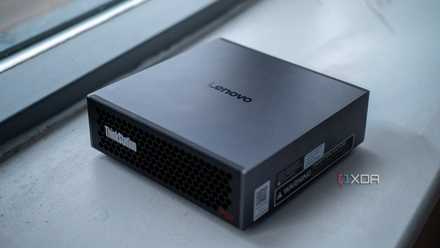
High-VRAM GPUs aren't the future of local AI — unified memory and Mixture of Experts models are
GPUs are fast, but they have limited RAM. Unified memory machines are big, but they have less bandwidth.
Local AI doesn't always need expensive hardware
These models prove that local AI isn't exclusively an enthusiast-hardware club.
The most important thing to take away here is that these four models are only the tip of the iceberg. There are hundreds, if not thousands of local LLMs floating around today that don't want every bit of memory from your PC. So many of them deliver an extremely impressive balance of speed, intelligence, and efficiency. Of course, these are only stepping stones to the larger hobby of hosting full-blown, 30B parameter models eventually, but there couldn't be any better gateways than those that demand nothing from your hardware.
On a laptop that's now six years old and never shipped with discrete graphics in the first place, it was refreshingly surprising to see these models work so smoothly. The larger models still did give me enough time to grab a quick cup of tea while they generated responses, but every single model on this list still proves that local AI is not exclusively an enthusiast hardware club.