
We all love dunking on Windows when we get the chance. In fact, Microsoft's operating system does love giving us plenty of chances to criticize it. However, that doesn't mean it doesn't do plenty of good, either. Nearly two full decades ago, Windows Vista came out, and with it came a fantastic little service called Superfetch.
Built for preloading frequently-used apps into the system memory, Superfetch had great intentions. Today, however, it's a bit of a relic. If you've got any old laptop lying around serving whatever purpose it can, chances are that Sysmain is still on, and it's eroding the life of the storage drives.

6 ignorant PC habits that are slowing your system down
You might be killing your system performance without even realizing it
Windows is quietly punishing your old hard drive
What once sped things up now grinds aging PCs down
Back when mechanical hard drives ruled the world, Superfetch actually made a lot of sense. The idea was simple enough, after all: learn your usage habits, preload frequently used apps into memory, and make your system feel faster than it really was. On paper, and even in practice, it worked. However, there was a catch. Superfetch achieved this by constantly reading from your disk in the background. On a modern SSD, that's barely noticeable today. On an old 5,400-RPM laptop HDD that's already fighting for its life? It's a different story entirely.
Instead of feeling faster, these systems now often get stuck at 100% disk usage doing... something. That "something" is SysMain (what Superfetch is now called) aggressively indexing, preloading, and reshuffling data in anticipation of what you might do next. The result, however, is sluggish responsiveness, constant disk thrashing, and a drive that never really gets to rest.
Mechanical drives wear out, and there's no changing that. Every unnecessary read, every bit of background churn, adds up. On a repurposed laptop that's already on borrowed time, SysMain isn't helping extend its life at all. In fact, it's just hammering the entire drive, keeping the usage spiked and the memory committed and consumed.
Make sure you turn it off if you have an HDD
SysMain trades short-term guesses for long-term slowdowns
If your system is still running on a mechanical hard drive, SysMain isn't doing you any favors at all. This service constantly commits chunks of your memory to preload apps that you might use, while hammering your disk to keep those predictions fresh. On paper, it's trying to be helpful, but in reality, it's really not doing much more than overstepping.
Older laptops, especially the kind you're trying to squeeze a few more years out of, usually don't have much RAM to begin with; 4GB, or maybe 8 if you were lucky at the time. On systems like those, SysMain barges in, reserves memory, and leaves the rest of your system scrambling for whatever is left. As a result, the stutters begin: apps take longer to open, multitasking falls apart, and everything feels just a bit more frustrating than it should.
Meanwhile, your hard drive will almost always be stuck in a constant loop of activity. It'll be reading, caching, and reorganizing. It'll always be doing something, but rarely anything useful in the moment. That persistent disk usage slows things down significantly, burdening aging hardware further. At some point, you've just got to ask yourself if speculative speed is worth guaranteed strain and constant usage. On an HDD-based system, the answer is rather straightforward: turn SysMain off, and let your hardware breathe again.
To do that, just go ahead and press Win + R on your keyboard to open up the Run command. Type in services.msc and hit Enter. The Services console will open up, listing all the services on your Windows device. Simply scroll down (or press S to get there faster), and right-click on SysMain → Properties. Now, in the Startup type dropdown, select Disabled, and then hit Apply → OK. After a quick reboot, SysMain will no longer run at startup. Ideally, you should notice the absence of sudden disk usage spikes after turning off this service.
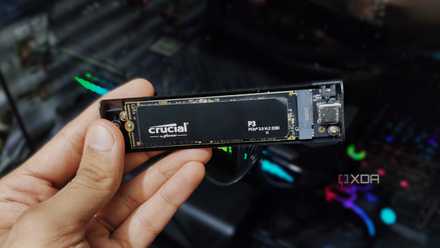
Your old SSD might be slowing down — here’s the hidden settings I changed
It's time for change.
On modern SSDs, SysMain is far less of a villain
Fast storage changes the equation, but not entirely the logic
Switch over to an SSD, and the entire SysMain conversation softens almost instantly. Solid-state drives don't suffer from the same mechanical limitations as HDDs. After all, there's no spinning platters or seek times to worry about. As such, our NVMe drives just don't care enough about SysMain. On a hard drive, this thing may have felt like relentless disk thrashing, but on an SSD, it really isn't anything more than background noise, which is pretty much just noticeable in day-to-day use.
That being said, "less harmful" doesn't automatically translate to "essential." On modern systems with plenty of RAM and fast NVMe storage, SysMain rarely ever makes a meaningful difference. Windows is already quick enough without predictive caching getting in the way. If anything, power users chasing consistency often disable it anyway. But there's also a key distinction here that you need to bear in mind: you don't really need to worry about it on NVMe SSDs.
Bottom line: reads do not wear out SSDs, and SSD lifespan is affected primarily by write cycles. On our modern SSD-touting PCs, this service may even stay mostly idle.
Windows 11 Pro
A USB installation drive and license key for Windows 11 Pro, with additional features like Hyper-V and Windows Sandbox support.
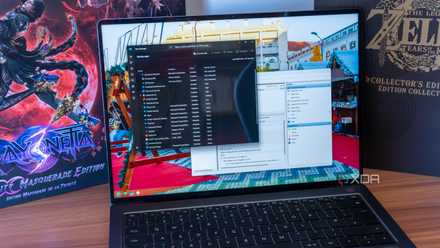
I make this one change to make Windows faster
One simple toggle can speed up your Windows experience
This service is a relic of a bygone era
SysMain was designed to help HDDs, and it did, but only in the era it came out.
SysMain or Superfetch was a service that was only helpful back when RAM was small, and most PCs only had 2 or 4 GB sticks. Usage patterns were pretty predictable at the time too, and so was Windows' background activity. It was originally designed to help HDDs, and it did, but only in the era it came out.
Today, apps are heavier, Windows does way more stuff in the background, and HDDs simply haven't gotten faster in random access. We've all just switched over to faster SSDs. So, on HDDs in PCs with higher RAM, SysMain can hurt responsiveness more than it helps.