Crisp AI chatbot: how to set one up and what it really costs


Last edited June 18, 2026

What the Crisp AI chatbot actually is
Crisp is an all-in-one messaging and support platform built around a shared inbox, pitched hard at startups and small teams. The founders, Baptiste Jamin and Valérian Saliou, have run it for about ten years and put it at 250M monthly active end-users, so this isn't a weekend project, it's a mature product with a real install base.
The "AI chatbot" sits inside that platform rather than being a separate tool. Crisp describes it as an AI that ingests multiple data sources to behave like your team auto-crawling your site, reading your PDFs and knowledge base articles, then answering customers in the chat widget and across channels. On the homepage Crisp claims you can automate 50% of your inquiries with it. I dug into the wider feature set in our Crisp AI overview.
Worth being precise about where it lives in the plans, because it trips people up. The omnichannel AI chatbot and knowledge base show up on the Essentials plan ($95/month). The full "AI-First Support Suite" the autonomous AI Agent plus unlimited task automations that connect it to third-party tools is a Plus ($295/month) feature. So "the Crisp AI chatbot" means slightly different things depending on which plan you're on.
How to build an AI chatbot in Crisp, in four steps
Crisp frames the whole thing as a four-step loop, and honestly that's a fair description of how it goes in practice.
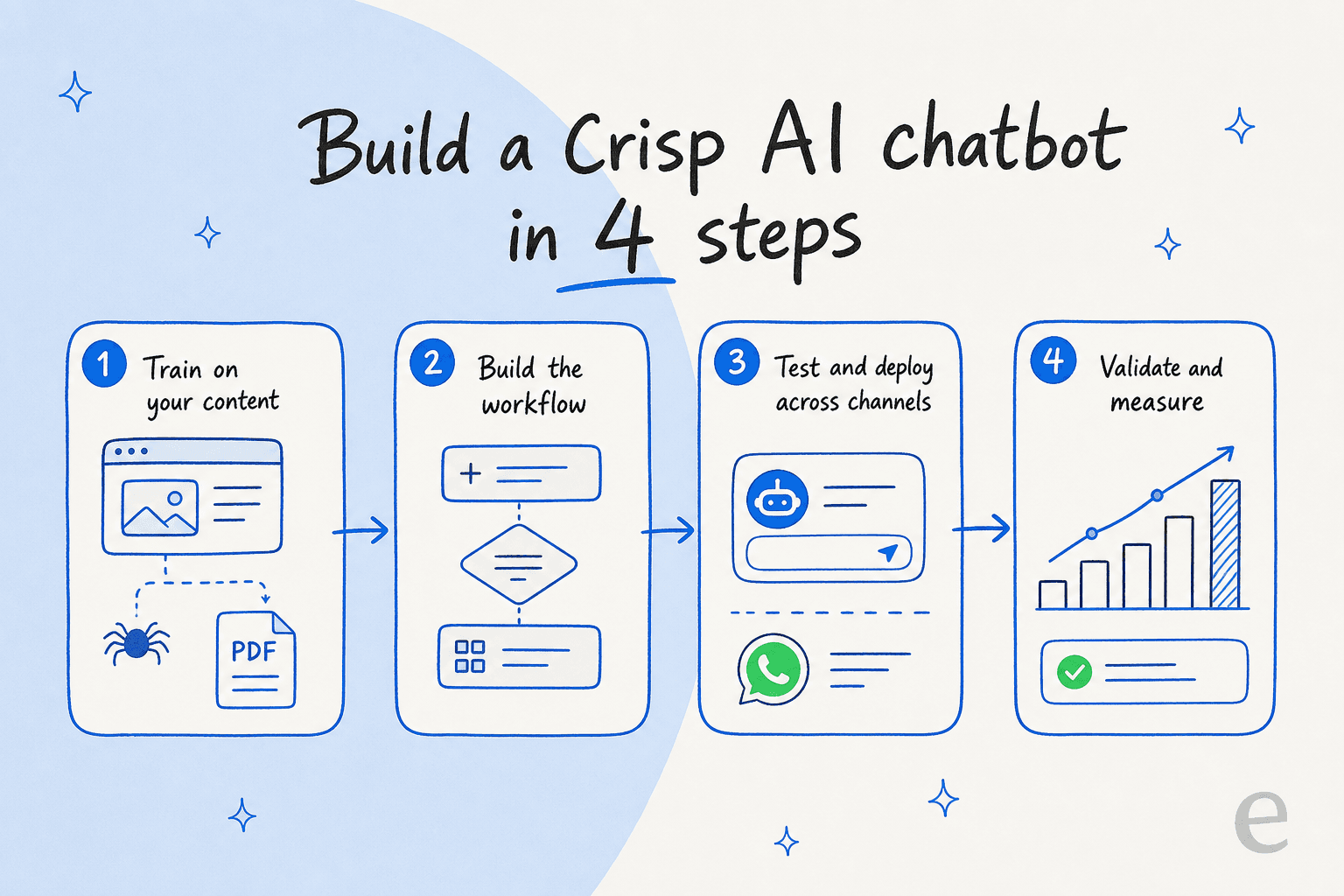
1. Train it on your content. Point the AI at your knowledge sources. Crisp auto-crawls your website, imports PDFs, and pulls in your help center articles. The quality of this step decides everything downstream a bot is only as good as the docs behind it, and a thin or out-of-date knowledge base is the most common reason a chatbot starts answering incorrectly. If you've never tidied your help center, do it before you do this.
2. Build the workflow. This is where Crisp is strong for non-technical teams. The no-code visual builder (and a library of templates) lets you map out what the bot does: when it answers directly, when it asks a clarifying question, when it collects an order number, and crucially when it hands off to a human.
3. Test and deploy across channels. Crisp lets you trial the bot before flipping it live, then push it out to the chat widget, WhatsApp, Instagram, Messenger and the rest of the omnichannel inbox in one go. Spend real time in the test step it's the cheapest place to catch a confidently wrong answer, and the most expensive one to skip.
4. Validate and measure. Once it's live, watch the analytics: what it's deflecting, where it's escalating, which questions it fumbles. Then feed those gaps back into step one. This loop is the actual work; the initial build is the easy part.
The replies, summaries and a support copilot trained on your content all sit alongside this in the same inbox, so agents get AI help on the human side too while the bot handles the front line.
What the Crisp AI chatbot really costs
Here's where I'd slow down before signing up, because Crisp's pricing is two different models stitched together and the marketing only really talks about one of them.
The human side is refreshingly simple. Crisp charges a flat rate per workspace with seats bundled in and unlimited conversations, and it's openly proud of rejecting per-conversation billing ("Why would we bill based on consumption, while we are used to unlimited plans everywhere else?"). That's a real selling point against usage-based helpdesk tools.
| Plan | Price (per workspace / month) | Seats | AI credits included | Roughly equals |
|---|---|---|---|---|
| Free | $0 | 2 | None | No AI |
| Mini | $45 | 4 | ~$5 | ~90 automated conversations |
| Essentials | $95 | 10 | ~$25 | ~450 automated conversations |
| Plus (best value) | $295 | 20+ | ~$75 | ~1,350 automated conversations |
| Enterprise | Custom | Custom | Custom | Custom |
The AI side is the part the headline glosses over. Conversations are unlimited, but the AI runs on metered credits dollar-denominated buckets (~$5, ~$25, ~$75) that map to a set number of automated conversations per month. Use them up and you top up. So the bot is pay-as-you-go living inside a flat-rate product.
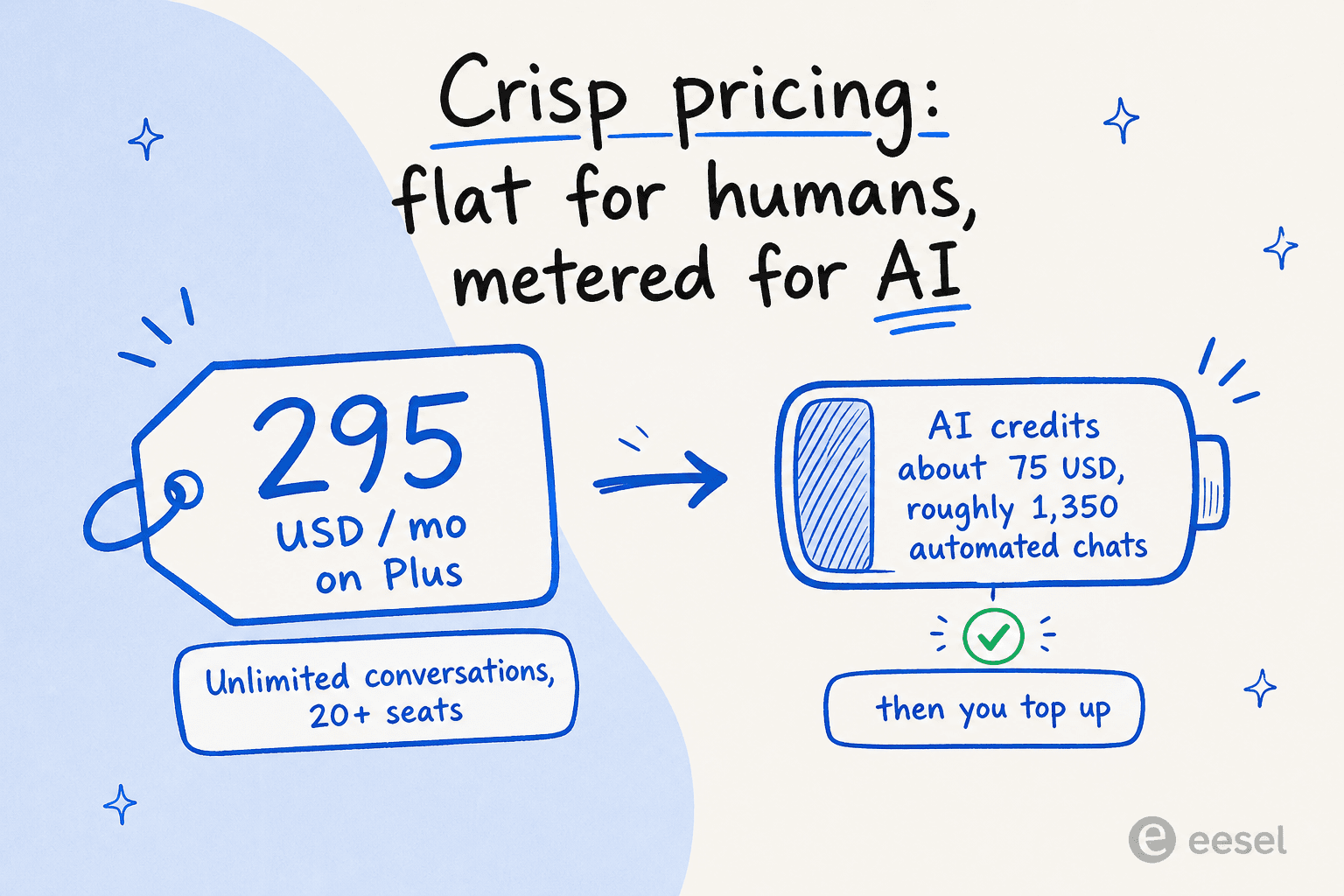
For a small team, this is great: the included credits on Plus cover ~1,350 automated chats, which is plenty if your AI is deflecting a steady trickle of FAQs. The maths turns the moment you scale. If you're automating tens of thousands of conversations a month, those credit top-ups are the number to model, not the $295 sticker and a metered AI bill is exactly the kind of cost that's easy to under-estimate when you're working out what AI support saves you. The flat conversation pricing is doing the marketing; the AI credits are doing the billing.
What real users say
The on-site testimonials are glowing, as they always are, so I went looking for less filtered voices. The consistent theme is that Crisp is easy and pleasant to run:
"I like how easy it is to use Crisp and add it to our website. They are constantly innovating and improving the product, which gives me confidence."
That's a verified review on Crisp's G2 profile, and it matches what I've seen elsewhere ease of setup is Crisp's reputation. One Trustpilot reviewer even described using Crisp purely as the live-chat layer while running their own AI model behind it: "I already have a chatbot connected to claude ai but I needed the live chat part so that staff could easily..." which tells you something about how flexible the platform is, and also that some teams want more control over the AI than the built-in bot gives.
The honest counterweight: Crisp's native AI is built for deflecting documented questions, not for nuanced, account-specific resolutions. If your support is mostly "where's my order" and "how do I reset my password," it'll shine. If it's mostly judgement calls, temper your expectations and lean on the escalation path you built in step two.
Where the Crisp AI chatbot is a great fit (and where it isn't)
I don't think this is a "good tool / bad tool" question. It's a fit question, and the answer hinges on your volume and your stack.
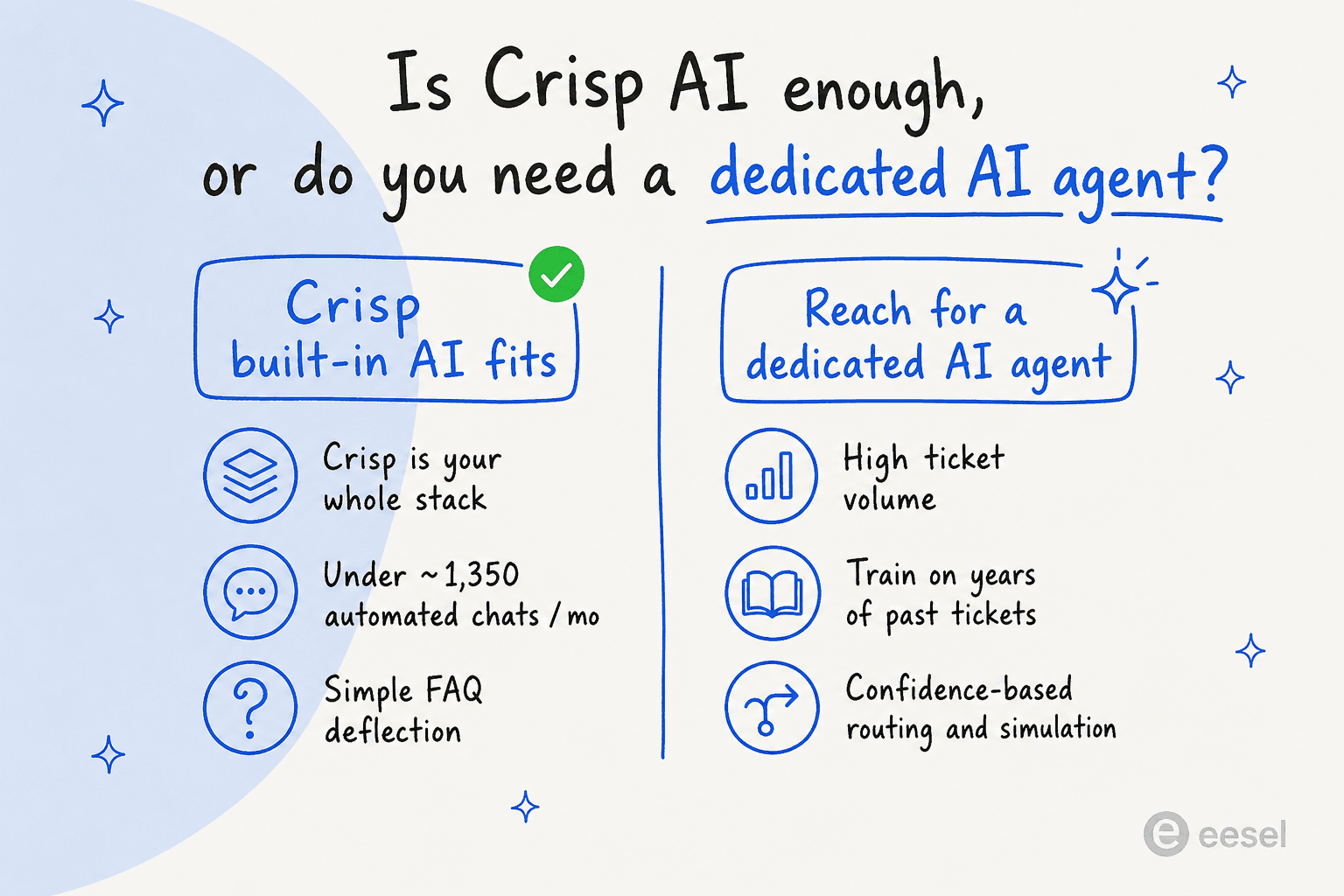
Crisp's built-in AI is the right call when Crisp is already your whole support stack, your automated volume sits comfortably under the included credits, and you mostly need to deflect repetitive FAQs. For a startup running its first shared inbox, bundling the chat widget, CRM, knowledge base and a no-code bot into one cheap product is hard to argue with. Crisp is a strong Crisp live chat platform first, with capable AI bolted on.
I'd reach for a dedicated AI agent when your ticket volume is high (so the credit model starts to bite), you want the AI to learn from years of your own resolved tickets rather than just your docs, or you're running a bigger helpdesk like Zendesk, Freshdesk, Gorgias or Front. Those are the moments a purpose-built customer support automation layer earns its keep, and where I'd start comparing Crisp AI alternatives rather than topping up credits indefinitely.
Try eesel for AI that trains on your real tickets
Quick disclosure so you can weigh this fairly: I work on eesel AI, so this is the part where I tell you what we do. eesel doesn't bolt onto Crisp it's a dedicated AI agent for teams already on Zendesk, Freshdesk, Gorgias, Front and HubSpot. So if Crisp is your stack, the honest answer is to use Crisp's own bot. If you're on one of those bigger helpdesks, here's the difference that matters.

Two things Crisp's built-in AI doesn't do that I'd want at scale: first, eesel learns from your past resolved tickets, not just your help docs, so years of history becomes knowledge on day one. Second, before anything goes live, you can run it in simulation against thousands of your real historical tickets to see exactly what it would have resolved and where it would have stumbled. That's the answer to the wrong-answer fear I opened with you find the gaps on a spreadsheet, not in front of a customer.
It's also built around the same control instinct one customer, a CX lead at a DTC supplements brand, put best: "I need an AI who is only handling the tickets that it's confident to handle and all the other ones, leave them alone." eesel's confidence-based routing does exactly that, and the pricing is usage-based at around $0.40 per ticket with no per-seat fees so you only pay for what the AI actually handles. For Gridwise, that approach resolved 73% of tier-1 requests in the first month, with results showing up during a 7-day trial. You can start free and run a simulation before you commit to anything.
Frequently Asked Questions

Share this article

Article by
Riellvriany Indriawan
Riell is a designer and writer at eesel AI with about two years of experience researching CX platforms, AI chatbots, and helpdesk software. She combines her design background with a sharp eye for how these tools actually look and feel in practice — making her comparisons unusually visual and user-focused.