|
VOOZH | about |
|
VOOZH | about |
Angular PrimeNG is an open-source framework that comes with a large collection of native Angular UI components for amazing style. It makes creating responsive websites a breeze. Multiple metrics or progress indicators are often displayed as a series of progress bars using PrimeNG's MeterGroupModule.
The MeterGroup Component is a tool from PrimeNG, a popular library from angular that helps you to create fancy and useful interfaces. The MeterGroup Component lets you display several meters together in one place.
Table of Content
Syntax:
<p-meterGroup
[value]="..."
[max]="..."
[max]="..."
 [orientation]="..."
 ....
 [style]="..."></p-meterGroup>
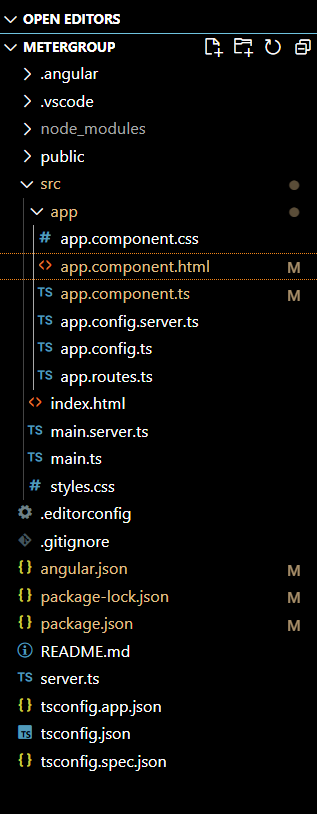
If you haven’t installed Angular CLI yet, install it using the following command
npm install -g @angular/cling new metergroup"dependencies": {
"@angular/animations": "^18.0.0",
"@angular/common": "^18.0.0",
"@angular/compiler": "^18.0.0",
"@angular/core": "^18.0.0",
"@angular/forms": "^18.0.0",
"@angular/platform-browser": "^18.0.0",
"@angular/platform-browser-dynamic": "^18.0.0",
"@angular/platform-server": "^18.0.0",
"@angular/router": "^18.0.0",
"@angular/ssr": "^18.0.0",
"express": "^4.18.2",
"primeicons": "^7.0.0",
"primeng": "^17.18.9",
"rxjs": "~7.8.0",
"tslib": "^2.3.0",
"zone.js": "~0.14.3"
}
Step 3: Install PrimeNG in your given directory.
npm install primeng --save
npm install primeicons --save
App Component
Below mentioned is code example of app component having a HTML file and ts file to display metergroup and import it in imports array.
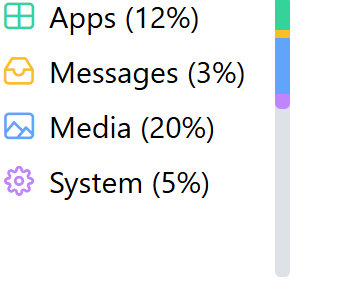
Output:
App Component
Below mentioned is code example of app component having a HTML file and ts file to display metergroup and t=import it in imports array.
Output:
App Component
Below mentioned is code example of app component having a HTML file and ts file to display metergroup and t=import it in imports array.
Output: