|
VOOZH | about |
|
VOOZH | about |
AngularJS includes, also called as ng-include directive, allows you to insert external HTML content dynamically into an AngularJS application. This capability is particularly useful for modularizing applications, improving code organization, and enhancing code reusability.
Syntax:
<element ng-include=" ">
 content...
<element>ng-include provides the dynamic loading of HTML templates into an AngularJS application. This allows developers to load content based on runtime conditions or user interactions.ng-include.Example 1: This example describes the basic use of the ng-includes directive in AngularJS.
geeks.html:
Output:
Including AngularJS code: Similar to the previous case where you include the HTML file by using ng-include, similarly, it can contain AngularJS code.
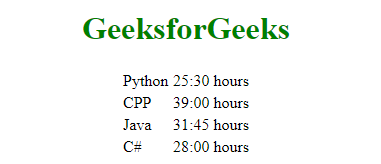
Example 2: This example describes the use of the ng-includes directive in AngularJS by including the external HTML file that contains the AngularJS code.
Geekstable.html:
<table>
 <tr ng-repeat="x in courses">
 <td>{{ x.Course }}</td>
 <td>{{ x.Duration }}</td>
 </tr>
</table>
Code:
Output:
Include Cross Domains: If you want to include files from another domain then you can add a whitelist of legal files or domains in the config function of your application.
Example 3: This example describes the basic use of the ng-includes directive in AngularJS by including the files that belong from another origin.
Note: This file will not execute as the belonging files will be loaded from another origin that requires adding the whitelist of legal files and/or domains.