|
VOOZH | about |
|
VOOZH | about |
The <textarea> element's behavior can be controlled & manipulated with the help of AngularJS data-binding. For this, the ng-model attribute is used with this element. Textarea elements provide validation and basic state control. The ng-model attribute makes reference to text-directive. The current state of textarea elements is held by Angular JS. The list of states of the Textarea directive is described below:
Syntax:
<textarea ng-model="name"></textarea>
Properties: Classes are used to style Textarea elements depending on the state they hold. The ng-model attribute is used to make reference to text-directive. Listed below are the commonly used classes:
Return Value: It returns the text, the user has entered in the text field.
Example 1: This example describes the basic usage of the textarea Directive in AngularJS.
Output:
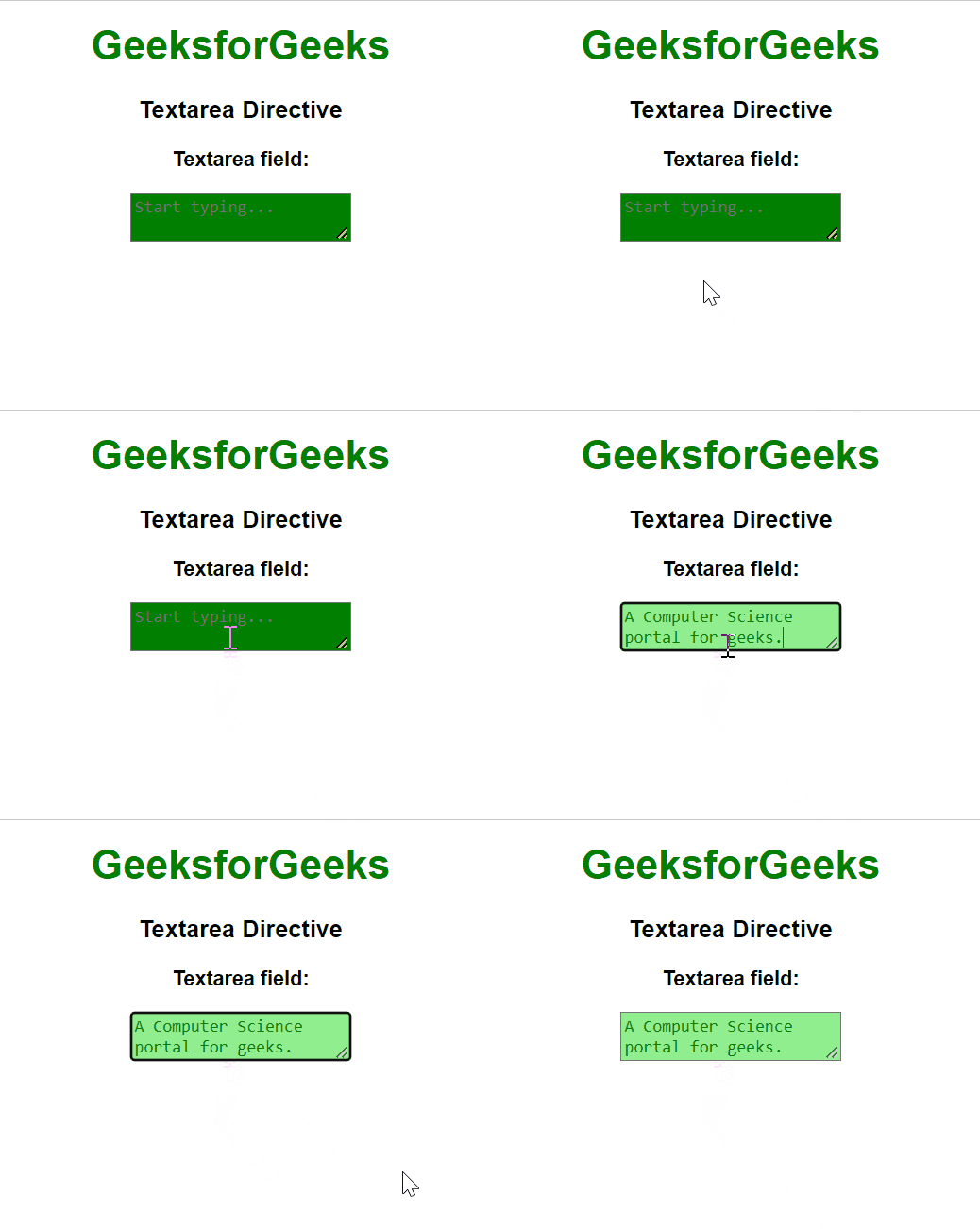
Example 2: In this example, we have used the .ng-pristine class, which specifies the form has not been modified by the user, & .ng-dirty class, which specifies the form has been made dirty (modified ) by the user, is utilized with the textarea element in AngularJS.
Output:
Reference: https://docs.angularjs.org/api/ng/directive/textarea