|
VOOZH | about |
|
VOOZH | about |
Imagine you are building a web page where you have to make a Form having fields, such as First Name, Last Name, and so on and you have to handle form inputs, validations, and interactions. Here, using Reactive Forms you define the structure of the form directly in Typescript code rather than HTML template.
Reactive Forms provide a model-driven approach making it easier to make, manage and validate Forms. You can make complex Forms more easily using Reactive Forms than by using Template-driven Driven Forms.
FormControlFormGroupStep 1: Run the following command to install Angular CLI
npm install -g @angular/cliStep 2: Run the following command to initialize the Angular Project
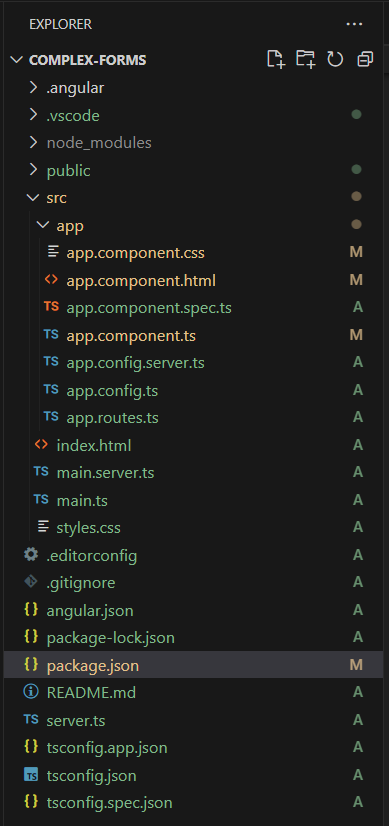
ng new Complex-Forms"dependencies": {
"@angular/animations": "^18.0.0",
"@angular/common": "^18.0.0",
"@angular/compiler": "^18.0.0",
"@angular/core": "^18.0.0",
"@angular/forms": "^18.0.0",
"@angular/platform-browser": "^18.0.0",
"@angular/platform-browser-dynamic": "^18.0.0",
"@angular/platform-server": "^18.0.0",
"@angular/router": "^18.0.0",
"@angular/ssr": "^18.0.0",
"express": "^4.18.2",
"rxjs": "~7.8.0",
"tslib": "^2.3.0",
"zone.js": "~0.14.3"
}
Example: In this example, we are building Complex Forms using Reactive Forms.We will be defining Validations and sometimes a function is created for Validations such as passwordMatchValidator as we have made in the example below. For State Dropdown, we have taken a JSON array having come and names so as to make a dropdown.
To start the application run the following command.
ng serve --open