 |
VOOZH | about |
|
VOOZH | about |
In theory, pipes are just basic functions that take an input value, process it, and output an altered result. Numerous built-in pipelines are supported by Angular. You can, however, also make custom pipes to meet your needs. Among the noteworthy characteristics are: define pipes with the pipe "|" symbol.
There are several methods to integrate built-in pipes in Angular 17 which are as follows:
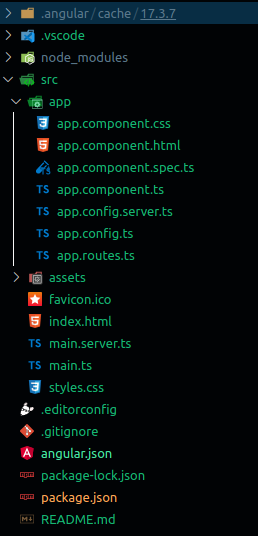
Step 1: create an angular project
ng new <YOUR_PROJECT_NAME>{{title | uppercase}} Step 2: app.component.ts in app module
Example: To demonstrate creating the built-in LowerCase pipe in Angular 17.
Output:
Example: To demonstrate creating the built-in UpperCase pipe in Angular 17.
Output:
app.component.ts in add json data
Example: To demonstrate creating the built-in JSON pipe in Angular 17.
Output:
Example: To demonstrate creating datepipe.
Example: To demonstrate creating the built-in Data pipe in Angular 17.
Output:
Example: To demonstrate creating the built-in Currency pipe in Angular 17.
Output:
Example: To demonstrate creating the built-in Percent pipe in Angular 17.
Output:
Example: To demonstrate creating the built-in Slice pipe in Angular 17.
Output:
Example: To demonstrate creating the built-in Decimal pipe in Angular 17.
Output:

.png)
.png)
.png)
.png)
.png)
.png)
.png)
.png)