|
VOOZH | about |
|
VOOZH | about |
Angular, as a robust front-end framework, allows you to build complex and interactive web applications by creating reusable components. One of the key aspects of building such applications is effective communication between these components.
There are a lot of instances where we need to transfer data and events between angular components.
The communication can be between parent and child components or between sibling components. We will try out 3 methods to transfer data on our angular application.
Table of Content
Step 1: Create an angular application using the following command.
ng new angular-comMake sure angular is already installed in your system.
Step 2: Go inside the angular project
cd angular-comStep 3: Next, we will run the application through the below command
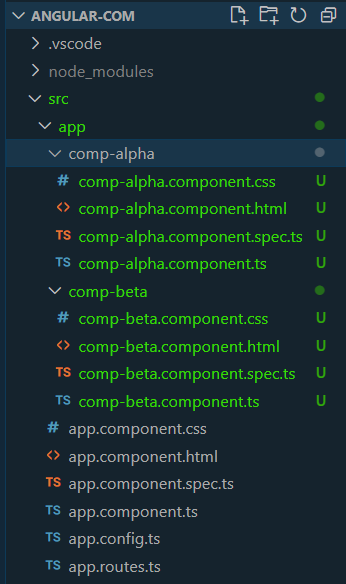
ng serve --openStep 4: Create the required component to share data between them.
ng generate component comp-alpha
ng generate component comp-beta
The updated Dependencies in package.json file will look like:
"dependencies": {
 "@angular/animations": "^17.3.0",
 "@angular/common": "^17.3.0",
 "@angular/compiler": "^17.3.0",
 "@angular/core": "^17.3.0",
 "@angular/forms": "^17.3.0",
 "@angular/platform-browser": "^17.3.0",
 "@angular/platform-browser-dynamic": "^17.3.0",
 "@angular/router": "^17.3.0",
 "rxjs": "~7.8.0",
 "tslib": "^2.3.0",
 "zone.js": "~0.14.3"
}
Now, that we have our component created, we will proceed with adding some boilerplate code. You can add code in the following components to have our initial code ready. Add the code for the app component as in the below editor
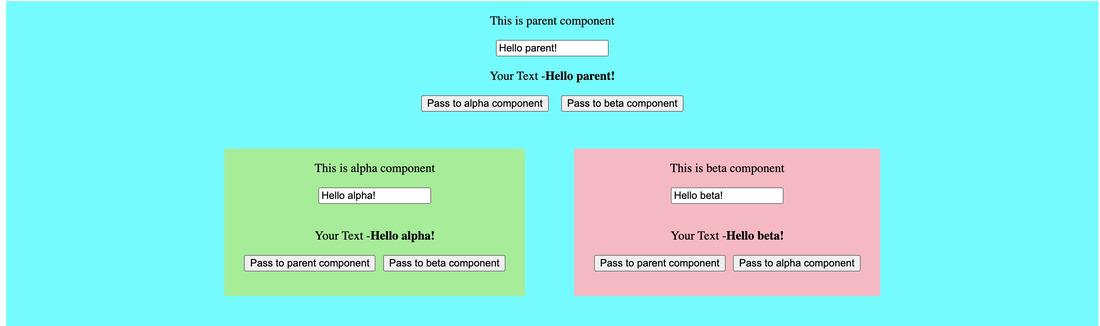
Output:
The blue background represents the parent component with two child components - alpha and beta. Next, we will be working on how to pass values and events through parent and child components and in between child components.
In angular, we use input bindings to pass data from parent to child components. In our example code above, we will pass data from the app component to the alpha component by using an input decorator. Consider the following code changes -
Here, we are using @Input() decorator to bind the property we want to pass from parent to child. In the comp-alpha.component.ts, we have added the following code
@Input('textFromParent') parentText = '';And, in the app.component.html, we are passing the value to this property -
<app-comp-alpha [textFromParent]="homeText"></app-comp-alpha>In the previous method, we passed values from parent to child. To listen to any event happening in the child component like - button-click, saving completion, page load, etc., we will use an event listener to accomplish this.
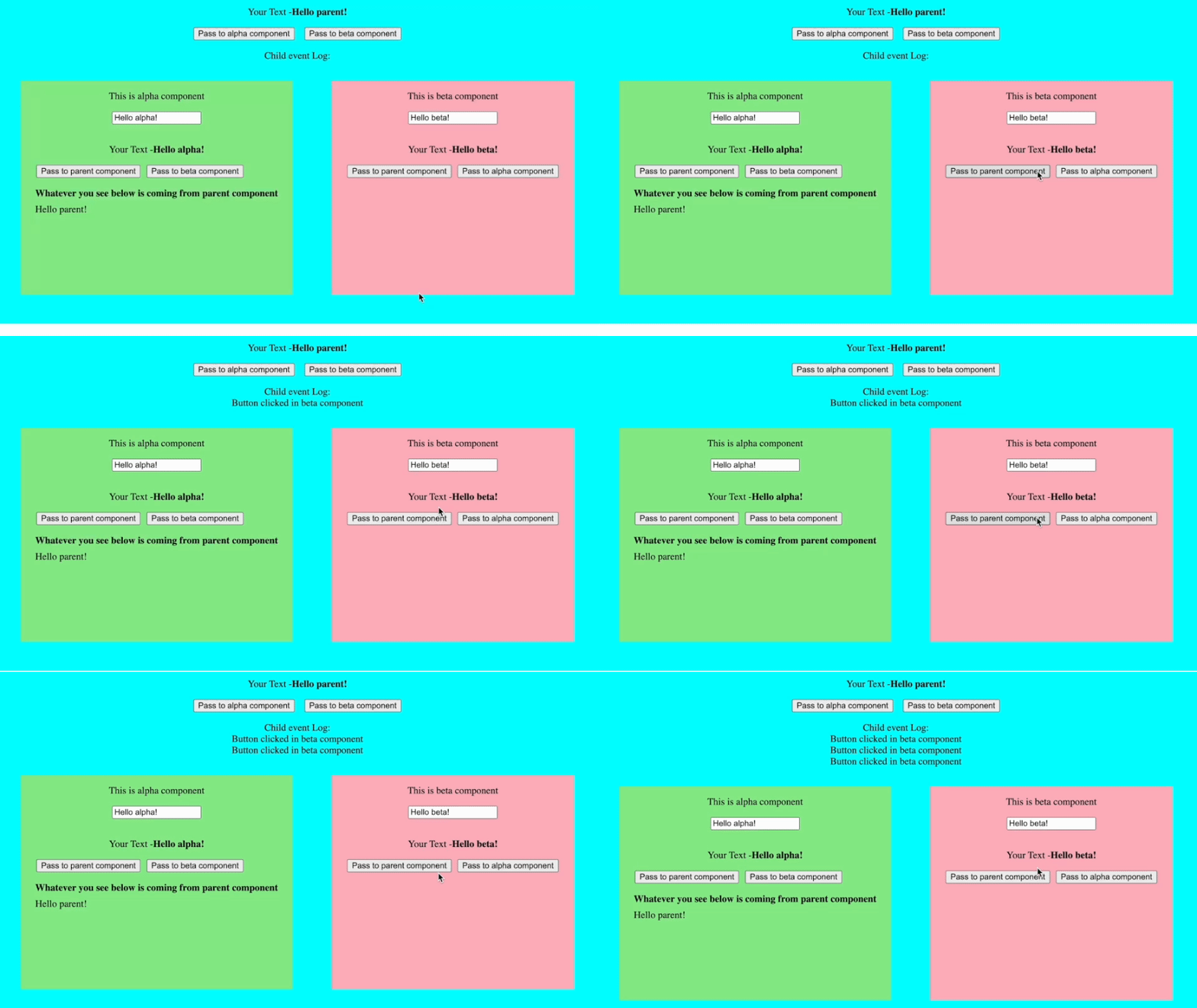
Consider below changes in code -
To make this work, we first added an event emitter with @Output() decorator in comp-beta.component.ts. We added a method passToParent() to emit an event every time the button is clicked
 @Output() childButtonClicked = new EventEmitter<string>();

 passToParent() {
 this.childButtonClicked.emit('Button clicked in beta component');
 }
Next, in the app.component.html, we added a method to listen to the emitted event
<app-comp-beta (childButtonClicked)="childButtonClicked($event)"></app-comp-beta>Every time, the event is emitted in the beta component, we add an array to string to display the event.
 evList: string[] = [];
 childButtonClicked(event: string) {
 this.evList.push(event);
 }
Services can be used to pass data and components between parent and child components or between sibling components. We will take up an example to showcase how to pass values using services between child components.
We will create a service component to pass values. In the terminal, execute the following command -
ng generate service data-connectIt will create a service class file named data-connect.service.ts
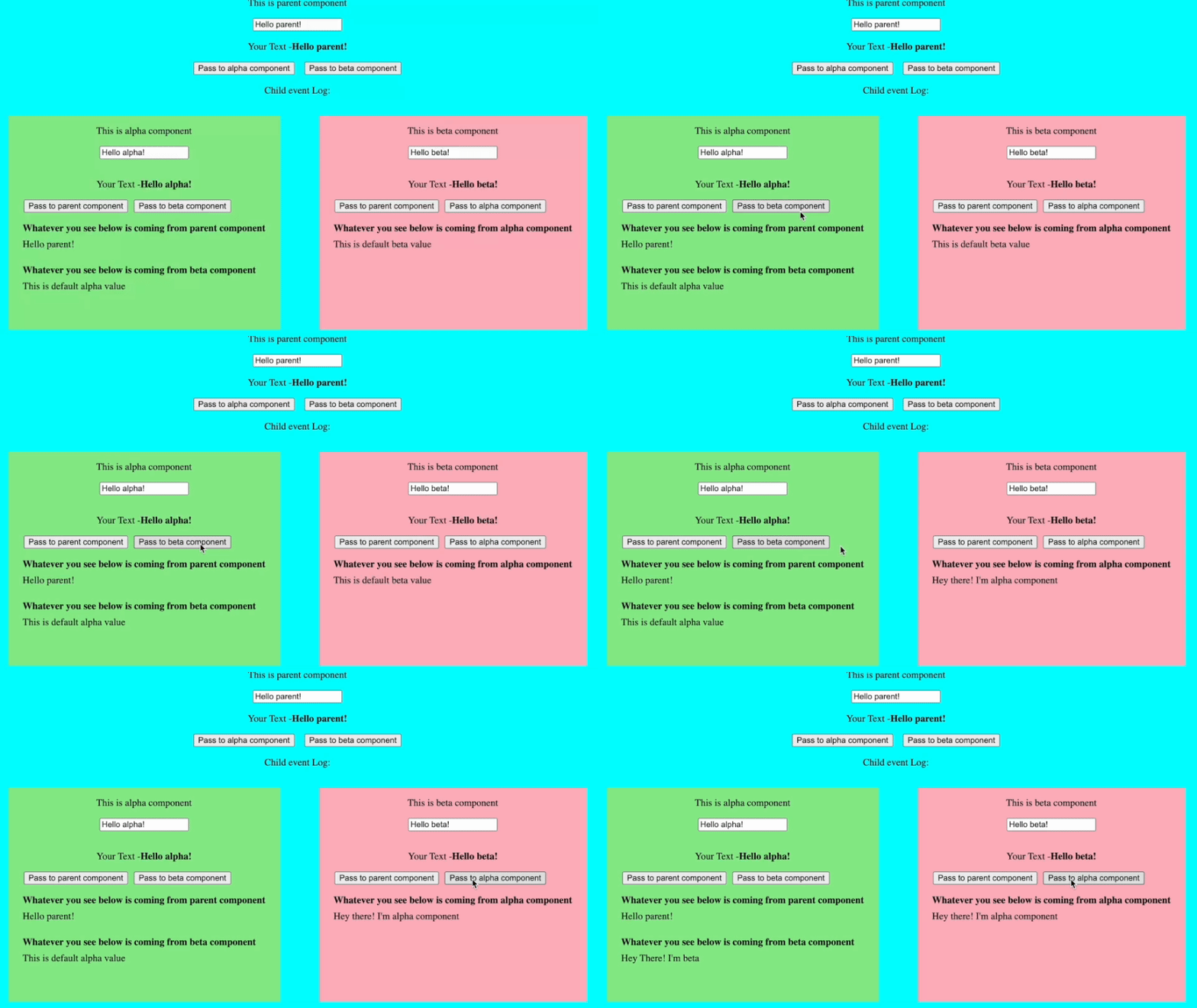
Consider the following code changes -
In the data-connect.service.ts, we have created two variables to store values from the alpha and beta components respectively. Additionally, we have added two methods to get and set values of these two variables -
 alphaValue: string = 'This is default alpha value';
 betaValue: string = 'This is default beta value';

 setValue(comp: string, _value: string) {
 if (comp === 'alpha') {
 this.alphaValue = _value;
 } else if (comp === 'beta') {
 this.betaValue = _value;
 }
 }
 getValue(comp: string) {
 if (comp === 'alpha') {
 return this.alphaValue;
 } else if (comp === 'beta') {
 return this.betaValue;
 }
 return 'No component given';
 }
We are injecting the service inside the alpha and beta components using the class constructor -
constructor(public dataService: DataConnectService) {}We are calling the setter event when the button is clicked to set the value of the service variable as below -
 passToBeta() {
 this.dataService.setValue('beta', "Hey there! I'm alpha component");
 }
Correspondingly, in the HTML component, we are getting the value using the following code -
<div>{{ dataService.getValue("alpha") }}</div>The service we have declared is injected at the root level as declared in the component decorator meta-data.
@Injectable({
 providedIn: 'root',
})
This means there is only one instance of service created at the root level and it is shared across all components. So any change in the service variable is reflected at all the places where the service is injected. So, this way, we can utilize the service for passing the data.

.gif)