|
VOOZH | about |
|
VOOZH | about |
Angular applications are modular by design, allowing you to break down complex functionalities into smaller, manageable pieces called modules. One common task in Angular development is importing modules into other modules to make their components, directives, pipes, and services available throughout the application. This article explores the process of importing modules into another module in Angular.
In Angular, modules are containers for organizing application components, directives, pipes, and services. Modules encapsulate related functionality and provide a context for dependency injection.
When one module needs to access the components or services provided by another module, it imports that module using the imports array in the @NgModule decorator.
Syntax:
The syntax for importing a module into another module in Angular is as follows:
import { NgModule } from '@angular/core';
import { CommonModule } from '@angular/common'; // Importing the module to be used
import { MyComponent } from './my-component'; // Importing components from the module

@NgModule({
 declarations: [MyComponent], // Declaring components, directives, and pipes
 imports: [CommonModule], // Importing other modules
 exports: [MyComponent] // Exporting components, directives, and pipes
})
export class MyModule { }
import statement. Ensure that you provide the correct path to the module file.imports Array: Within the @NgModule decorator of the importing module, add the imported module to the imports array. This makes the exported features of the imported module available for use within the importing module.imports array, you can use its components, directives, pipes, or services within the importing module as needed.Step 1: Create a new Angular project
Open your terminal or command prompt and run the following command to create a new Angular project:
ng new import-moduleStep 2: Generate a module using the following command.
ng generate module customStep 3: Create a component using the following command.
ng generate component custom/customFolder Structure:
Dependencies:
 "dependencies": {
 "@angular/animations": "^17.3.0",
 "@angular/common": "^17.3.0",
 "@angular/compiler": "^17.3.0",
 "@angular/core": "^17.3.0",
 "@angular/forms": "^17.3.0",
 "@angular/platform-browser": "^17.3.0",
 "@angular/platform-browser-dynamic": "^17.3.0",
 "@angular/router": "^17.3.0",
 "rxjs": "~7.8.0",
 "tslib": "^2.3.0",
 "zone.js": "~0.14.3"
 }
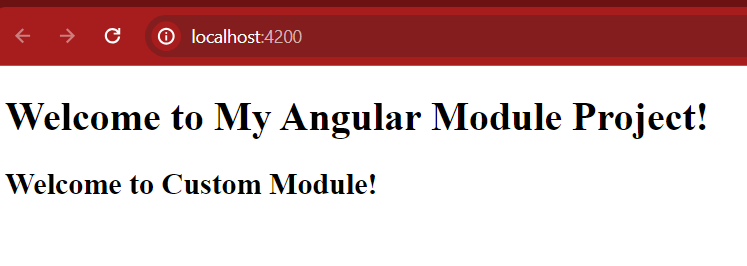
Example: This example demonstrates importing module in other modules in Angular.
ng serve --openOutput: