VOOZH about

URL: https://www.geeksforgeeks.org/angular-js/how-to-display-the-app-version-in-angular/

⇱ How to display the app version in Angular? - GeeksforGeeks


  • Courses
  • Tutorials
  • Interview Prep

How to display the app version in Angular?

Last Updated : 2 Nov, 2020

Angular is a client-side TypeScript based, front-end web framework by Google. Angular 8 is a great, reusable UI (User Interface) framework for the developers which help in building Single Page Applications. Generally, all the angular 2+ projects or applications are referred to as Angular applications. The earlier version is called Angular.js and angular is a complete re-write of Angular.js which comes with rich and useful features.

Approach:

  • In order to know the version, first, we need to import 'VERSION' from '@angular/core'.
  • The reason for importing this is that it is an object which contains properties that we can use to know the version.
  • After importing it now access the version using the 'full' key from the imported Version.
  • After retrieving the value assign it to a variable and then using a string interpolation display in the HTML file.
  • Once you are done with the above implementation, start the project.

Code Implementation:

  1. app.component.ts:


  2. app.component.html:


  3. app.module.ts:

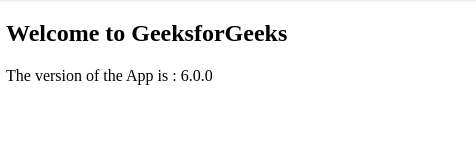
Output:
 

👁 Image


Note: My version number is 6 and hence it is displaying as 6.

Comment
Article Tags:

Explore