|
VOOZH | about |
|
VOOZH | about |
QR Code (Quick Response Code) has become the essential component for each and every product, organization, app, etc. In marketing campaigns, we can use the generated QR code to
In this article let us see how to generate QR Codes with Angular 10.
Prerequisites: In your local development machine Node 10+, together with NPM 6+ must have been installed.
node --version
npm --version
Step 1: Installing Angular CLI 10
From the command line prompt, provide the following command to install
npm install -g @angular/cli
As per the current version, it will be installed, and best that the version should be 10+
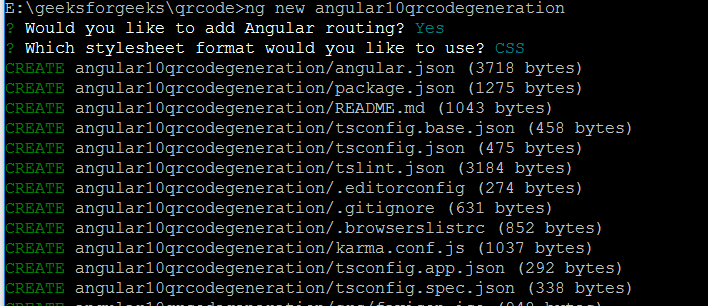
👁 ImageStep 2: Let us create a new Angular app
We can use Visual Studio Code editor or even from the command line prompt, we can create a sample project that generates QR code
ng new <projectname>
Here let us have "angular10qrcodegeneration" as the projectname
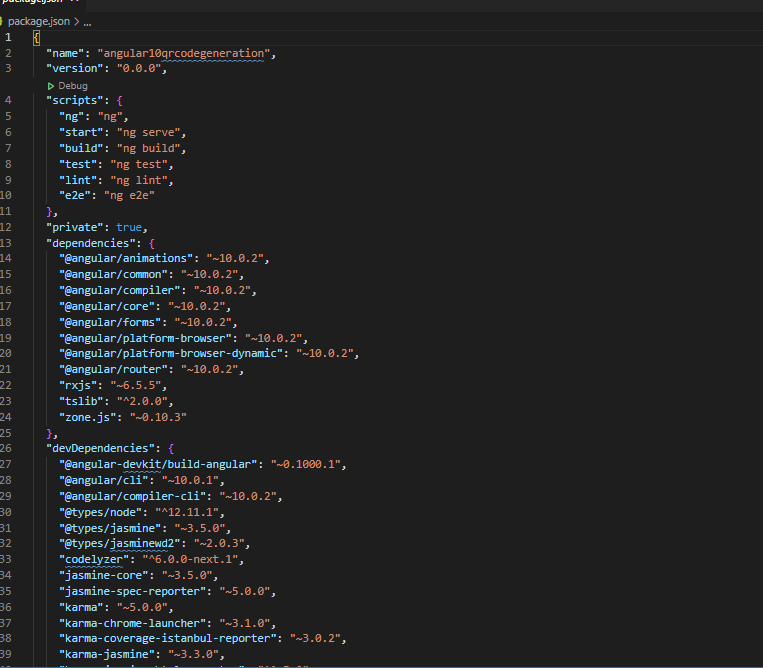
Now the project structure of "angular10qrcodegeneration" will be
👁 ImageNavigate to the project directory where package.json is present
Step 3: To generate QRCode, we need the required dependency. It can be installed by using
npm install @techiediaries/ngx-qrcode
Once this is installed, in src->app->qrcodeapp.module.ts file, we can use
import { NgxQRCodeModule } from '@techiediaries/ngx-qrcode';
And in
@NgModule({
imports: [ NgxQRCodeModule ] Can be given
We need to additionally import FormsModule. So, our src->app->app.module.ts snippet
Now the library has been imported, and we can use the "ngx-qrcode" component in Angular application.
Steps to build the project
ng build (at the location where your package.json present)
Steps to run the project:
ng serve (at the location where your package.json present)
As the code is set run on port 4200, on hitting http://localhost:4200/, we can able to see the output as
👁 ImageWe can specify any valid website URL, and we can generate QR codes successfully in Angular 10. In CSS, we can beautify the shadow display.
Let us see the output for the google website
👁 ImageConclusion: Many important libraries like QRCode generators are available in npm Angular. We can effectively use them according to our needs. QRCode is an essential component for any application/mobile app etc.