|
VOOZH | about |
|
VOOZH | about |
In this article, we will see how to set an active tab style using AngularJS, & will also understand its implementation through the example. This task can be accomplished by implementing the isActive and the ng-controller method. We will perform this task with 2 different methods.
Method 1: The ng-controller Directive in AngularJS is used to add a controller to the application. It can be used to add methods, functions, and variables that can be called on some event like click, etc to perform certain actions.
Syntax:
<element ng-controller="expression">
 Contents...
</element>
The below example implements the above approach.
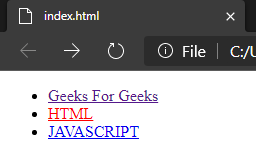
Example 1: This example describes setting the active tab style using AngularJS.
Output:
Method 2: Here we will use the modular function in Angular JS to create a module. A module is created by using the AngularJS function angular.module.
Syntax: for creating a module:
<div ng-app="myFirstApp">...</div>
<script>
var app = angular.module("myFirstApp", []);

//myFirstApp refers to HTML element in which application runs.
</script>
Syntax: for adding a directive to the module:
<div ng-app="myApp"></div>
<script>
var my_app = angular.module("myFirstApp", []);
my_app.directive("DirectiveApp", function() {
 return {
 template : "Hello Geeks!!!"
 };
});
</script>
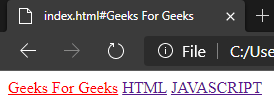
Example 2: This is another example that describes setting the active tab style using AngularJS.
Output: