VOOZH about

URL: https://www.geeksforgeeks.org/angular-js/how-to-use-mat-divider-in-angular-material/

⇱ How to use <mat-divider> in Angular Material ? - GeeksforGeeks


  • Courses
  • Tutorials
  • Interview Prep

How to use <mat-divider> in Angular Material ?

Last Updated : 5 Feb, 2021

Angular Material is a UI component library that is developed by the Angular team to build design components for desktop and mobile web applications. In order to install it, we need to have angular installed in our project, once you have it you can enter the below command and can download it. <mat-divider> tag is used to separate two sections or content with a horizontal line.

Installation syntax:

ng add @angular/material

Approach:

  • First, install the angular material using the above-mentioned command.
  • After completing the installation, Import 'MatDividerModule' from β€˜@angular/material/divider’ in the app.module.ts file.
  • After importing the 'MatDividerModule' we need to use <mat-divider> tag.
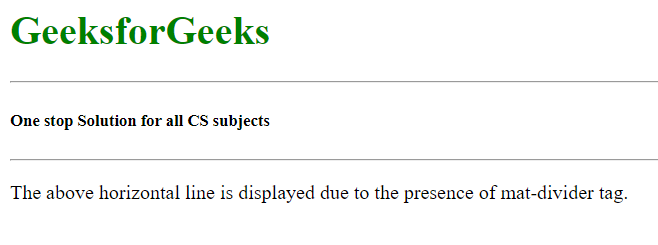
  • When we use <mat-divider>, a horizontal grey line is rendered on the screen.
  • The main purpose of this tag is to separate any two-block, div, or any sections.
  • Once done with the above steps then serve or start the project.

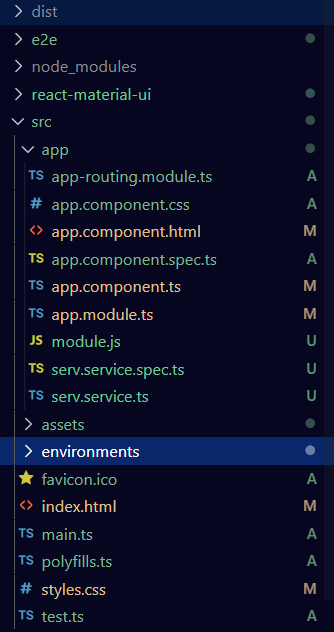
Project Structure: It will look like the following.

πŸ‘ Image

Code Implementation:

app.module.ts: 


app.component.html: 


Output:

πŸ‘ Image
Comment

Explore