|
VOOZH | about |
|
VOOZH | about |
In Angular, the forms are an important part of handling user input and validation. Reactive Forms offers a model-driven approach that provides greater control and flexibility by managing form controls, validation, and data binding directly within the component class.
If you haven’t installed Angular CLI yet, install it using the following command
npm install -g @angular/cling new form-app --no-standalone
cd form-app
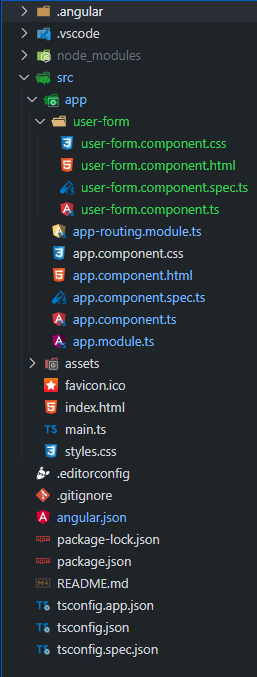
Create a standalone component. You can generate a standalone component using the Angular CLI:
ng generate component user-form"dependencies": {
"@angular/animations": "^18.1.4",
"@angular/common": "^18.1.4",
"@angular/compiler": "^18.1.4",
"@angular/core": "^18.1.4",
"@angular/forms": "^18.1.4",
"@angular/platform-browser": "^18.1.4",
"@angular/platform-browser-dynamic": "^18.1.4",
"@angular/router": "^18.1.4",
"rxjs": "~7.8.0",
"tslib": "^2.3.0",
"zone.js": "~0.14.10"
}
Example: In this example, we are using Reactive Forms in Angular to create a user form with fields for name, email, and age. The form includes validation rules and displays error messages if the inputs are invalid. After submission, if the form is valid, the form data is shown centered below the submit button. This approach uses Angular’s form controls and validation mechanisms to handle user inputs and feedback effectively.
Steps to run this Project
ng serve --open