|
VOOZH | about |
|
VOOZH | about |
Angular applications often consist of various modules and components, which can result in longer initial load times, especially for larger applications. To address this issue and improve performance, Angular provides lazy loading—a technique that defers the loading of certain modules until they are needed.
In this article, we'll learn more about lazy loading in Angular and how we can implement it in our project.
Table of Content
Lazy loading is a strategy used to optimize the loading time of an Angular application by loading modules only when they are required. Instead of loading all modules and their associated components at once during the initial application load, lazy loading allows modules to be loaded asynchronously as the user navigates to the corresponding routes. This results in faster initial load times and improved overall performance, especially for larger applications with complex routing structures.
It offers several benefits, which includes:
It plays a crucial role in optimizing Angular applications for speed performance, and scalability, which enhances user experience.
Step 1: Create a new Angular application using the following command.
ng new sample-app
cd sample-app
Step 2: Create the 4 components using the following commands.
ng g c home
ng g c services
ng g c about-us
ng g c contact-us
Folder Structure:
👁 Screenshot-2024-03-21-195223Dependencies:
 "dependencies": {
 "@angular/animations": "^17.3.0",
 "@angular/common": "^17.3.0",
 "@angular/compiler": "^17.3.0",
 "@angular/core": "^17.3.0",
 "@angular/forms": "^17.3.0",
 "@angular/platform-browser": "^17.3.0",
 "@angular/platform-browser-dynamic": "^17.3.0",
 "@angular/router": "^17.3.0",
 "rxjs": "~7.8.0",
 "tslib": "^2.3.0",
 "zone.js": "~0.14.3"
 }
Now we can update our app.router.ts file to add the actual routes. Also don't forget to add router-outlet tag in the app.component.html and import RouterOutlet to app.component.ts. Finally, we can add the buttons to handle navigation between different routes, for this to work we will need to import the RouterLink.
With Angular 16+, it has become much simpler to lazy load any route, we can make use of the loadComponent property to load a component or loadChildrento load nested routes.
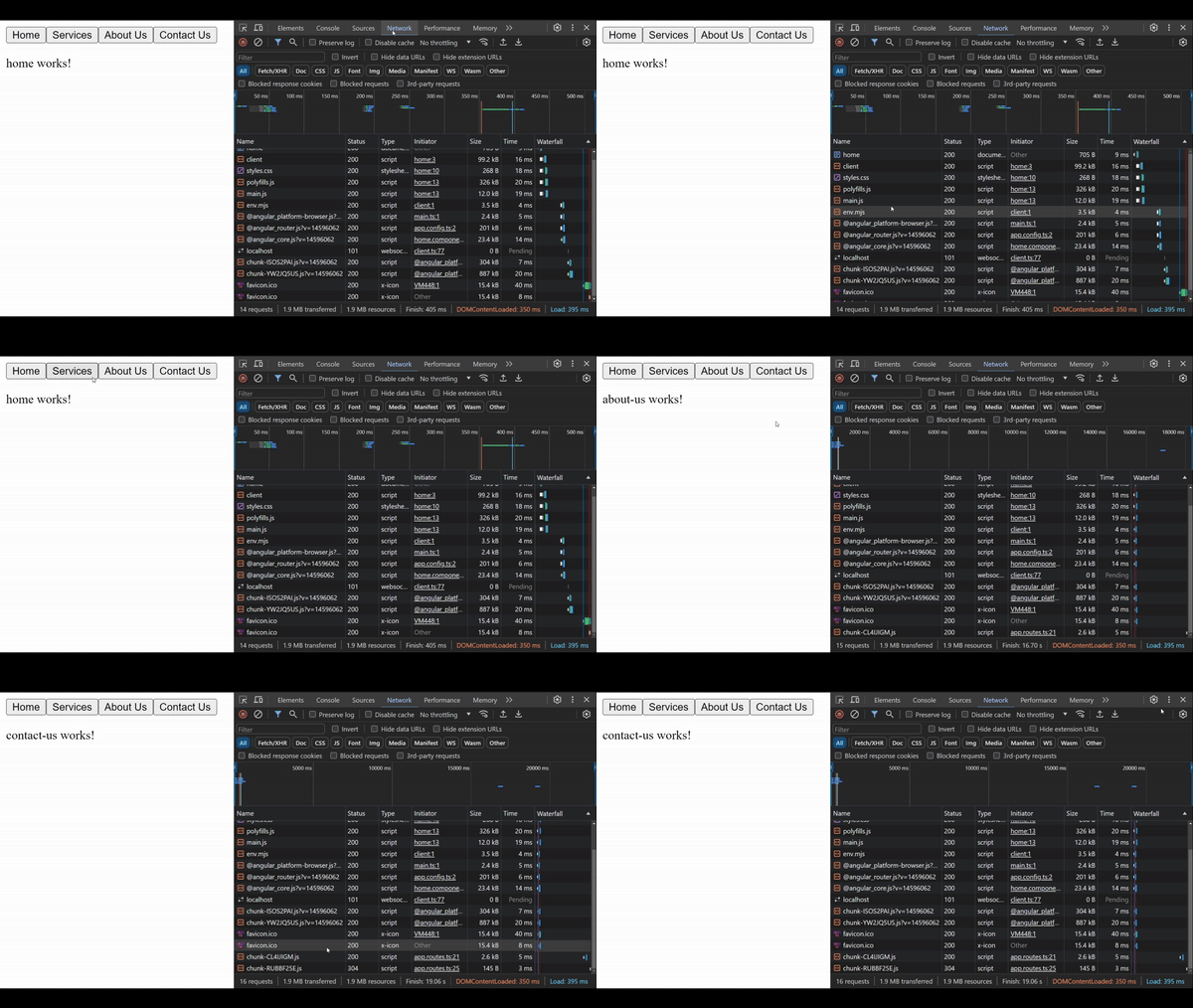
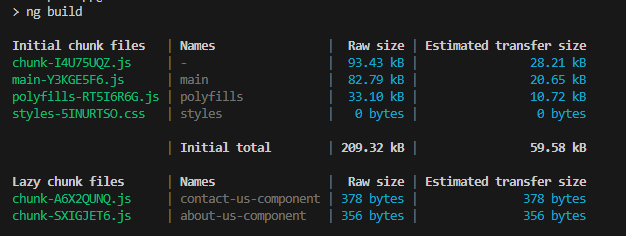
In the below example, we have four components, out of which home and services are loaded initially with the app. While Contact Us and About Us component are loaded lazily.
Output:
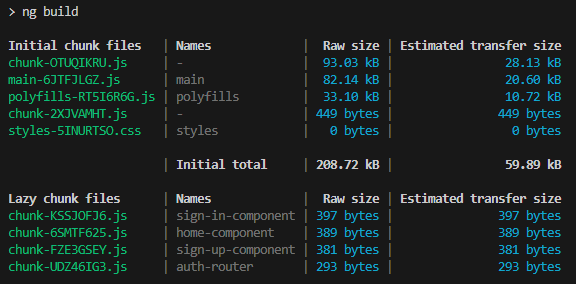
We can see the output of our build process, contact-us-component and about-us-component are loaded into different output file each so that they can be served only when required.
For nested routes, we can use the loadChildren property instead of loadComponent, so that they are loaded only when required.
Using below commands we can create sign-in and sign-up components, and add an auth.router.ts to handle routing for auth components.
ng g c auth/sign-in
ng g c auth/sign-up
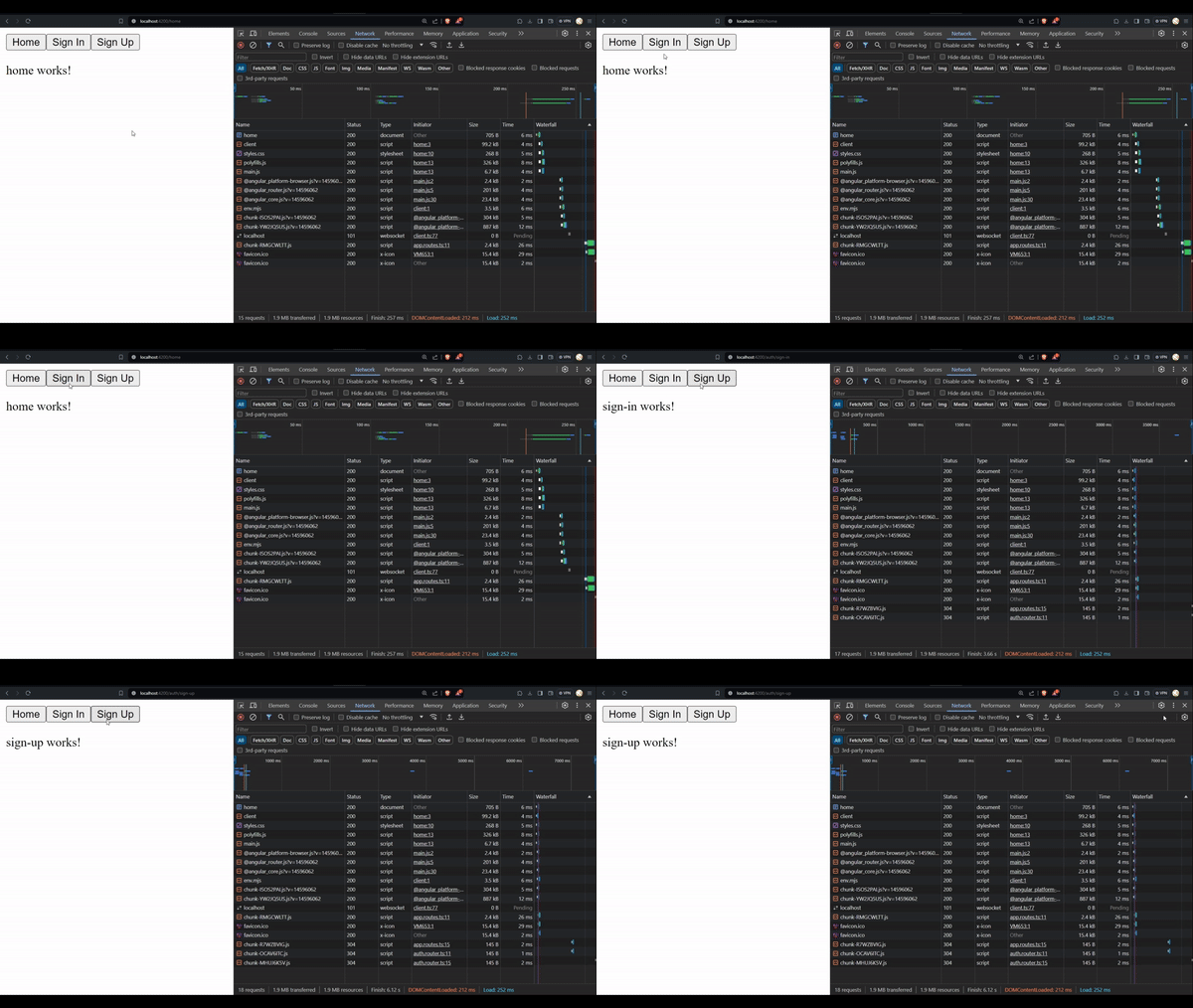
Output:
Here when we visit auth/sign-in we observe that two chunks are loaded, that is because we had lazy loaded our nested routes and also the sign-in route. Also in the build output we have different chunks for each of our lazy loaded asset.