|
VOOZH | about |
|
VOOZH | about |
Property Binding is a one-way data-binding technique. In property binding, we bind a property of a DOM element to a field which is a defined property in our component TypeScript code. Actually, Angular internally converts string interpolation into property binding.
In this, we bind the property of a defined element to an HTML DOM element.
Syntax:
<element [property]= 'typescript_property'>
Approach:
Example 1: setting value of an input element using property binding.
app.component.html
app.component.ts
Output:
👁 ImageExample 2: getting source of the image using property binding.
app.component.html
app.component.ts
Output:
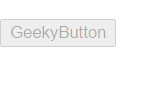
👁 ImageExample 3: disabling a button using property binding.
app.component.html
app.component.ts
Output:
👁 Image