|
VOOZH | about |
|
VOOZH | about |
Signals are a reactive data model that provides a simple way to manage and track changes in state within an application. A Signal in Angular is a variable whose value can change over time and any change to this value will automatically propagate to the parts of the application that depend on it.
To understand this article you have basic knowledge in the below listed topics.
Here we provide a list possible Approaches for creating Signals in Angular framework.
Table of Content
The signal function is used to create a reactive data source. This data source can be used in templates or component logic and It automatically updates whenever the signals value changes.
const mySignal = signal(initialValue);import { signal } from '@angular/core';
const counterSignal = signal(0);
// Increment the counter
counterSignal.update(count => count + 1);
// Get the current value
console.log(counterSignal()); // Outputs: 1
The computed function is used to create a signal that delivers its value other signals and It automatically recalculates whenever any of the dependent signals change.
const myComputedSignal = computed(() => /* expression based on other signals */);import { signal, computed } from '@angular/core';
const x = signal(2);
const y = signal(3);
const sum = computed(() => x() + y());
console.log(sum()); // Outputs: 5
// Update one of the signals
x.set(5);
console.log(sum()); // Outputs: 8 (since x is now 5 and y is 3)
Effect functions are a way to watch for changes in signals and trigger specific code when those changes occur. An effect is automatically re run whenever any signal it depends on changes.
import { effect, signal } from '@angular/core';

const count = signal(0);

// Define an effect that logs the count whenever it changes
effect(() => {
 console.log(`Count changed to: ${count()}`);
});

// Update the signal value
count.set(1); // Logs: "Count changed to: 1"
These functions are used to optimize reactivity by determining if the value of a signal has actually changed. If the equality function returns false angular can avoid unnecessary updates.
import { signal, signalEquality } from '@angular/core';

const mySignal = signal({ x: 10, y: 20 }, { equals: (a, b) => a.x === b.x && a.y === b.y });

mySignal.set({ x: 10, y: 20 }); // No effect triggered, as the values are considered equal
mySignal.set({ x: 15, y: 20 }); // Effect triggered, as the x value has changed
When an effect function is re run due to a change in one of its signals a cleanup function can be used to clean up resources or side effects from the previous run before the new effect is executed.
Example:
import { effect, signal } from '@angular/core';

const count = signal(0);

effect((onCleanup) => {
 const interval = setInterval(() => {
 console.log(`Interval count: ${count()}`);
 }, 1000);

 // Define the cleanup function to clear the interval
 onCleanup(() => clearInterval(interval));
});

count.set(1); // Triggers re-run, and the old interval is cleared
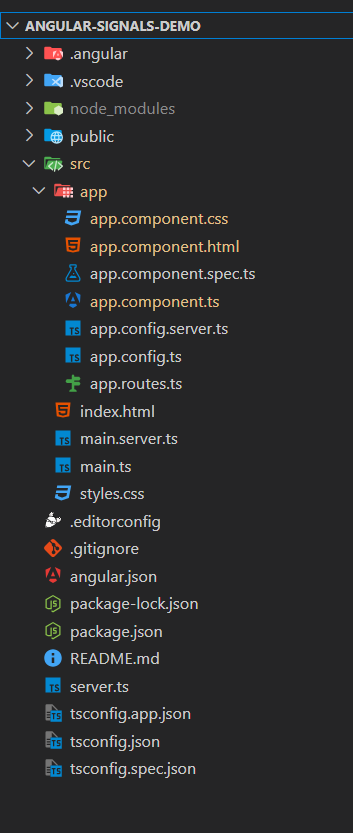
Here we first created a new angular application once project is created successfully then we develop logic for signals. For achieving Signals in Angular follow below step by step process.
First create a new Angular Application by using below command. Once project is created navigate to project folder.
ng new angular-signals-demo
cd angular-signals-demo
Signals are part of the Angular core, so no additional modules need to be installed. You can directly use the signal and computed functions.
To implement signals in our application we need to change below listed files in the project folder.
Once development is completed now run the angular application by using below command.
ng serveOnce project is successfully running now test the application. When you run this application. The UI will display the initial counter value which is 0 when you click on the increment button the counter will increate by 1 and the double counter value updated automatically to reflect twice the value of the counter.