|
VOOZH | about |
|
VOOZH | about |
Angular is a very popular framework for building scalable web applications. It provides many features and tools to make the development process smooth. Two important directives in Angular are *ngIf and *ngFor. *ngIf is used to conditionally render HTML elements, while *ngFor is used to iterate over a collection of data. In this article, we will learn the use of *ngIf and *ngFor directives in Angular.
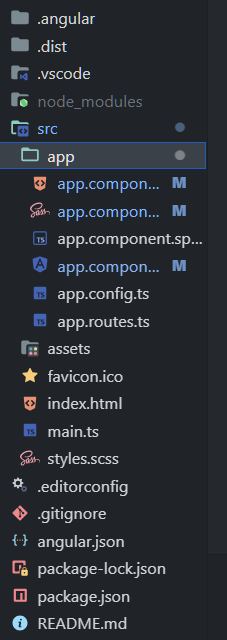
Step 1: Create a new Angular application using the Angular CLI with the following command:
ng new my-angular-appStep 2: Navigate to the project directory:
cd my-angular-app
The updated dependencies in package.json file will look like:
"dependencies": {
 "@angular/animations": "^17.3.0",
 "@angular/common": "^17.3.0",
 "@angular/compiler": "^17.3.0",
 "@angular/core": "^17.3.0",
 "@angular/forms": "^17.3.0",
 "@angular/platform-browser": "^17.3.0",
 "@angular/platform-browser-dynamic": "^17.3.0",
 "@angular/router": "^17.3.0",
 "rxjs": "~7.8.0",
 "tslib": "^2.3.0",
 "zone.js": "~0.14.3"
}
ngIf is used to display or hide the DOM Element based on the expression value assigned to it. The expression value may be either true or false.
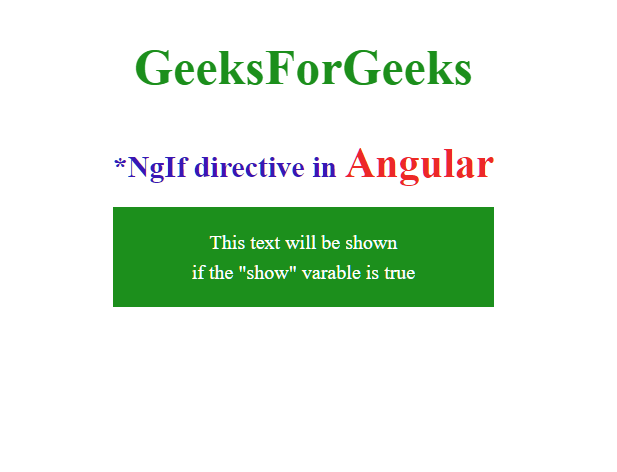
<element *ngIf="condition">...</element>*ngIf is commonly used for conditional rendering of elements based on various conditions, such as user authentication status, data availability, or user interactions.*ngIf can be used to display error messages or fallback content when certain conditions are not met, providing a seamless user experience.*ngIf enables the dynamic rendering of UI components based on application state or user inputs, allowing for a more interactive and personalized user experience.Example: Now we use *ngIf to conditionally render a message, based to a particular condition(either true or false) it changes the DOM. Here we have used a vaiable named "show". If show is true then the text will be shown present in the div, if it is false then text will not be shown in the div.
*ngFor is used to loop through the dynamic lists in the DOM. Simply, it is used to build data presentation lists and tables in HTML DOM.
Syntax:
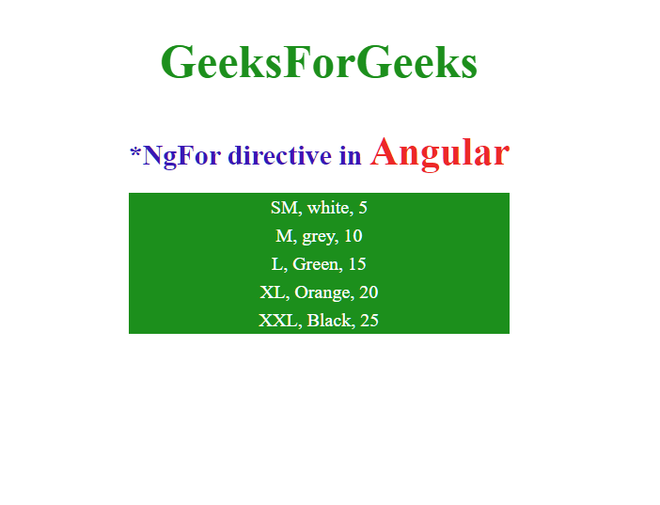
<element *ngFor="let item of items">...</element>*ngFor is primarily used for rendering lists of items retrieved from APIs, databases, or local data sources, providing a dynamic and data-driven user interface.*ngFor can be used to generate table rows dynamically based on the data in the underlying collection, allowing for the creation of dynamic and responsive tables.*ngFor can iterate over the properties of an object, allowing you to render key-value pairs dynamically in the UI.In Angular, *ngFor is used to iterate over a list of items. Here in ngfor, we need a local varable which represents each item in the object boxes which we have created in app.components.ts file. Now we will iterate over each item in boxes and show its proprties (size, color, height) using *ngFor directive in angular. For showing the object we need to provide a template for each item in boxes.
Example:
Output:
*ngIf is very useful directive in Angular for controlling the visibility of HTML elements in DOM and *ngFor directives is a powerful directive to iterate over data collections. By understanding their syntax and usage of *ngIf and *ngFor directives in Angular, we can enhance the interactivity and flexibility of your Angular applications.