|
VOOZH | about |
|
VOOZH | about |
Angular, a popular framework for building dynamic web applications, offers a powerful feature known as custom directives. These directives extend the functionality of HTML elements, enabling to create reusable components and add behavior to their applications. In this article, we'll learn about the concept of custom directives in Angular.
Table of Content
Custom directives in Angular provide a mechanism to create reusable components and add behavior to HTML elements. They help to encapsulate complex functionality, apply dynamic behavior, and enhance the structure of the DOM. Custom directives are defined as TypeScript classes decorated with Angular's @Directive() decorator.
ElementRef service, providing fine-grained control over the presentation layer.Install Angular CLI globally (if not already installed)
npm install -g @angular/cliCreate a new Angular project:
ng new custom-attribute-demoNavigate into the project directory:
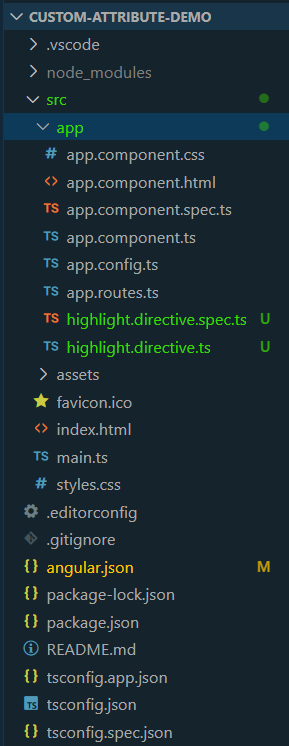
cd custom-attribute-demoCreate a new custom attribute directive:
ng generate directive highlightDependencies:
"dependencies": {
 "@angular/animations": "^17.3.0",
 "@angular/common": "^17.3.0",
 "@angular/compiler": "^17.3.0",
 "@angular/core": "^17.3.0",
 "@angular/forms": "^17.3.0",
 "@angular/platform-browser": "^17.3.0",
 "@angular/platform-browser-dynamic": "^17.3.0",
 "@angular/router": "^17.3.0",
 "rxjs": "~7.8.0",
 "tslib": "^2.3.0",
 "zone.js": "~0.14.3"
 },
 "devDependencies": {
 "@angular-devkit/build-angular": "^17.3.0",
 "@angular/cli": "^17.3.0",
 "@angular/compiler-cli": "^17.3.0",
 "@types/jasmine": "~5.1.0",
 "jasmine-core": "~5.1.0",
 "karma": "~6.4.0",
 "karma-chrome-launcher": "~3.2.0",
 "karma-coverage": "~2.2.0",
 "karma-jasmine": "~5.1.0",
 "karma-jasmine-html-reporter": "~2.1.0",
 "typescript": "~5.4.2"
 }
Example: Add the following codes in the respective files.
To start the application run the following command.
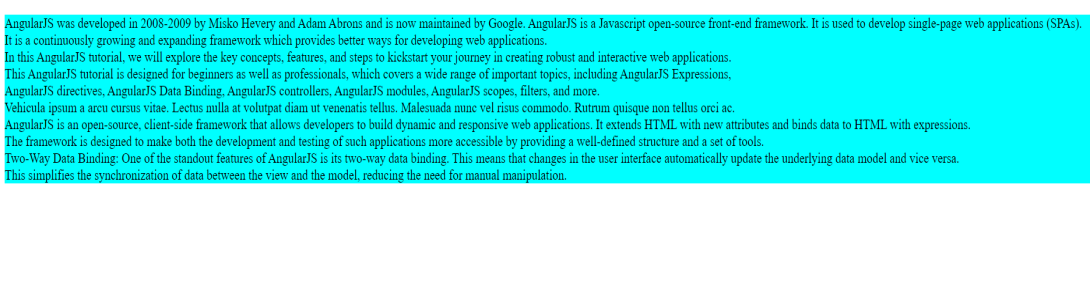
ng serveOutput: