|
VOOZH | about |
|
VOOZH | about |
Content Security Policy (CSP) is a security feature that helps to protect your web applications from various types of attacks, such as Cross-Site Scripting (XSS) and data injection attacks. CSP is a browser feature that allows web developers to define a list of approved content sources that the browser should trust, reducing the risk of malicious content being executed on the website.
Table of Content
CSP works by providing a layer of security that helps prevent unauthorized scripts from running. It can be configured via HTTP headers or meta tags, instructing the browser on what content to load and what to block. This is particularly important in modern web applications where content can come from various sources, including external APIs, advertisements, and user-generated content.
Directives are the core of a CSP policy. CSP accepts a set of directives, either in HTTP headers or meta tags in the HTML, that specify which content is allowed to load and execute on the web page. Some of Common CSP Directives include "default-src", "script-src", "style-src", etc.
Configuring CSP in HTTP headers is an important step in enhancing the security of your web application. We can add CSP directives in the HTTP headers itself so that we can ensure that all the responses and the HTML web pages have the directives set. CSP is the primary header used to enforce CSP rules.
We can add the CSP directives in a node.js server like below:
//server.js
const express = require('express');
const helmet = require('helmet');
const app = express();

app.use(
 helmet.contentSecurityPolicy({
 directives: {
 defaultSrc: ["'self'"],
 scriptSrc: ["'self'"],
 styleSrc: ["'self'"],
 fontSrc: ["'self'"]
 }
 })
);
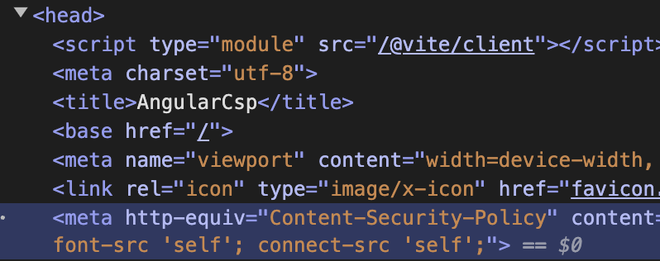
We can set the CSP directives in the meta tag as well. To set the directives in an angular application. The CSP meta tag allows you to define a Content Security Policy in HTML <head> Section. Configuring CSP with meta tags is a good way to implement and test Content Security Policies directly within your HTML documents.
ng new angular-csp
cd angular-csp
"dependencies": {
 "@angular/animations": "^18.0.0",
 "@angular/common": "^18.0.0",
 "@angular/compiler": "^18.0.0",
 "@angular/core": "^18.0.0",
 "@angular/forms": "^18.0.0",
 "@angular/platform-browser": "^18.0.0",
 "@angular/platform-browser-dynamic": "^18.0.0",
 "@angular/router": "^18.0.0",
 "rxjs": "~7.8.0",
 "tslib": "^2.3.0",
 "zone.js": "~0.14.3"
}
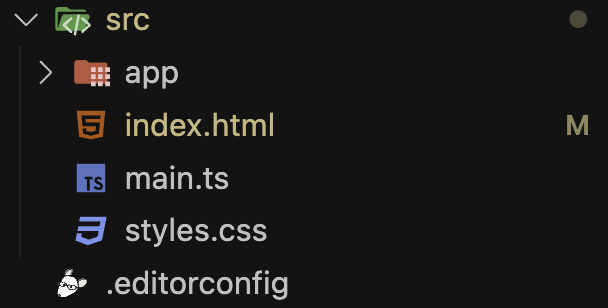
Add CSP directives in the index.html file present in "src" directory under <meta> tag.
Start the application server using the below command:
ng serveOutput:
Angular Applications are built with component-based-archietecture, which often include dynamic content, which can present challenges for CSP. To implement CSP in Angular application, we can use the angular "ng-csp" directive in the html tag, which can take in the value of "no-unsafe-eval" or "no-inline-style" which when set avoids the use of eval function and inline stylings in the code respectively.
Implementation of CSP is very important in order to secure Angular Applications from various attacks. However, after setting up CSP, it is important to test and monitor its effectiency. We can test whether CSP is actually working or not by including a script in the HTML page whose source is not mentioned in the CSP directives, and checking if the script loads. We can also set CSP to report or log CSP violations to a specific endpoint using "report-to" CSP directive.
Example:
Content-Security-Policy: default-src 'self'; report-to /csp-violation-report-endpoint/