|
VOOZH | about |
|
VOOZH | about |
When you create a component in Angular, you sometimes want to style it to look good and match your application's design. Angular provides two ways to add styles to a component: style and styleUrls. They might look similar but they have different purposes.
We know that the decorator functions of @Component take an object and this object contains many properties such as style and styleUrls properties. Styles for components are defined in Angular using style and styleUrls, however they are handled differently.
Styles in Angular give each part of the application a unique look. Each component can have its own style, which helps to keep everything organized and managed. You can add styles directly inside the component file for quick changes in separate CSS files. This helps you choose the style of application with your choice. It also ensures styles of one file do not mess up with other files.
Table of Content
If you have not installed Angular CLI, install it by using the following command.
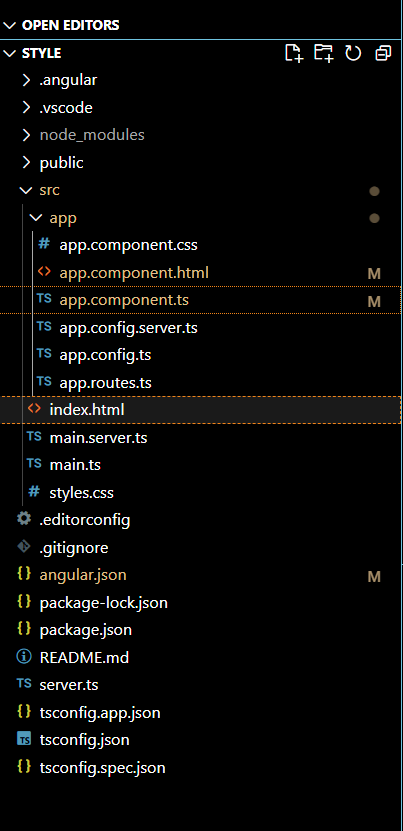
npm install -g @angular/cling new stylecd style"dependencies": {
"@angular/animations": "^18.0.0",
"@angular/common": "^18.0.0",
"@angular/compiler": "^18.0.0",
"@angular/core": "^18.0.0",
"@angular/forms": "^18.0.0",
"@angular/platform-browser": "^18.0.0",
"@angular/platform-browser-dynamic": "^18.0.0",
"@angular/platform-server": "^18.0.0",
"@angular/router": "^18.0.0",
"@angular/ssr": "^18.0.0",
"express": "^4.18.2",
"rxjs": "~7.8.0",
"tslib": "^2.3.0",
"zone.js": "~0.14.3"
}
Example of styleUrls:
Below is the code example demonstrating the use of styleUrls which is linked to app.component.css file of App Component. In this example, h1 tag is having background color as yellowgreen and color as rebeccapurple.
Output:
Example of style:
Below is the code example demonstrating the use of Inline Style in which the code is added in Typescript file in Style [ ]. In this example, the color of h1 tag which be purple and its background-color will be yellow.
Output:
Feature | Style | StyleUrls |
|---|---|---|
Definition | It allows you to write CSS style directly in the component. | Links to external CSS files that contain component's styles. |
Location | Inside component's code. | In separate CSS file outside component. |
Maintenance | Can get messy if styles grow big. | Easier to manage. |
Complexity | Simple and Direct | Requires managing separate files, but keeps your project organized. |
Example | Inline CSS: `styles: ['h1 { color: red;'}]` | External CSS: `StyleUrls: ['./example.component.css']' |
Styles in Angular helps you understand how each part of your application will look. Changing one style won't effect the other styles which makes it easier to update and manage.Whether you need a quick styles or detailed one. Angular gives you simple options to make sure everything looked good.