|
VOOZH | about |
|
VOOZH | about |
Data Analysis involves the use of statistics and other techniques to interpret the data. It involves cleaning, analyzing, finding statistics and finally visualizing them in graphs or charts. Data Analytics tools are mainly used to deal with structured data. The steps involved in Data Analysis are as follows:
Table of Content
The full form of SPSS is Statistical Package for the Social Sciences. It is a popular data analysis tool that is mainly used for statistical analysis and data management of structured datasets. It was developed by IBM in the year 1968. It is to be noted that SPSS has two versions: paid and trial version for 30 days. Some key features of SPSS are as follows:
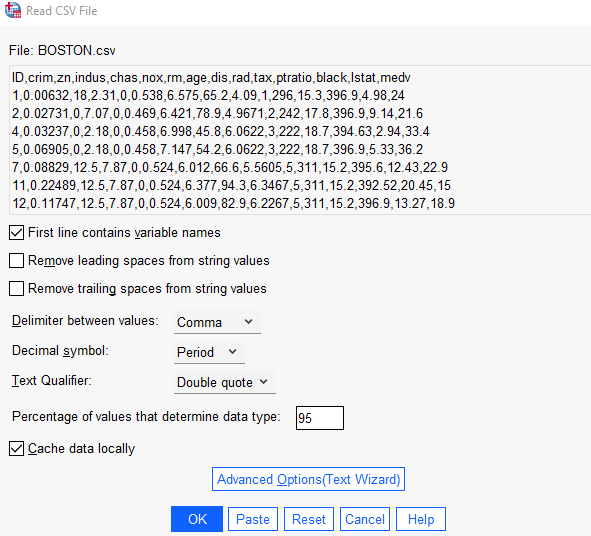
To perform the data analysis we have used Housing dataset. It has 14 columns. Now we will import the data and implement the data analysis techniques.
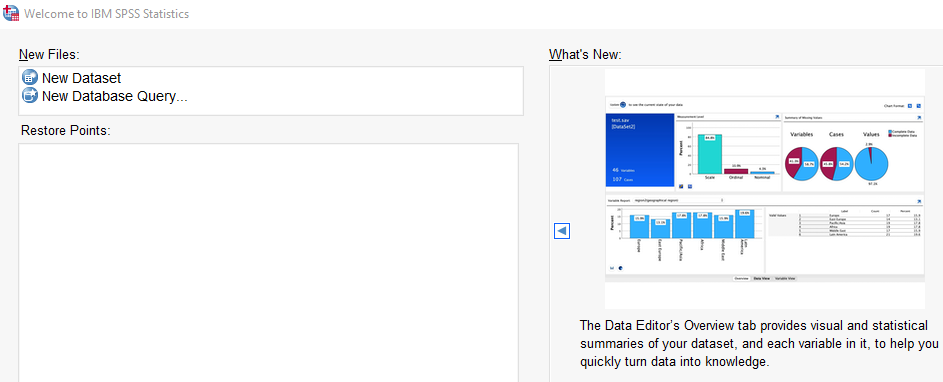
After installing the trial version of SPSS from official website of IBM, open the software and follow the steps.
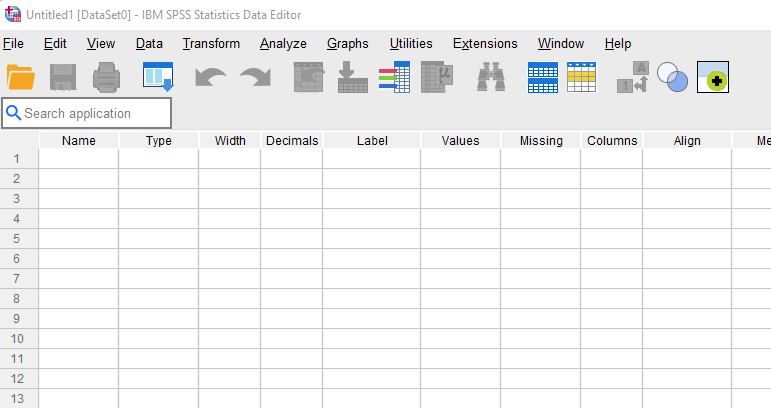
1. Click on New Dataset:
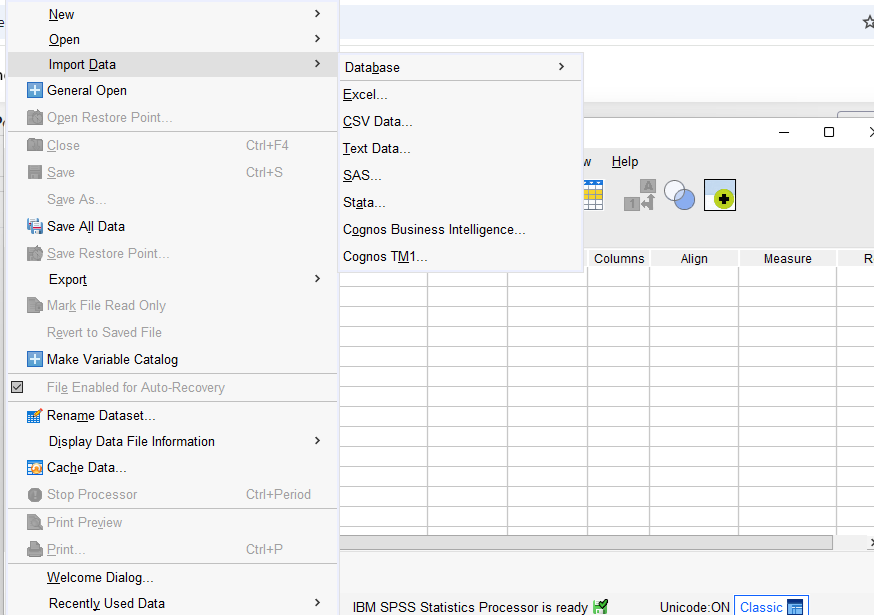
2. A new window opens. Now click on File.
And to proceed,
Now,
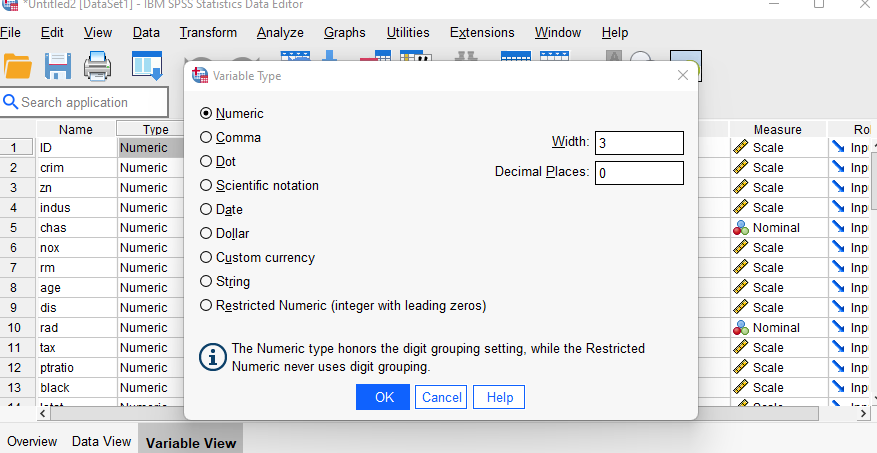
To get the column type of the data, we need to use the Variable View. The variable View option is present at the bottom where our dataset is opened.
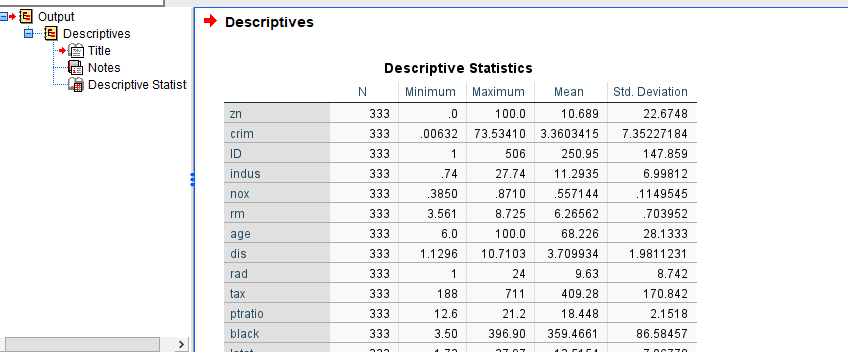
We need to use descriptive statistics to find mean, standard deviation, minimum, maximum value and also to handle the missing values. As Descriptive Statistics provides counts of values, it is important to handle the missing values.
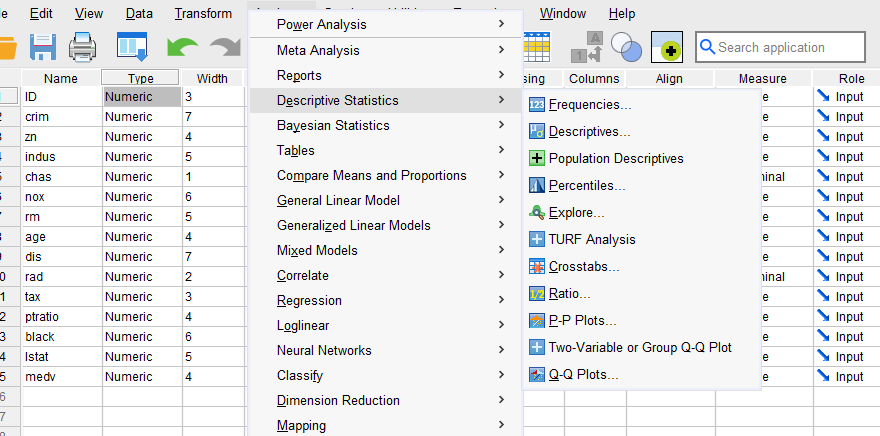
1. Click on Analyze and the click on Descriptive Statistics
2. A dialog box will appear.
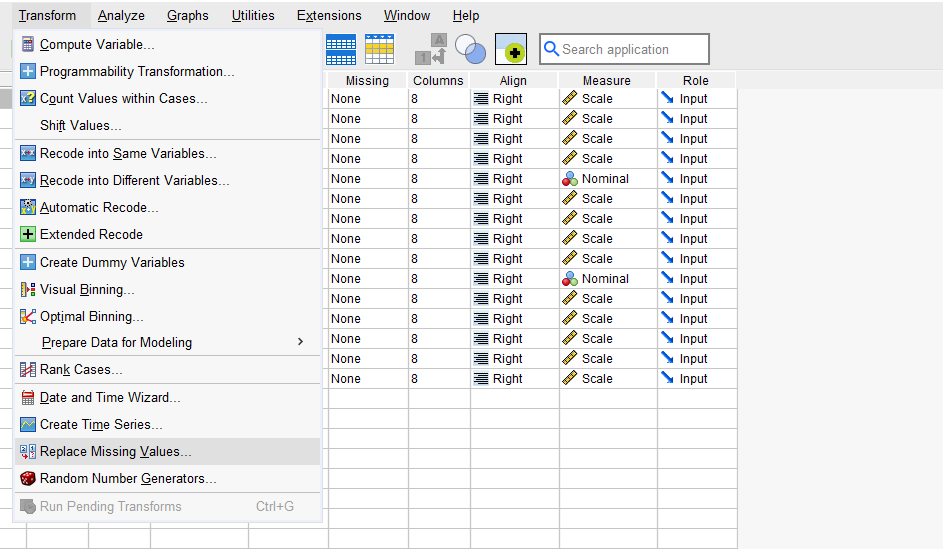
Now to handle the missing values, click on Transform and then click on Replace Missing values. Select the columns in which values are missing and choose with what the values are to be replaced. Click on OK. A new column will be created by default.
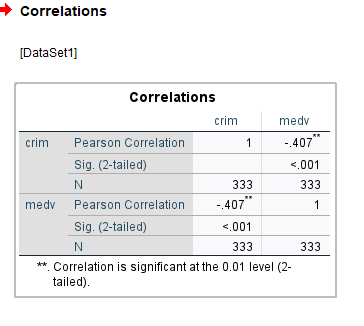
To determine the strength of relationship between two variables we use correlation. In SPSS we can analyze the relationship between the variables.
1. Click on Analyze, From the drop down menu click on Correlate.
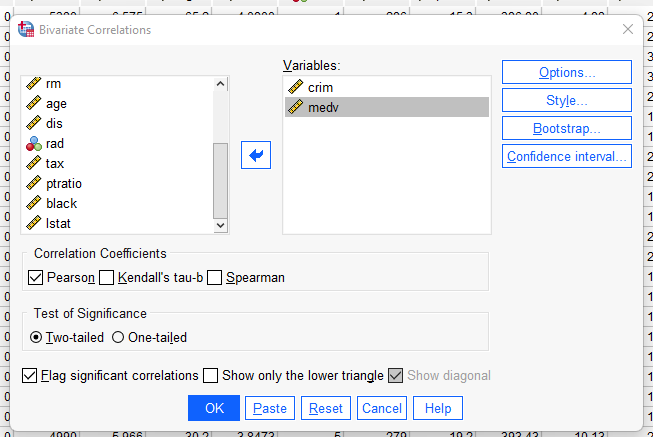
2. Then click on Bivariate and select the columns in which the correlation is to be found.
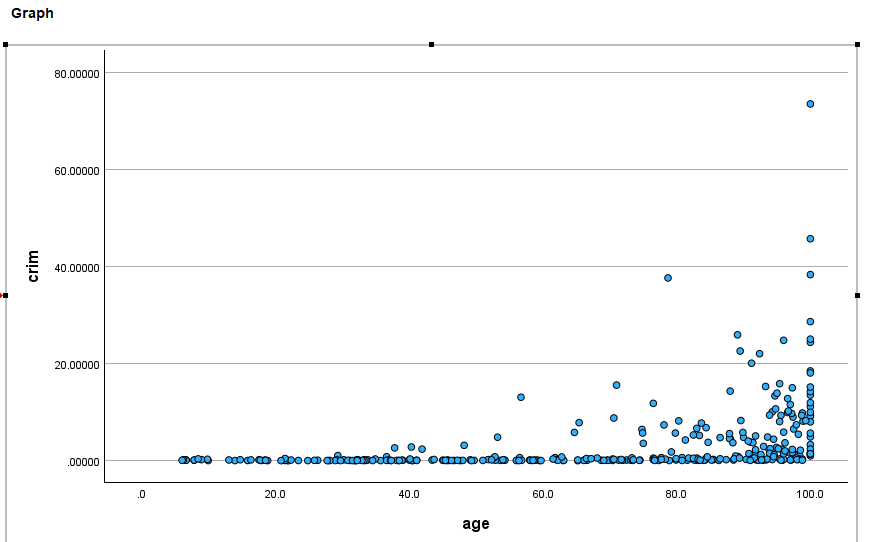
We can create interactive graphs on SPSS. Some common charts we can create are as follows:
The steps to create a graph is as follows:
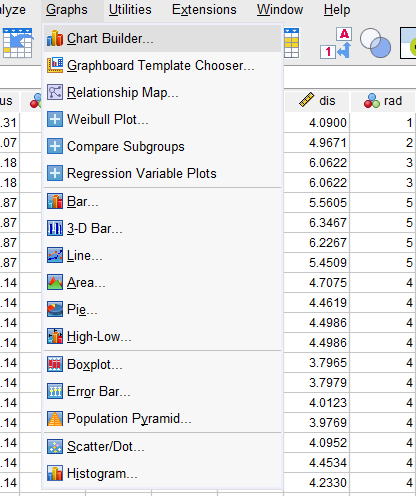
1. Click on Graphs from the menu
2. From the drop down list of charts are available
Linear regression is a model that is used to establish relationship between dependent and independent variables. In SPSS we can create Linear Regression to predict how the dependent variables changes over time when independent variables change.
1. Click on Analyze and then Click on Regression
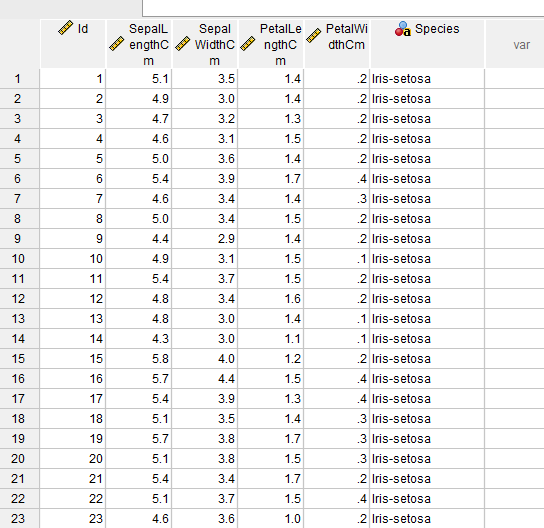
Here we will be using Iris dataset. There are 5 columns in this dataset: Petal length, Petal width, Sepal length, Sepal width and Species.
1. Load the Iris dataset
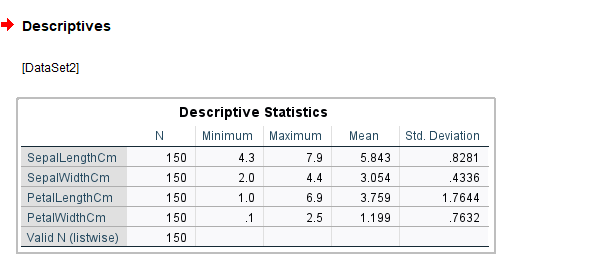
2. Find the descriptive statistics of the dataset like Mean, Median, Count, Maximum and Minimum value.
Here we have counted the quantity, minimum, maximum, mean and standard deviation.
3. Use bar charts, scatter plots to visualize the data in graphical format.
Using bar chart we have calculated the count of each species and using scatter plot we have tried to establish relationship between sepal length and sepal width.
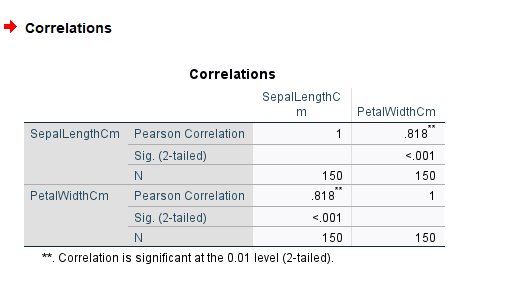
4. For finding the strength of relationships between the variables like Sepal length versus Petal width etc use Correlation analysis.
From the below we can see that Pearson Correlation is 0.818 which states that there is strong relationship between Sepal Length and Petal Width
SPSS is a widely used data analytics tool as it is easy to use and quite user interactive. It has the capability to handle large amount of structured data and provides advanced statistical techniques.