|
VOOZH | about |
|
VOOZH | about |
This article intends to make you aware of "Read Replicas". As the name itself indicates, read replica allows us to have "non-editable copies" of our production database. This is done by doing asynchronous replication from the primary RDS Instance, to the replicas, i.e. updates made on the source database are reflected on the replicas as well. These replicas can be made in the same or different regions which can make the recovery of data easier. All the database engines support the replication fundamentals. For understanding the concept of read replicas with a diagrammatical approach, refer to the image attached.
👁 ImageLet us know about the steps involved in creating a read replica.
Note: As we all know, the concept of replicas is useful for huge organizations as they have a large database to work with. Thus, AWS has not allotted this facility for free tier accounts as we individuals do not need this service.
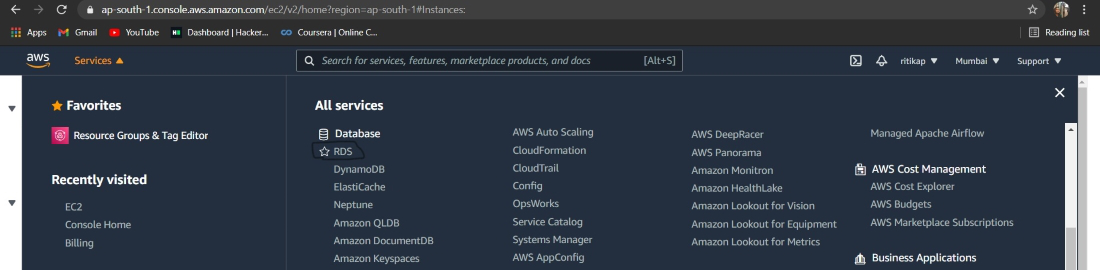
Step 1: Login into your AWS account. From services select RDS. Image attached ahead to refer to.
👁 ImageStep 2: Select the database you want to make read replicas of. And from "Actions" choose "Read Replicas". Here is the image attached to refer to.
👁 ImageStep 3: Once you are directed ahead. Align all the configurations as per your requirements. Refer to the image attached ahead.
👁 ImageStep 4: When you find everything appropriately configured as per the needs. Click on "Create Read Replica". Refer to the image attached ahead for understanding better.
👁 ImageIn this way, we can create a read replica. If you are also a free tier account user make sure you delete all the instances you have created before logging out. This will reduce the chance of you getting a bill at the end of the month.