|
VOOZH | about |
|
VOOZH | about |
Ansible can be used to deploy software on multiple servers without human intervention. Ansible is also capable of configuring servers and creating user accounts. Ansible is agent-less software, which means there is no need to install the software on the nodes, and you are required to connect the nodes via SSH to do the necessary server activities.
Ansible's Lineinfile module saves you time while working with files and modifying their content on the fly, such as adding a new line or updating, replacing a line in the file when a specified text is detected, and much more. Ansible Lineinfile has some parameters to make your task fast. You can also mention the condition to match the line that you want to replace and remove using regular expressions. You can use and modify the matched line by specifying the backreference option.
Here is the step-by-step procedure to manage files with the Ansible Lineinfile Module:
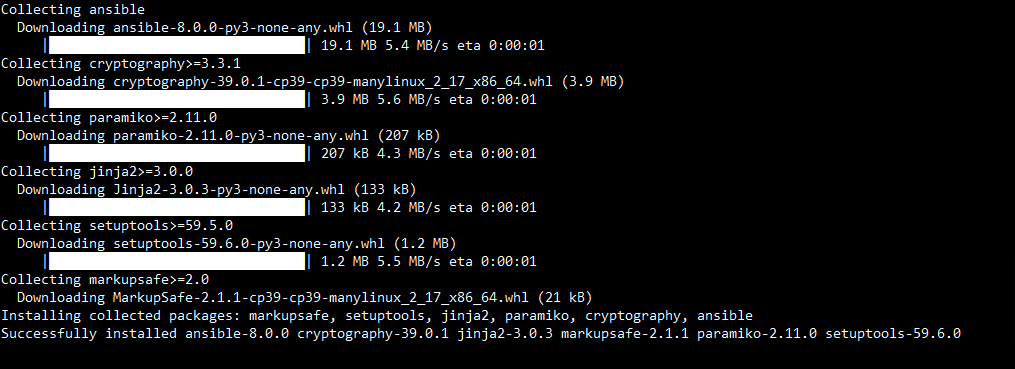
First, you have to ensure Ansible is installed and configured, and also need a target system or systems to implement the changes.
pip install ansibleOutput:
Then you can check your Ansible version by typing the below command.
ansible --versionOutput:
A YAML file called an Ansible playbook is where you specify the tasks you wish to run.
touch manage_files.ymlOutput:
The playbook's basic structure is as follows.
---
- name: Manage files with lineinfile module
 hosts: all
 become: yes # Use become to gain root privileges if necessary
 tasks:
Create a hosts.ini inventory file to list the hosts you want to target.
touch hosts.iniOutput:
Creating a new directory follows the easy process, the only difference is that in the state parameter, you enter the directory as the value.
---

- hosts: all
 tasks:
 - name: Creating a new directory
 file:
 path: "/your path"
 state: directoryb
Ansible playbooks can also remove existing files. To do this, change the status parameter to absent.
---

- hosts: all
 tasks:
 - name: Removing a file
 file:
 path: "/your path"
 state: absent
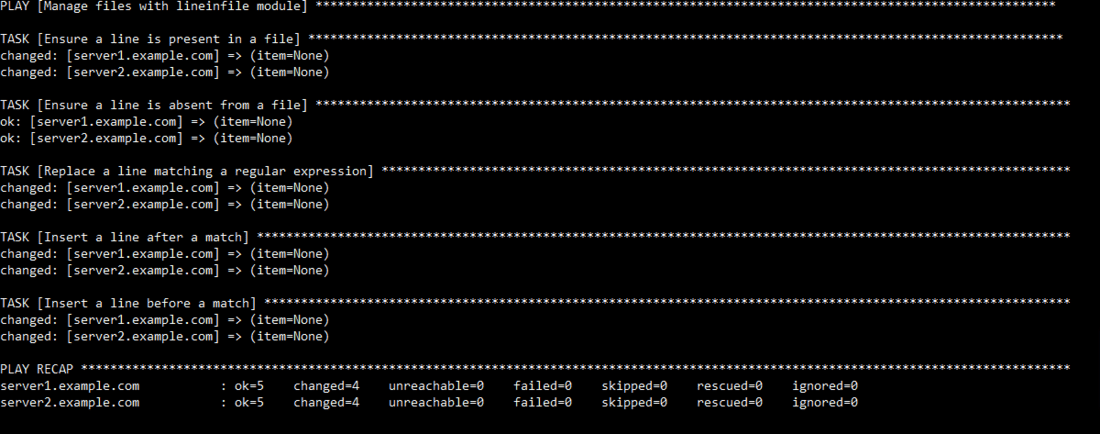
Lastly, you have to run the playbook to implement the modifications.
ansible-playbook -i hosts.ini manage_files.ymlOutput:
In this article, we have learned about Managing Files with the Ansible Lineinfile Module. Ansible playbooks are simple to write as they are similar to plain English, and Ansible is written in Python. No prior programming knowledge is required. A single Ansible control node can manage thousands of nodes.