|
VOOZH | about |
|
VOOZH | about |
AWS WAF can act as a strong enabler in protecting your web applications from common web exploits, which basically come in the form of SQL injection, cross-site scripting (XSS), and other variations that may affect availability, security compromise, and undue resource consumption. AWS WAF allows you to monitor HTTP and HTTPS requests forwarded to your application, allowing control of access based on specific conditions and protection against unwanted traffic.
In this article, we show you how you can manage AWS WAF using the AWS Command Line Interface. You will learn some key terminologies, go through step-by-step instructions, and understand the power of automation for WAF management with real-world examples and FAQs. Attention reader.
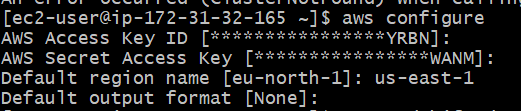
Before using WAF commands, ensure that the AWS CLI is installed and configured on your machine. Use the following commands to check or install the AWS CLI:
aws --versionaws configure
AWS Access Key ID: You get this from your AWS account.
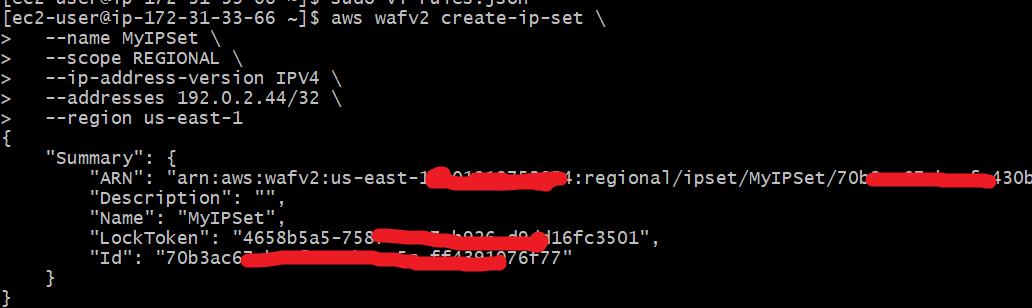
us-east-1).An IP Set is a collection of IP addresses that you want to allow or block. You need to create this before setting up your Web ACL if you plan on blocking specific IPs.
Before creating a Web ACL, you need an IP Set if you're going to block specific IPs.
aws wafv2 create-ip-set \
--name MyIPSet \
--scope REGIONAL \
--ip-address-version IPV4 \
--addresses '203.0.113.0/24' \
--visibility-config SampledRequestsEnabled=true,CloudWatchMetricsEnabled=true,MetricName=MyIPSetMetric \
--region us-east-1
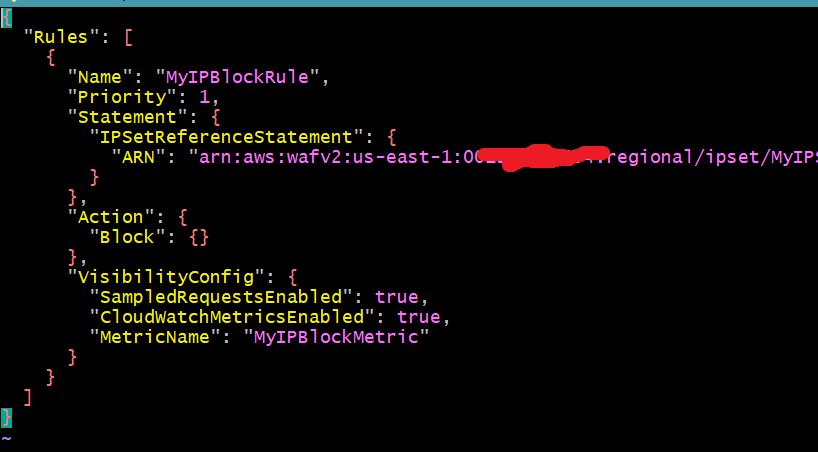
Rules in AWS WAF define the Behavior and actions taken for incoming requests. You must create a JSON file that contains the specific rules to be applied to your Web ACL. Here's an example of a rules.json file:
Here's an example structure for the rules.json file:
{
"Rules": [
{
"Name": "MyIPBlockRule",
"Priority": 1,
"Statement": {
"IPSetReferenceStatement": {
"ARN": "arn:aws:wafv2:region:account-id:regional/ipset/MyIPSetName/ipset-id"
}
},
"Action": {
"Block": {}
},
"VisibilityConfig": {
"SampledRequestsEnabled": true,
"CloudWatchMetricsEnabled": true,
"MetricName": "MyIPBlockMetric"
}
}
]
}
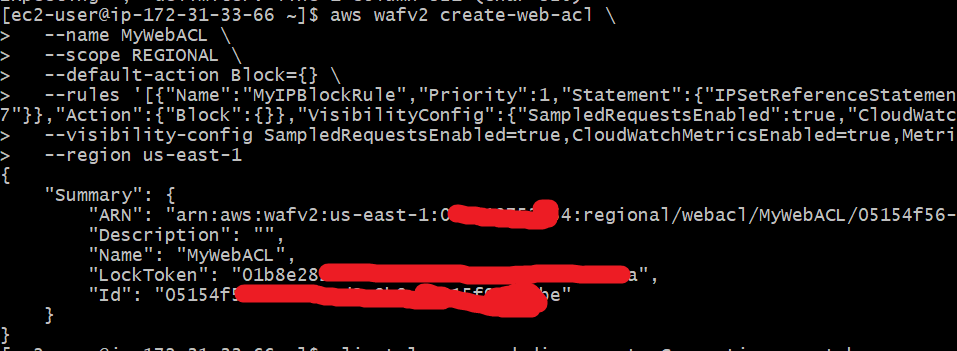
A Web ACL (Web Access Control List) is a container that holds the rules you define for your WAF. The following command creates a Web ACL using the rule you created in the previous step:
To protect a web application, you need to create a Web ACL. Here’s the command:
aws wafv2 create-web-acl \
--name MyWebACL \
--scope REGIONAL \
--default-action Block={} \
--rules '[{"Name":"MyIPBlockRule","Priority":1,"Statement":{"IPSetReferenceStatement":{"ARN":"arn:aws:wafv2:us-east-1:001919753234:regional/ipset/MyIPSet/70b3ac67-bccf-433b-aa445c-ff439551976f77"}},"Action":{"Block":{}},"VisibilityConfig":{"SampledRequestsEnabled":true,"CloudWatchMetricsEnabled":true,"MetricName":"MyIPBlockMetric"}}]' \
--visibility-config SampledRequestsEnabled=true,CloudWatchMetricsEnabled=true,MetricName=MyMetric \
--region us-east-1
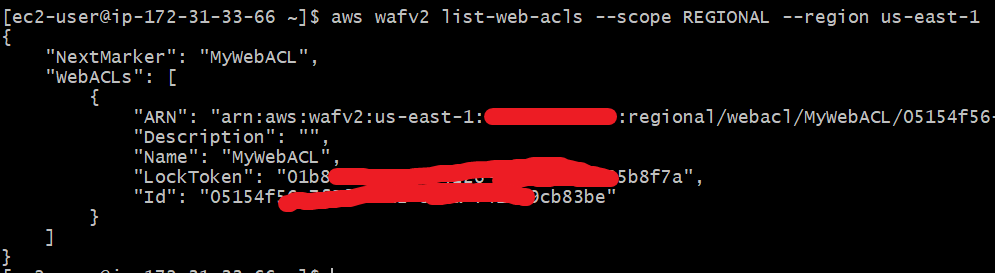
Once the command runs successfully, you’ll see a summary of the Web ACL created, including its ARN and ID. You can verify by running:
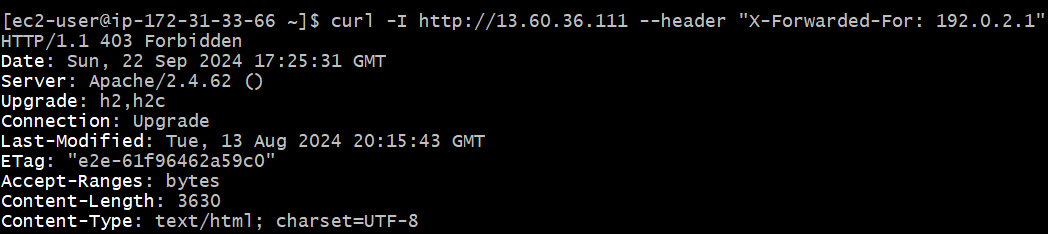
aws wafv2 list-web-acls --scope REGIONAL --region us-east-1Replace <your-ec2-instance-public-ip> with your EC2 instance's public IP. If the IP 192.0.2.1 is part of the blocked IP set, the request should return a 403 Forbidden response, indicating that the request was blocked by AWS WAF.
curl to send a request from the blocked IP address.curl -I http://<your-ec2-instance-public-ip> --header "X-Forwarded-For: 192.0.2.1"403 Forbidden).When a Web ACL is no longer needed, you can delete it using this command:
aws wafv2 delete-web-acl \
--name MyWebACL \
--scope REGIONAL \
--id 05154f56-7f2ssfsf-4adsf2-8b8a-f415f9cb8dgdfg3be \
--region us-east-1 \
--lock-token 01bsfs8e282-93sfs9a-4226-a979-43fsfe795b8f7a
Verify by using following command
aws wafv2 list-web-acls --scope REGIONAL --region us-east-1AWS WAF controlled by AWS CLI provides the required scaling to manage all sizes of web applications and has the flexibility to protect your web applications from a wide variety of web threats, all with automation of WAF configurations included in your development and deployment pipelines.
AWS WAF can block or allow traffic according to sophisticated rules by handling access and monitoring threats in real time, driving automation's power through the CLI. This article walks you through step-by-step processes, real-world examples, and FAQs that will act as your comprehensive guide to effectively manage AWS WAF and protect your applications from common web vulnerabilities.