VOOZH about

URL: https://www.geeksforgeeks.org/devops/google-cloud-platfrom-networking-services/

⇱ Google Cloud Platform Networking Services - GeeksforGeeks


  • Courses
  • Tutorials
  • Interview Prep

Google Cloud Platform Networking Services

Last Updated : 13 Mar, 2026

Google Cloud Platform provides a comprehensive set of networking services designed to build scalable, secure, and high-performance network architectures. These services help reduce latency, simplify network management, and support complex cloud deployments. With global infrastructure and flexible connectivity options, GCP enables reliable communication between applications and users worldwide.

  • Provides high-speed connectivity through Google’s worldwide peering locations to improve performance and reduce latency.
  • Allows organizations to establish dedicated private connections to Google Cloud for secure and consistent network access.
  • Supports network design and management using APIs, Cloud Console, and CLI for flexible administration.
  • Enables configuration of firewall rules and other security policies to protect cloud resources.

Cloud Networking

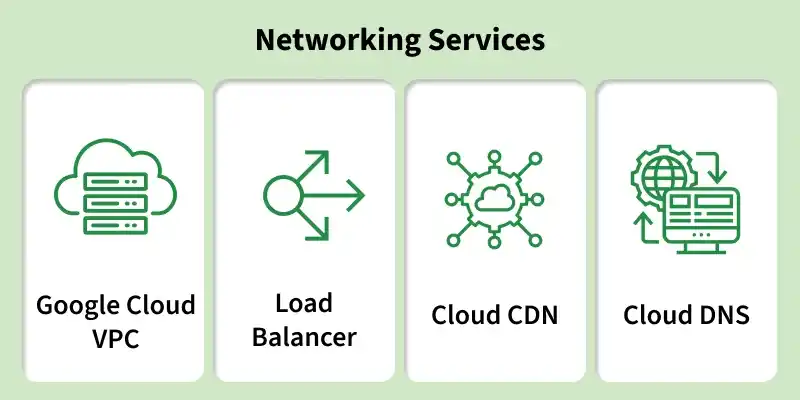
Google Cloud Networking which is used to connect the different resources available in the cloud together to the internet following are the some of networking services offered by the GCP(Google Cloud Networking).

👁 networking_services.webp

Virtual Private Cloud (VPC)

Resources offerd by Google Cloud Platform can be isolated with the help of Virtual Private Cloud. You can manage the access to GCP resources which are deployed in the VPC by configuring the IP address which can allowed to access the resources.

Importance of VPCs in GCP

  • You can isolate the resource which are in GCP from one another.
  • You can control the access to the resource by allowing the incoming and outgoing traffic.
  • Scaling of the application can be done very easily.

Subnet

When a bigger network is divided into smaller networks, to maintain security, then that is known as Subnetting. So, maintenance is easier for smaller networks. For example, if we consider a class A address, the possible number of hosts is 224 for each network, it is obvious that it is difficult to maintain such a huge number of hosts, but it would be quite easier to maintain if we divide the network into small parts. To Know more about sub-netting refer to Introduction To Subnetting.

Benefits of Subnet

  • Dividing the network into smaller networks will improves the performance which will reduce the latency of the application by reducing the follow of traffic between the networks.
  • Improves the security of the applications by dividing the network into sub net which will isolate the one subnet form another which will reduce the security threat of different applications.
  • Scalability of the application is very easy instead of redesign the entire network you can just scale the network you want to scale by using the subnet option.

Firewall Rules and Their Importantance

The network traffic of the virtual machine in the GCP is controlled by the firewall rules. Firewall rules will allows you to specify the IP address and ports which you want to allow to the virtual machine. Which will restricts the unauthorized access of to the virtual machines. Firewall Rules and Their Importance. Firewall rules in Google Cloud Platform control incoming and outgoing traffic to virtual machine instances within a VPC network.
They act as a security layer that determines which connections are allowed or denied based on defined conditions.

  • Control traffic flow based on IP ranges, ports, protocols, and direction (ingress/egress)
  • Protect cloud resources from unauthorized access and cyber attacks
  • Enforce network segmentation and isolation between services
  • Ensure compliance with security policies and organizational standards

Why use Regions and Zones?

In Google Cloud Platform regions are The Region is a Specific geographical location to host your applications. Each region is designed to comply with specific laws and regulations and to provide low-latency network connectivity to specific geographic areas and zones are small isolated areas of that regions.

Reasons to use Regions

  • If you want your application to be more available then you need to deploy it in the regions and zones and this where actual data centre of the cloud will be located.
  • In a region there will be multiple availability zones which are used for disaster recovery purpose.
  • The zones which are available in the same region are inter connected with each other.
  • The data which is more important to the organization will be stored in the multiple zones of an single region.

Load balancers in Google Cloud

Load balancing distributes incoming traffic across multiple servers to prevent any single server from becoming overloaded. It ensures better performance, reliability, and availability of applications. Without load balancing, a single server handling high traffic could fail or become unresponsive. By spreading requests evenly, load balancing improves system stability and user experience.

  • Network Load Balancer (NLB): Routes traffic directly to specific servers in a pool and supports HTTP/HTTPS with certain performance limits.
  • Distributed Network Load Balancer (DNLB): Uses hash algorithms (e.g., SHA-3) to distribute traffic and supports multiple protocols like TCP, HTTP, HTTPS, SMTP, and POP3.
  • Traffic Distribution: Ensures no single server is overwhelmed by evenly spreading client requests.
  • Implementation Approach: Infrastructure can be placed behind a single load balancer instance with one public IP handling traffic and DNS services.

Virtual Private Networks (VPN)

A Virtual Private Network (VPN) is a network of computers that have a connection to the Internet, but they appear to be located outside the network and may use this virtual location to conduct their business. VPNs are widely used by organizations, corporations, and others who want security and anonymity on the Internet.

There are many reasons why you might want an encrypted virtual web portal on the internet that serves as an anonymous entry point into your computer network: online banking transactions, software piracy/illegal downloads, and streaming services.VPNs are commonly used to extend enterprise networks into the cloud without exposing internal systems.
This ensures secure, reliable, and private connectivity between distributed environments.

  • Establish secure, encrypted connections between on-premises networks and Google Cloud.
  • Protect sensitive data from interception during internet transmission.
  • Enable hybrid cloud architectures with seamless network integration.
  • Provide cost-effective connectivity compared to dedicated private links.

Dynamic DNS

A Dynamic Domain Name System (DDNS) is an Internet service that allows one computer to have a stable, easily remembered name that is automatically updated without requiring any action from the user. Dynamic DNS creates a temporary name for a computer or device, which is then replaced by the real IP address at a later time. For example, if you connect to your own home network, you can set up dynamic DNS on your router to allow you to access your home computer's files and networks whenever you want.

In order for this to work, your router must be set up to point to the Internet, and your computer or device must be equipped with a dynamic DNS client.

  • The client (computer or device) sends a registration request command to the Dynamic DNS server. The Dynamic DNS server responds with the requested information.
  • The client contacts the Dynamic DNS server with an IP address in order to update its name. If the information has not changed since registration, then no action is necessary.

To meet this need for high-performance computing (HPC), GCP Networking Services offer the service Cloud Dataflow which is a service for processing data in a streaming fashion. Cloud Dataflow provides a declarative programming model for building processing pipelines, as GCP Networking Services as machine learning libraries and inference models with support for custom data sources and destinations. Cloud Dataflow is Google's first framework for streaming data.

Google Cloud CDN

Google Cloud CDN is a globally distributed content delivery network that caches content at edge locations to deliver it faster to users. It works with HTTP(S) Load Balancing to serve static and dynamic content with low latency. By caching content closer to users, it reduces load on origin servers and improves application performance. It is widely used for websites, APIs, media streaming, and large-scale web applications.

  • Uses Google’s global edge network to cache and deliver content closer to users
  • Reduces latency and improves website and application load times
  • Integrates with HTTP(S) Load Balancing for secure and scalable content delivery
  • Supports caching for static assets such as images, videos, scripts, and stylesheets

Cloud Datalab

Some Key points of Cloud Datalab are listed below :

  • It is a self-contained programming environment for querying and analyzing large-scale datasets stored in the Cloud through a unified user interface. Cloud Datalab leverages the poGCP Networking Services of BigQuery, the Google Cloud Platform data warehouse, which enables you to store, query, and analyze petabytes of structured and unstructured data at incredible speed.
  • Cloud DNS allows you to configure domain names for your applications with our globally distributed network of public DNS server infrastructure. You can also use our name server service to manage multiple domains from a single UI by using Cloud DNS' delegation feature. Cloud DNS offers rich functionality and a flexible API, allowing you to support many different use cases, including private and public hosting environments, traffic management, SSL certificates, and more.
  • Cloud Load Balancing allows you to expand the capacity of your applications with a globally distributed network of edge locations. You can spread incoming user requests across different regions and Availability Zones within your network. This helps speed up access times for users worldwide.
  • Cloud Logging is an analytics service that allows you to collect, store, and retrieve log data for debugging or monitoring purposes. With Cloud Logging, you can view logs in the cloud console or programmatically analyze them using the Google Stackdriver Logging API.
Comment
Article Tags: