|
VOOZH | about |
|
VOOZH | about |
Kubernetes is an open-source container orchestration tool that helps in scaling, deploying, and managing containerized applications. In Kubernetes, the pods are the smallest deployable unit. In this guide, I will first discuss what Kubernetes is. Then I will discuss what is pods in Kubernetes. After this, I will walk you through the different steps to restart a pod in Kubernetes.
Kubernetes is a container orchestration tool that helps in scaling, deploying, and managing containerized applications. Kubernetes follows a master-slave architecture. Here, the master node, also called the control plane, manages all the cluster operations. On the other hand, worker nodes help in deploying and executing containers. The master node consists of 4 main components, the API server, which helps in interacting with the Kubernetes cluster; the scheduler, which helps in scheduling the pods to run on which node; ETCD, which stores all the Kubernetes cluster data; and controls managers, which help in managing different controllers like deployments, replica sets, and many more. Apart from this, in the worker node, there is kubelet, which helps in managing the pod lifecycle on a node; container runtime, which helps in running the containers; and kube-proxy, which helps in managing the network rules in the pods.
Kubernetes provides a variety of features, such as:
Pod is a smallest deployable unit in the Kubernetes . Pods encapsulate the application container , storage , network and other configurations . Each pod has its own IP . These pods can also interact with each other with these IP addresses . Kubernetes manages the lifecycle of the pods . Based on the traffic an application receives these pods can be scaled up or scaled down . Controllers like Deployment controllers helps in scaling , restarting and recovering pods form failures . In summary we can say pods are the simple deployable units which provides a flexible and scalable framework for orchestrating and deploying the containerized application in Kubernetes .
Before moving to next section make sure you have installed Minikube on your system . If not installed follow this Geeks For Geeks article Kubernetes Minikube to install Minikube on your system .
Step 1: Create a cluster using minikube.
minikube start
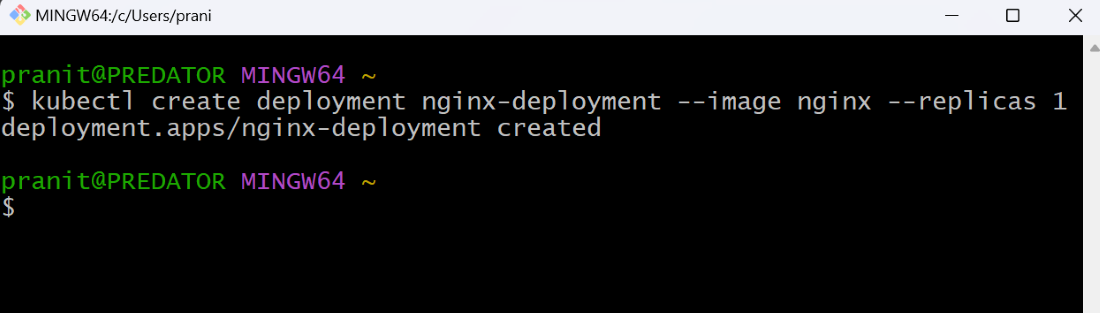
Step 2: Create a deployment.
kubectl create deployment nginx-deployment --image=nginx --replicas=1
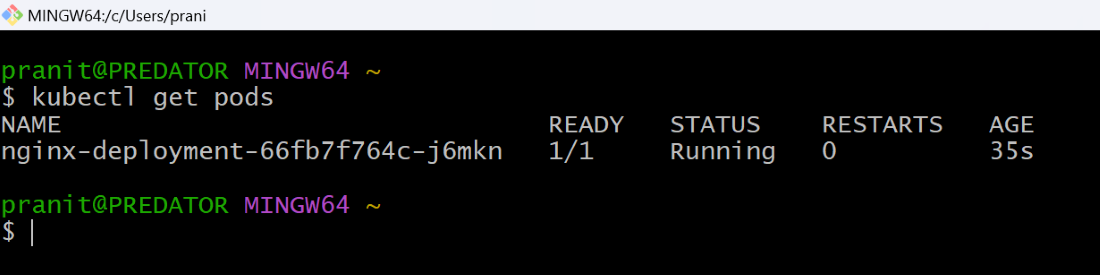
Step 3: See pod the status using the command below.
kubectl get pods
Step 4: Delete a pod from the cluster.
kubectl delete pod <pod-name>
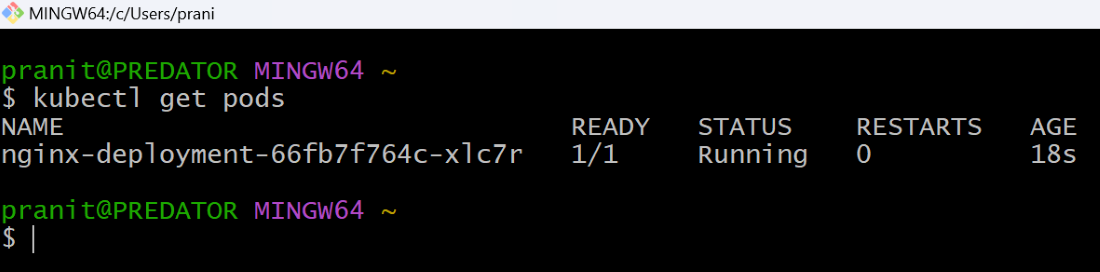
Step 5: Again see the pod status. You will observe even the pod is deleted, another pod will automatically run.
kubectl get pods
You can also restart a pod by using kubectl rollout restart . Follow the step below to restart a pod:
Step 1: Create a deployment.
kubectl create deployment nginx-deployment --image=nginx --replicas=1
Step 2: Restart the pod using kubectl restart rollout. Here the running pod will be terminated and a new pod will immediately starts running.
kubectl rollout restart deployment nginx-deployment
You can also scale your deployment to 0, to delete a pod and again scale it desired number of pods. Follow the steps below to restart a pod.
Step 1: Create a deployment.
kubectl create deployment nginx-deployment --image=nginx --replicas=1
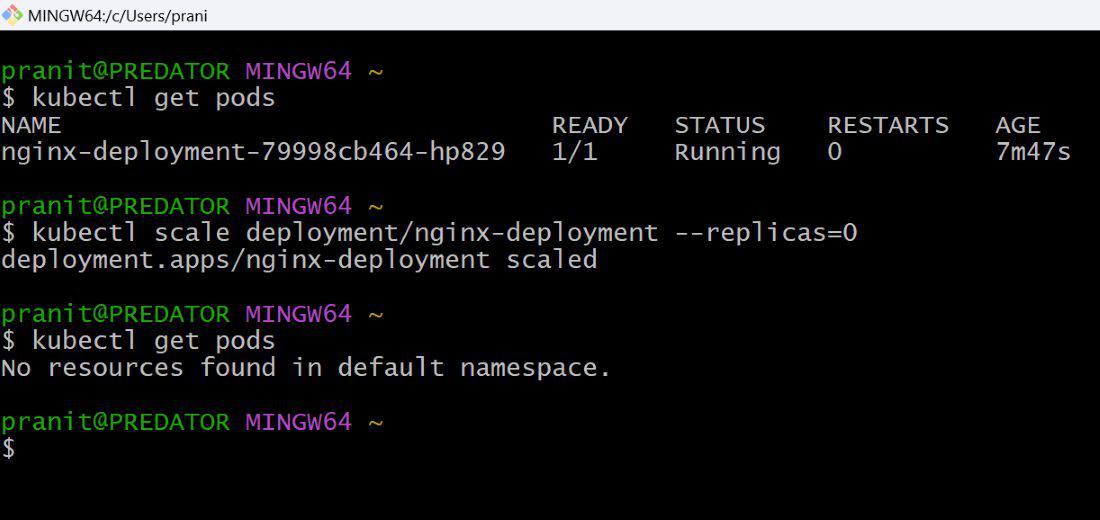
Step 2: Scale the deployment to 0.
kubectl scale deployment/nginx-deployment --replicas=0
Step 3: Again scale the deployment to desired number of pods.
kubectl scale deployment/nginx-deployment --replicas=1
You can also set the image to new latest image to restart the pod.
Step 1: Create a deployment.
kubectl create deployment nginx-deployment --image=nginx --replicas=1
Step 2: Update the image to restart the pod.
kubectl set image deployment/nginx-deployment nginx=nginx:latest
You can also replace the pod specified to restart the pod. Follow the steps below.
Step 1: Create a deployment.
kubectl create deployment nginx-deployment --image=nginx --replicas=1
Step 2: Get the pod name and replace it.
kubectl get pod nginx-deployment-6c878976f6-klcw7 -o yaml | kubectl replace -f -
Here is this article you have first learned what is Kubernetes. Then you have learned what is pods in Kubernetes. After this you have create deployment on Kubernetes cluster. Then to restart a pod, you have deleted a pod from the Kubernetes cluster. Finally you have observed a new pod starts running automatically after deletion of the pod.

.jpg)