|
VOOZH | about |
|
VOOZH | about |
Firebase Realtime Database is a cloud-hosted NoSQL database that allows us to store and sync data between our users in real-time. It is a powerful tool for building applications that require live updates, such as chat apps, collaborative tools, and real-time analytics.
In this article, we will learn about the Firebase Realtime Database, the process of Setting Up Firebase Realtime Database and configuring the Firebase Realtime Database with detailed examples and outputs.
Firebase provides detailed guides for adding Firebase to various platforms. Here’s how to add Firebase to a web project:
Firebase will provide us with a code snippet. Copy this and include it in your HTML file.
<!DOCTYPE html>
<html lang="en">
<head>
 <meta charset="UTF-8">
 <meta name="viewport" content="width=device-width, initial-scale=1.0">
 <title>Firebase Realtime Database Example</title>
</head>
<body>
 <h1>Firebase Realtime Database Example</h1>

 <input type="text" id="messageInput" placeholder="Enter message">
 <button onclick="sendMessage()">Send Message</button>

 <ul id="messageList"></ul>

 <!-- Firebase -->
 <script src="https://www.gstatic.com/firebasejs/9.6.4/firebase-app.js"></script>
 <script src="https://www.gstatic.com/firebasejs/9.6.4/firebase-database.js"></script>

 <script>
 const firebaseConfig = { apiKey: "AIzaSyDmaZAcK7xwQTAsQJxaGnG56oB8RIJDMnc", authDomain: "samplep-d6b68.firebaseapp.com", projectId: "samplep-d6b68", storageBucket: "samplep-d6b68.appspot.com", messagingSenderId: "398502093281", appId: "1:398502093281:web:5d685b0733d4d6d66472a0", measurementId: "G-9E6K9YD8D1"};

 // Initialize Firebase
 firebase.initializeApp(firebaseConfig);

 const database = firebase.database();

 function sendMessage() {
 const messageInput = document.getElementById("messageInput");
 const message = messageInput.value;

 if (message.trim() === "") {
 alert("Please enter a message.");
 return;
 }

 database.ref("messages").push({
 message: message,
 timestamp: firebase.database.ServerValue.TIMESTAMP
 });

 messageInput.value = "";
 }

 database.ref("messages").on("child_added", (snapshot) => {
 const message = snapshot.val().message;
 const timestamp = new Date(snapshot.val().timestamp).toLocaleString();

 const messageElement = document.createElement("li");
 messageElement.innerText = `${timestamp}: ${message}`;

 const messageList = document.getElementById("messageList");
 messageList.appendChild(messageElement);
 });
 </script>
</body>
</html>
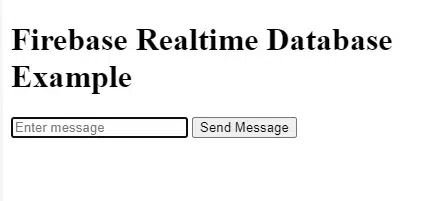
Output:
{
 "rules": {
 ".read": "auth != null",
 ".write": "auth != null"
 }
}
To write data to Firebase Realtime Database, use the set method. Here’s an example of writing user data to the database:
function writeUserData(userId, name, email) {
 firebase.database().ref('users/' + userId).set({
 username: name,
 email: email
 });
}

// Example usage
writeUserData('1', 'John Doe', 'john.doe@example.com');
Explanation: This function writeUserData writes user data (name and email) to the Firebase Realtime Database under the users node with the specified userId. The example usage demonstrates how to write data for a user with ID '1', name 'John Doe', and email 'john.doe@example.com'.
To read data from Firebase Realtime Database, use the once method to read data once or the on method to listen for changes in the data.
function readUserData(userId) {
 const userRef = firebase.database().ref('users/' + userId);
 userRef.once('value').then((snapshot) => {
 const data = snapshot.val();
 console.log(data);
 });
}

// Example usage
readUserData('1');
Explanation: This function readUserData reads user data from the Firebase Realtime Database for a specific userId. It retrieves the data once using once('value') and logs it to the console. The example usage demonstrates how to read data for a user with ID '1'.
function listenForUserData(userId) {
 const userRef = firebase.database().ref('users/' + userId);
 userRef.on('value', (snapshot) => {
 const data = snapshot.val();
 console.log(data);
 });
}

// Example usage
listenForUserData('1');
Explanation: This function listenForUserData sets up a listener for changes to user data in the Firebase Realtime Database for a specific userId. It uses on('value') to listen for any changes and logs the updated data to the console. The example usage demonstrates how to listen for changes to data for a user with ID '1'.
To update specific fields in your data without overwriting the entire node, use the update method:
function updateUserData(userId, email) {
 const updates = {};
 updates['/users/' + userId + '/email'] = email;

 firebase.database().ref().update(updates);
}

// Example usage
updateUserData('1', 'new.email@example.com');
Explanation: This updateUserData function updates the email field of a user in the Firebase Realtime Database for a specified userId. It constructs an updates object with the new email value and uses update() to apply the changes to the database. The example usage demonstrates how to update the email for a user with ID '1' to 'new.email@example.com'.
To delete data from Firebase Realtime Database, use the remove method:
function deleteUser(userId) {
 firebase.database().ref('users/' + userId).remove()
 .then(() => {
 console.log('User removed successfully.');
 })
 .catch((error) => {
 console.error('Error removing user:', error);
 });
}

// Example usage
deleteUser('1');
Explanation: This `deleteUser` function removes a user from the Firebase Realtime Database for a specified `userId`. It uses `remove()` to delete the user node and handles success and error cases with `then()` and `catch()` respectively. The example usage demonstrates how to delete a user with ID '1'.
Let’s create a simple task list application to demonstrate Firebase Realtime Database in action.
<!DOCTYPE html>
<html lang="en">
<head>
 <meta charset="UTF-8">
 <meta name="viewport" content="width=device-width, initial-scale=1.0">
 <title>Realtime Task List</title>
</head>
<body>
 <h1>Realtime Task List</h1>

 <div id="task-list"></div>
 <input type="text" id="task-input" placeholder="Enter a task">
 <button onclick="addTask()">Add Task</button>

 <script src="https://www.gstatic.com/firebasejs/9.6.4/firebase-app.js"></script>
 <script src="https://www.gstatic.com/firebasejs/9.6.4/firebase-database.js"></script>
 <script>
const firebaseConfig = { apiKey: "AIzaSyDmaZAcK7xwQTAsQJxaGnG56oB8RIJDMnc", authDomain: "samplep-d6b68.firebaseapp.com", projectId: "samplep-d6b68", storageBucket: "samplep-d6b68.appspot.com", messagingSenderId: "398502093281", appId: "1:398502093281:web:5d685b0733d4d6d66472a0", measurementId: "G-9E6K9YD8D1"};

 // Initialize Firebase
 firebase.initializeApp(firebaseConfig);

 const database = firebase.database();

 const taskList = document.getElementById('task-list');

 function addTask() {
 const task = document.getElementById('task-input').value;
 const newTaskKey = firebase.database().ref().child('tasks').push().key;
 const taskData = {
 key: newTaskKey,
 task: task
 };

 const updates = {};
 updates['/tasks/' + newTaskKey] = taskData;

 firebase.database().ref().update(updates);
 document.getElementById('task-input').value = '';
 }

 database.ref('tasks/').on('value', (snapshot) => {
 taskList.innerHTML = '';
 snapshot.forEach((childSnapshot) => {
 const childData = childSnapshot.val();
 const taskElement = document.createElement('p');
 taskElement.textContent = childData.task;
 taskList.appendChild(taskElement);
 });
 });
 </script>
</body>
</html>
Output:
Explanation:
Overall, Firebase Realtime Database is a powerful tool for building applications that require real-time data synchronization. Whether you're building a chat app, collaborative tool, or real-time analytics dashboard, Firebase Realtime Database can help you to achieve your goals with minimal setup and effort.