|
VOOZH | about |
|
VOOZH | about |
Tables are a fundamental structure in HTML for organizing data into rows and columns. Aligning the text within these cells is crucial for readability and presentation. Properly aligning text in table headers and bodies not only enhances readability but also improves the overall aesthetic of your data presentation. This article will guide you through the various methods to align text in table headers and bodies.
We will discuss the different properties to align text in a table header and body:
Table of Content
To align text in table cells using CSS, use the text-align property. Set it to left for standard text, center for headings or highlights, and right for numeric data. You can apply these styles inline or through classes in your stylesheet. This enhances readability and organization in your tables.
Example: Below is an example to align text using CSS to Align Text.
Output:
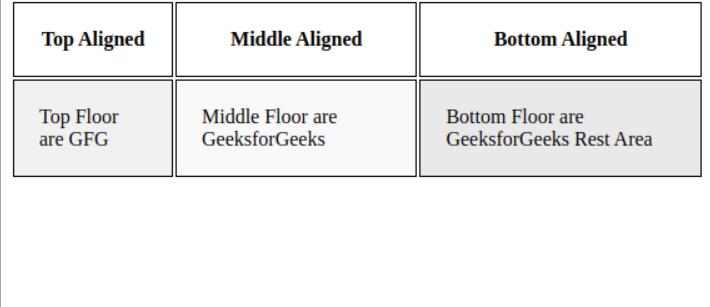
To vertically align text within table cells, you can use the vertical-align property in CSS. This allows you to position text at the top, middle, or bottom of each cell, enhancing the overall layout and readability of your tables.
Example: Below is an example to align text using vertical alignment:
Output:
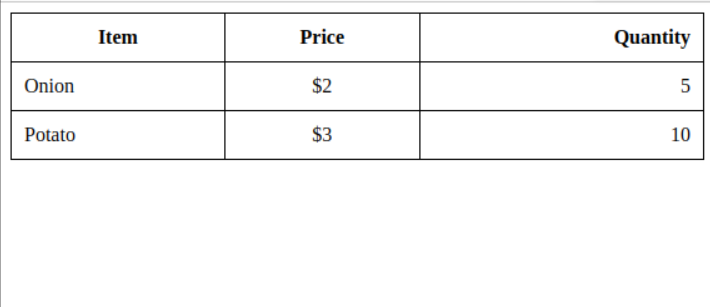
To align text differently in specific columns or rows of a table, you can use CSS classes targeted at those specific elements. This method provides flexibility in how you present data, especially when dealing with a mix of text and numbers.
Example: Below is an example to align text in specific columns or rows.
Output: