|
VOOZH | about |
|
VOOZH | about |
In this article, we will learn how to build dynamic animations on our webpage using the canvas elements in HTML5. The main purpose of this element is to create graphics from scratch or to manipulate it. It can be used to manipulate canvas using JavaScript API and create dynamic animations and graphics which react to the user’s interaction. UI for web applications can also be constructed using it.
Syntax:
<canvas id="myCanvas" width="500" height="500">
 ...
</canvas>
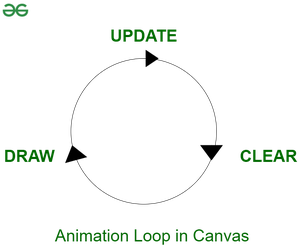
We can achieve dynamic animation in HTML by using the following steps one at a time:
Step 1: Creating Animation Loop:
let canvas = $("#myCanvas");
// Rendering 2-D canvas on webpage
let context = canvas.get(0).getContext("2d");
let Width = canvas.width();
let Height = canvas.height();
function animate() {
 // Creates endless loop by calling animate
 // function again in 35 milliseconds
 setTimeout(animate, 35);
};
animate(); // Calling the function animate
Step 2: Logic to deal with buttons to interact with animation:
let playAnimation = true;
let startButton = $("#start");
let stopButton = $("#stop");
startButton.hide(); // Disabled Start button
startButton.click(() => {
 $(this).hide();
 stopButton.show();
 playAnimation = true;
 animate();
});
stopButton.click(() => {
 $(this).hide();
 startButton.show();
 playAnimation = false;
});
Step 3: Selecting and randomizing shapes:
let Shape = function (x, y, width, height) {
 this.x = x;
 // Define starting position of the shape
 this.y = y;
 // Define height and width of the shape
 this.width = width;
 this.height = height;
};

// To randomize the position and size of each shape
for (let i = 0; i < 5; i++) {
 let x = Math.random() * 200;
 let y = Math.random() * 200;
 let width = height = Math.random() * 50;
 shapes.push(new Shape(x, y, width, height));
};
context.fillRect(tmpShape.x, tmpShape.y,
 tmpShape.width, tmpShape.height);
Step 4: Changing directions:
tmpShape.x += 2; // Increment x co-ordinate by 2
tmpShape.y + // Increment y co-ordinate by 1
// For unpredictable patterns
tmpShape.x += Math.random() * 3 + 2;
tmpShape.y += Math.random() * 3 - 1;
The above four steps constitute the basic structure to create dynamic animations on canvas. According to the requirement of animation required, we need to build logic and code the logic in the animate() function. Given below is an example of Bouncing Objects Off a Canvas Boundary.
Example: This is the complete example that will illustrate how to Draw Dynamic Animations in HTML5.
Output:
Supported Browsers: