|
VOOZH | about |
|
VOOZH | about |
Adding a background image to an HTML page can enhance the visual appeal and provide a more immersive experience for your website visitors. The <body> background attribute is used to add a background image in HTML, but this attribute is deprecated in HTML5 and is not in use. In place of the background attribute, the CSS background-image property is used.
Table of Content
The <body> background attribute is used in HTML to add a background image. The background attribute uses an image URL or a color code to customize the HTML body element.
Syntax
<body background="image">
 <!-- body content -->
</body>
Example: Adding the body background image using the deprecated background attribute.
Output
Note: The HTML <body> background attribute is deprecated in HTML 5. So, you can use CSS background-image property to set background image.
The HTML style attribute is used to add CSS styles to HTML element inline. For instance, set the background image of the body using the style attribute, specifing the image URL, and prevent repetition.
Syntax
<element_name style = "background-image: url('Image');">
 <!-- Content -->
</element_name>
Example: Setting the background image of the body using the style attribute specifying the image URL.
Output
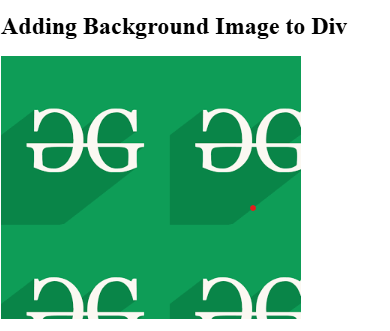
To create a repeated background image, the background-repeat: repeat; will be used.
Output
Note: By default, the background image property adds repeated background image.
To creae a non-repeated background images, the background-repeat: no-repeat; will be used.
Output
To add a background image to specific element, you need to use background-image property on that element.
Output