|
VOOZH | about |
|
VOOZH | about |
Now that you've created your first "Hello World" webpage, it's time to learn some important concepts of HTML. In this chapter, we’ll cover basic elements that add content and structure, including paragraphs, images, lists, attributes, comments, and more.
Table of Content
The <p> tag is used to create paragraphs, which helps to structure and organize text content. Each <p> tag creates a new paragraph and ends with </p>.
Here the <br> tag is used to break the line and it is an empty tag means it doesn't require a closing tag.
Syntax
<p>GeeksforGeeks</p>Example: This example shows the use of paragraph tag.
Output
The <hr> tag creates a horizontal line across the page, often used to separate sections of content. This tag is self-closing and doesn’t require a closing </hr> tag.
Syntax
<hr>Example: This example shows the use of horizontal row tag in an HTML document.
Output
The image tag is used to insert an image into our web page. It requires the src attribute for the image path and the alt attribute for alternative text (useful for accessibility and SEO).
Syntax
<img src="geeks.png" alt="image">Attributes in Images
<img src="geeks.png" alt="image" width="500" height="300">Example: This example shows the use of HTML images in an HTML document.
Output
An attribute is used to provide extra or additional information about an element. It takes two parameters name and value.
The name parameter takes the name of the property we would like to assign to the element and the value takes the properties value or extent of the property names that can be aligned over the element. Every name has some value that must be written within quotes. (e.g., class="example").
Common Attributes
<p id="intro" class="text-large" style="color: blue;">This is a paragraph with an ID, class, and inline style.</p>Example: This example shows the use of href, height,width and src attribute in an HTML document.
Output
Comments are not displayed on the webpage; they're used to explain the code. Comments are helpful for documentation or temporarily disabling code.
Using comments, specially in complex code, is the best practice of coding so that coder and reader can get help for understanding. It gives help to coder / reader of code to identify pieces of code specially in complex source code.
Syntax
<!-- Write your comments here -->Example: This example shows the use of HTML comments in an HTML document.
Output
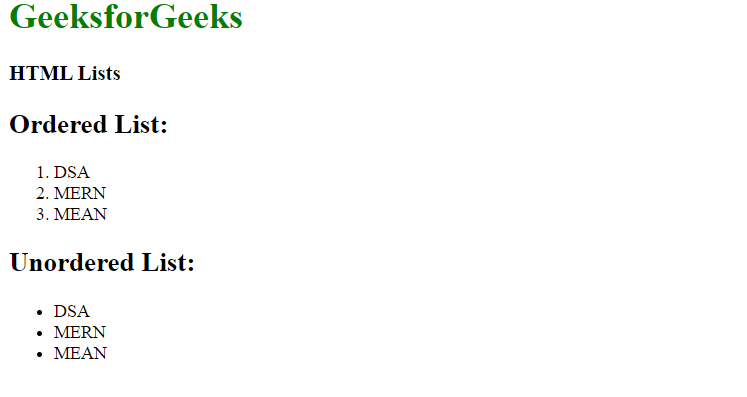
A list is a record of short pieces of information, such as people's names, usually written or printed with a single thing on each line and ordered in a way that makes a particular thing easy to find. For example shopping list , To-do list etc. HTML offers three ways for specifying lists of information. All lists must contain one or more list
Example: This example illustrates the use of HTML list with help of HTML document.
Output
HTML table is a structured way to display data in rows and columns on a web page. It consists of a series of elements that define the structure of the table and its contents.
Example: Below example shows how we can create a table in HTML.
Output