|
VOOZH | about |
|
VOOZH | about |
The main content of a website is where you show the core information that visitors are looking for. This could be text, images, links, or any important details about your services, products, or ideas.
Course Navigation
We just completed building the header for our website. Let's start building the main content for the website. As we described while creating the HTML layout of the website, the main content was divided into three sections as shown below
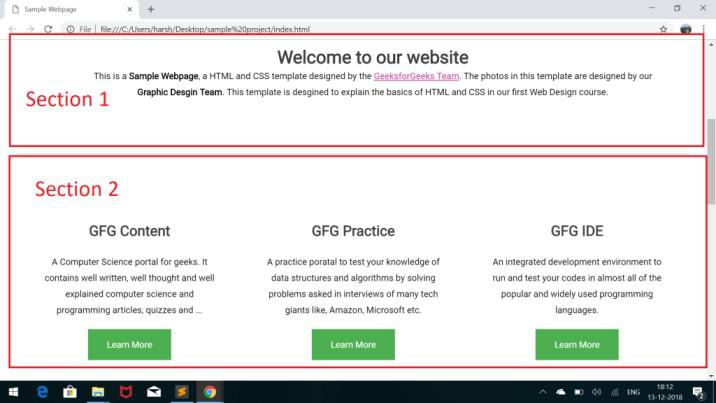
In this chapter, we will build the section 1 of the main layout. The section 1 of the main layout is highlighted in the below image
Let's note down the content and some properties of Section 1 that will be useful in designing
Below is the complete HTML code for Section 1 of the Main layout
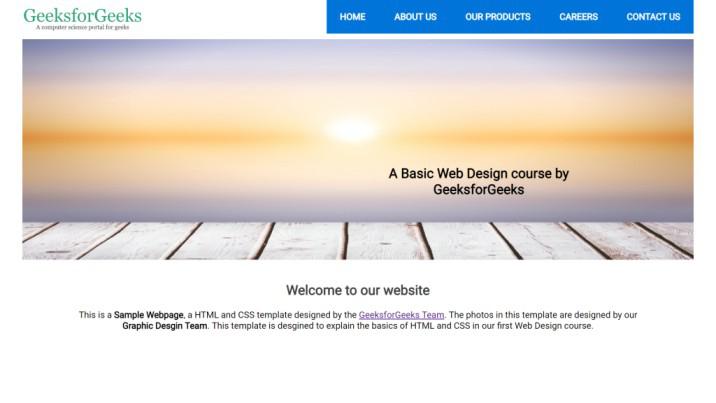
Output: After adding the HTML codes the page index.html will look like as below
The complete CSS for styling the section 1 of the main layout is given below
Output: Open index.html file in a browser to see the below output
Everything looks fine till now. But there seems to be some problem. The font's in our project does not seem to be the same as that of the template. We have used the font "Roboto", but it seems to be not working for some reason.
This is because the browser does not support each and every font implicitly. We will have to explicitly define the source of the font within the head tags. Add the below line inside the head tags of index.html file:
<link href='https://fonts.googleapis.com/css?family=Roboto' rel='stylesheet'>After including the above line within the head tags. Reload your index.html in the browser