VOOZH about

URL: https://www.geeksforgeeks.org/html/html-dom-storage-setitem-method/

⇱ HTML | DOM Storage setItem() Method - GeeksforGeeks


  • Courses
  • Tutorials
  • Interview Prep

HTML | DOM Storage setItem() Method

Last Updated : 14 Jul, 2022

The setItem() method is used to set the storage object item which is specified by the user. This storage object can be a localStorage object or sessionStorage object. 

Syntax: For local storage:

localStorage.setItem(keyname, value)

For session storage:

sessionStorage.setItem(keyname, value)

Parameters: Two parameters are required :-

  • Keyname: It specifies the name of the key used for getting the value.
  • value: It specifies the value which replaces the old value.

Return Value: A String, representing the inserted value. 

Example: 

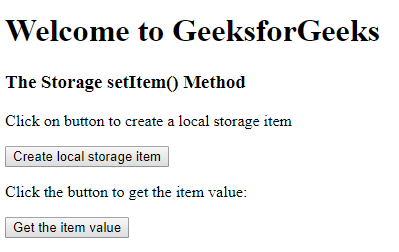
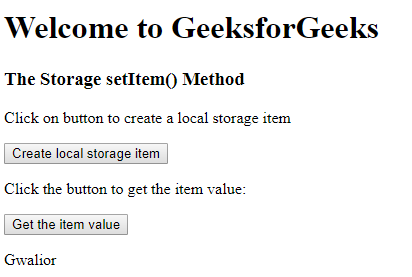
Output: 

Before:

 👁 Image
 

After:

 👁 Image
 

Supported Browsers: The browser supported by DOM setItem() Method are listed below:

  • Google Chrome 4 and above
  • Edge 12 and above
  • Internet Explorer 8 and above
  • Firefox 3.5 and above
  • Opera 10.5 and above
  • Safari 4 and above
Comment