|
VOOZH | about |
|
VOOZH | about |
HTML <textarea> readonly Attribute prevents user input, making the textarea content read-only, allowing only the display of text without editing capability.
Syntax:
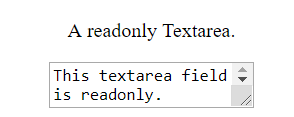
<textarea readonly> Contents... </textarea>Example 1: In this example we use the readonly attribute within a <textarea> tag, creating an uneditable textarea field displaying the text "This textarea field is readonly."
Output:
👁 html-textarea-readonly-attribute-example
Example 2: In This HTML example demonstrates the use of the readonly attribute in a <textarea> tag, creating a non-editable textarea with the specified content.
Output:
The browser supported by <textarea> readonly attribute are listed below: