SVG stands for Scalable Vector Graphic. It can be used to make graphics and animations like in HTML canvas.
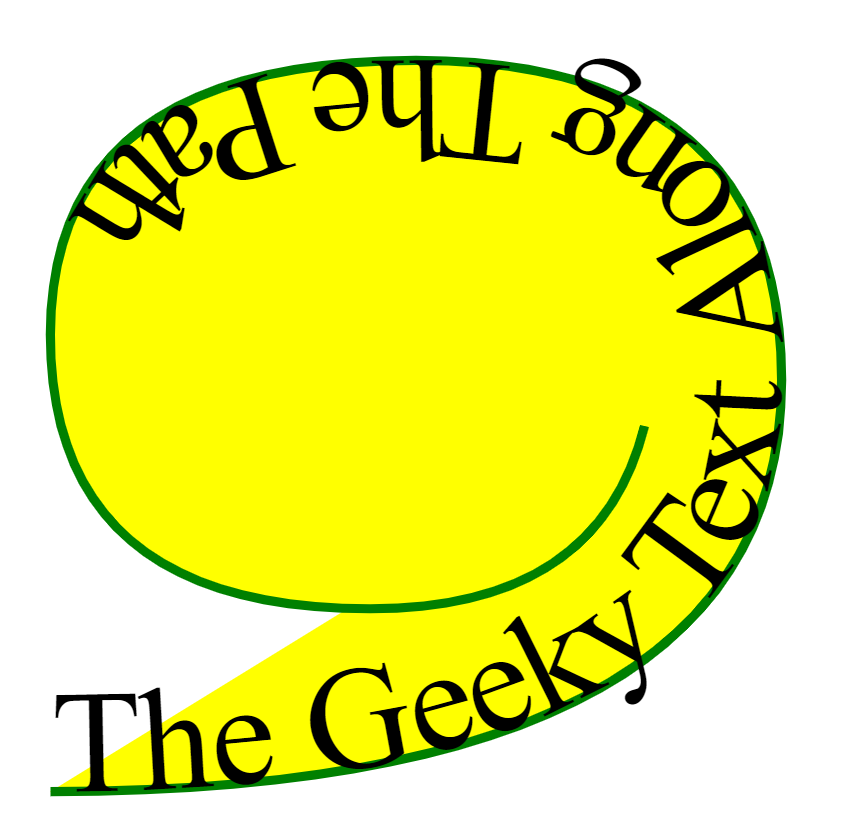
The <textPath> SVG element is used to render the text along with a certain path.
To render text along with a certain path, enclose the text in an <textPath> element that has a href attribute with a reference to the <path> element.
Syntax:
<textPath href="path" >
 Your Text Here
</textPath>
Attribute:
- href: The URL to the path or basic shape on which to render the text.
- lengthAdjust: Where length adjustment should be applied to the text.
- method: Which method to render individual glyphs along the path.
- path: The path on which the text should be rendered.
- side: Which side of the path the text should be rendered.
- spacing: How the space between glyphs should be handled.
- startOffSet: How far the beginning of the text should be offset from the beginning of the path.
- textLength: The width of the space into which the text will render.
- Global Attributes: some global attributes used like core attributes and styling attributes, etc.
Example:
Output:
👁 Image
Browsers Supported: The following browsers are supported by this SVG element:
- Google Chrome
- Internet Explorer
- Firefox
- Apple Safari
- Opera